

Move BTC to your Unified Trading Account (UTA)
You can only trade with BTC that’s in your Unified Trading Account (UTA). If your funds are in the Funding Account, transfer them first:- Go to Assets
- Click Funding Account
- Select: → Transfer From: Funding
- To: Unified Trading
- Enter the BTC amount
- Confirm Transfer
This internal transfer is instant and free of charge.
Select a contract
- From the top menu, go to Trade → Futures.
- Pick the contract you want to trade from the list (e.g., GOLD-BTC, US500-BTC).
All Roxom futures trade 24/7. However, some underlyings (like equities or commodities) have their own market hours. When the underlying market is closed:
- The underlying price (numerator) is frozen at its last available value.
- Bitcoin (the denominator) keeps trading continuously.
- As a result, the contract price (e.g., US500/BTC) can still move — because BTC keeps moving, even if the underlying itself is not updating.
Choose your order type
In the order panel, select your order type:| Order Type | Description |
|---|---|
| Limit Order | Set your own price; the order executes at that price or better. |
| Market Order | Executes immediately at the best available price. |
| Stop-Limit Order | Triggers a limit order once the stop price is reached. Useful for setting controlled entries or exits. |
| Stop-Market Order | Triggers a market order once the stop price is reached. Often used for stop-loss or breakout strategies. |
- Side: Long (Buy) or Short (Sell)
- Leverage: Up to 10x
- Quantity / Value: You can enter either:
- the number of contracts you want to trade, or
- the order value in BTC
 See all order types and how they work in the Order Types & Execution Rules section of our Rulebook.
Leverage and Risk: Higher leverage means you control a larger position with the same margin — which increases both potential profits and potential losses. With more leverage, your Margin Ratio will rise faster as the market moves against you, bringing your position closer to liquidation.
Confirm and submit your order
Before your order is sent, you’ll see a confirmation window showing:- Entry price
- Size & leverage
- Estimated liquidation price
- Fees
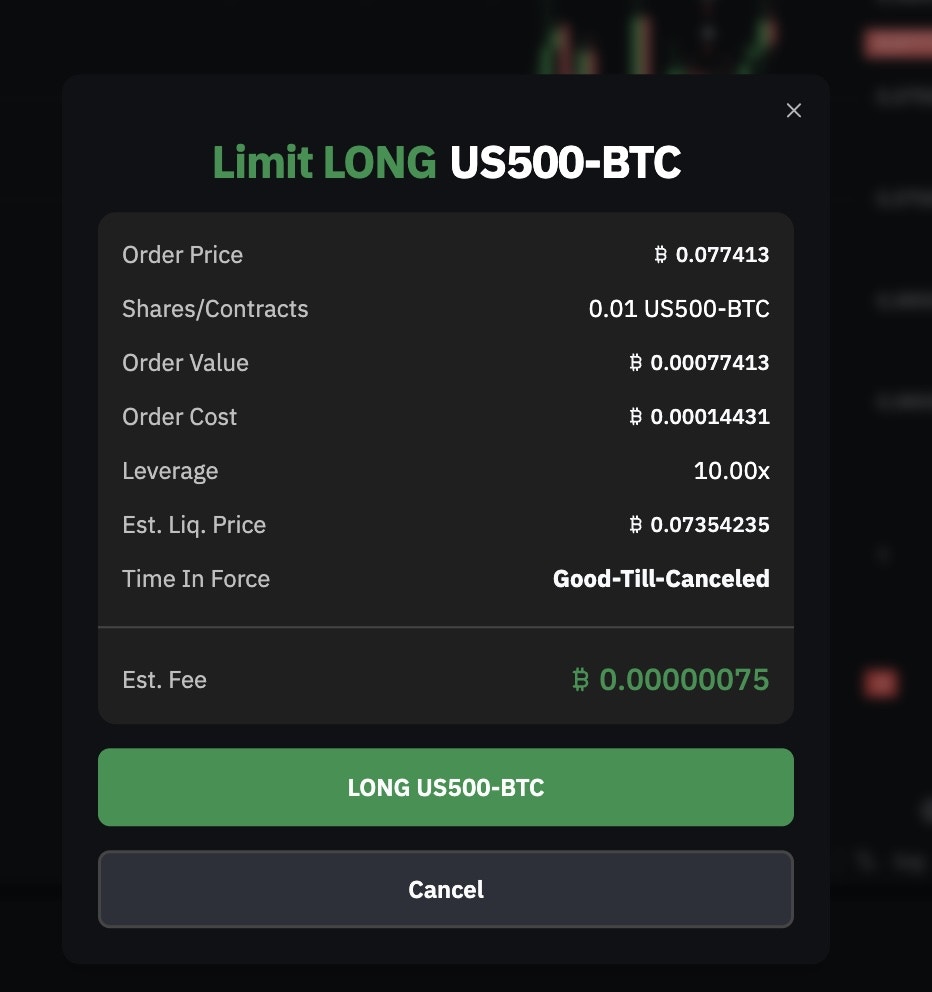
Always review your order details carefully before confirming.
Monitor your trade
Once active, your position appears in the Open Positions panel at the bottom of the trading interface. Here you can track:- Unrealized PnL — Your floating profit/loss
- Margin Ratio — Your current risk level
- Liquidation Price — Price at which your position will be closed automatically
Understand margin ratio, liquidation, and how to manage risk in the Margin & Risk section of our Rulebook.
Understanding PnL and UPNL
UPNL (Unrealized Profit and Loss)
Your current profit or loss on an open position, based on the difference between the Mark Price and your Entry Price. For long positions:PNL (Realized Profit and Loss)
The final profit or loss after a position is closed, including trading fees and funding payments.Closing a position
To exit your position, you have several options:| Method | Description |
|---|---|
| Market close | Sell (if long) or buy (if short) at the current market price. |
| Limit close | Place an opposite limit order at your desired price. |
| Partial close | Reduce your position size without closing the entire position. |