

Prerequisites
Before placing a trade, make sure that:- You have Bitcoin (BTC) available in your Unified Trading Account (UTA)
- For tokenized equities: the U.S. market must be open (Monday–Friday, 9:30 AM – 4:00 PM EST)
- For crypto assets (ETH, SOL, USDC, USDT): available 24/7
Deposited USDC or USDT? The trading flow on Roxom is always BTC-based. If you deposited stablecoins, you first need to sell them for BTC via One-Click Trade. Then you can use that BTC to buy any other asset on the platform — crypto, stocks, or ETFs.Example flow: USDT → BTC → AAPL (or any other asset)
How to buy a tokenized asset
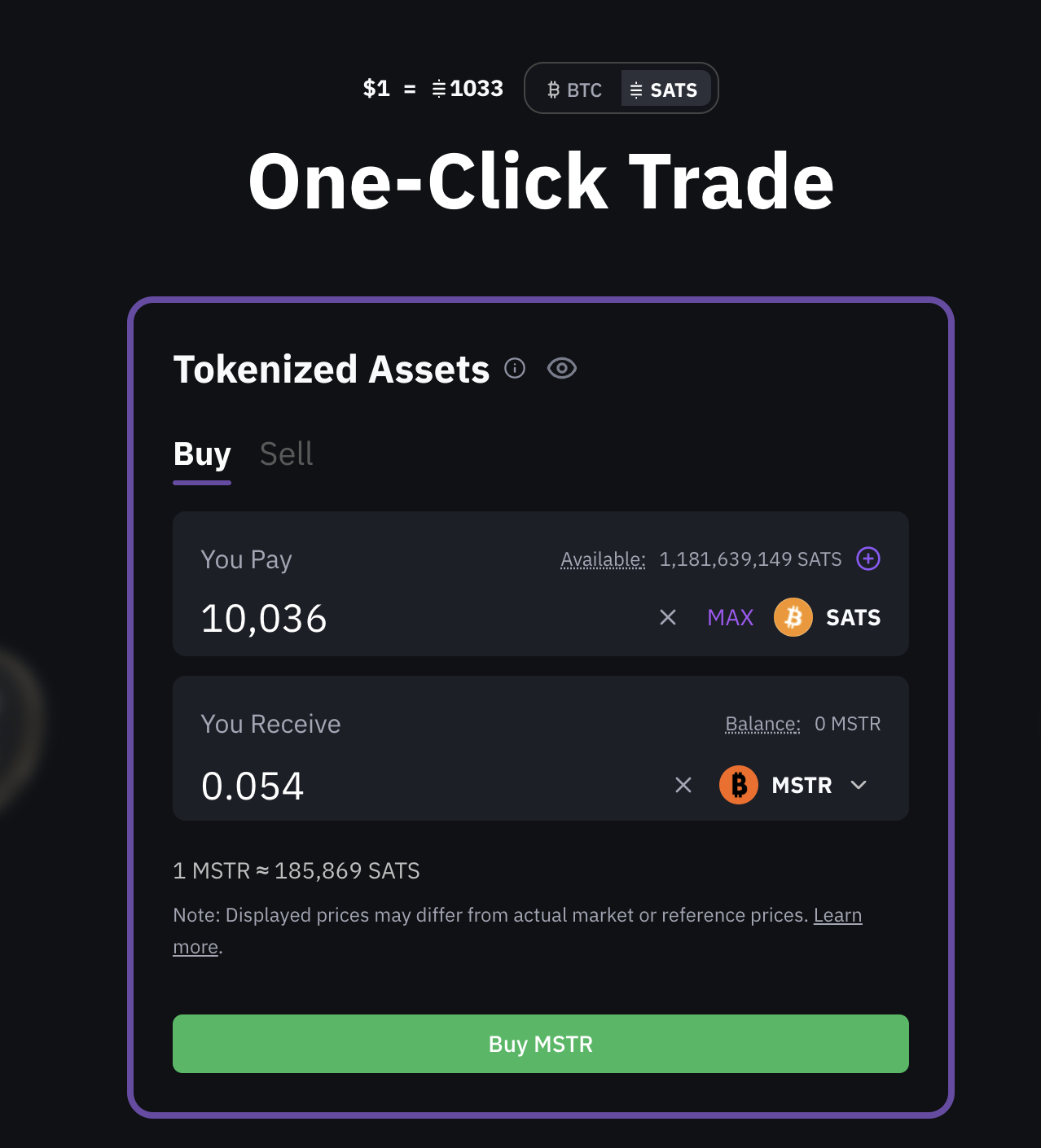
Step 1: Select asset and amount
- Navigate to the One-Click Trade interface.
- In You Pay, enter the amount of BTC you want to spend
- You can also click MAX to use your full available balance.
- In You Receive, use the dropdown to search for and select the tokenized stock you want to buy (for example, AAPL).
Step 2: Review the estimate
- The interface will display an estimated amount of the tokenized asset you will receive based on the current market price.
- Click Buy to proceed.
This amount is an estimate, not a guaranteed price.
Step 3: Confirm the quote
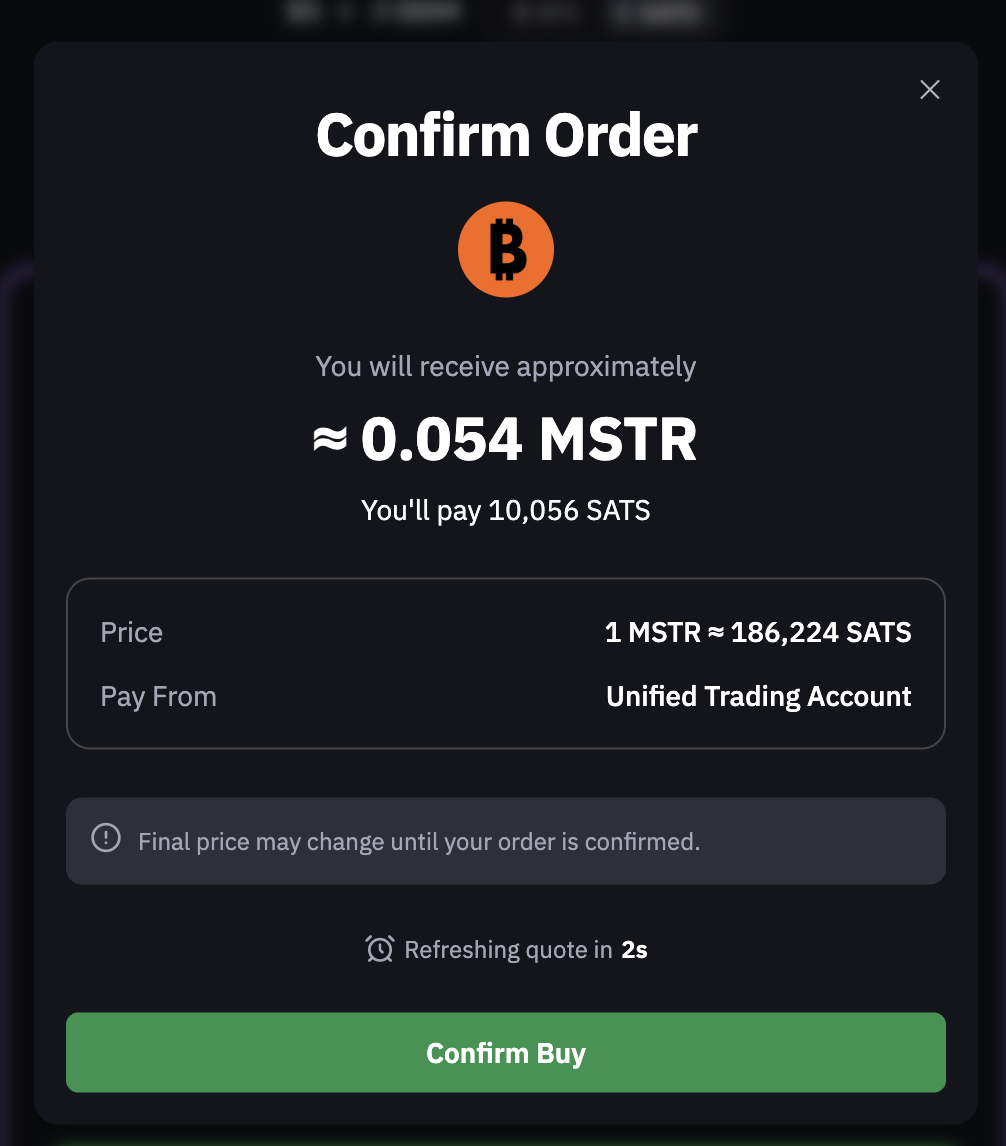
- A Confirm window will appear showing the execution quote for the swap.
- The quote is time-sensitive and refreshes automatically.
- You have 10 seconds to accept the current quote.
- Click Confirm Buy before the timer expires to execute the swap.
Step 4: Execution and confirmation
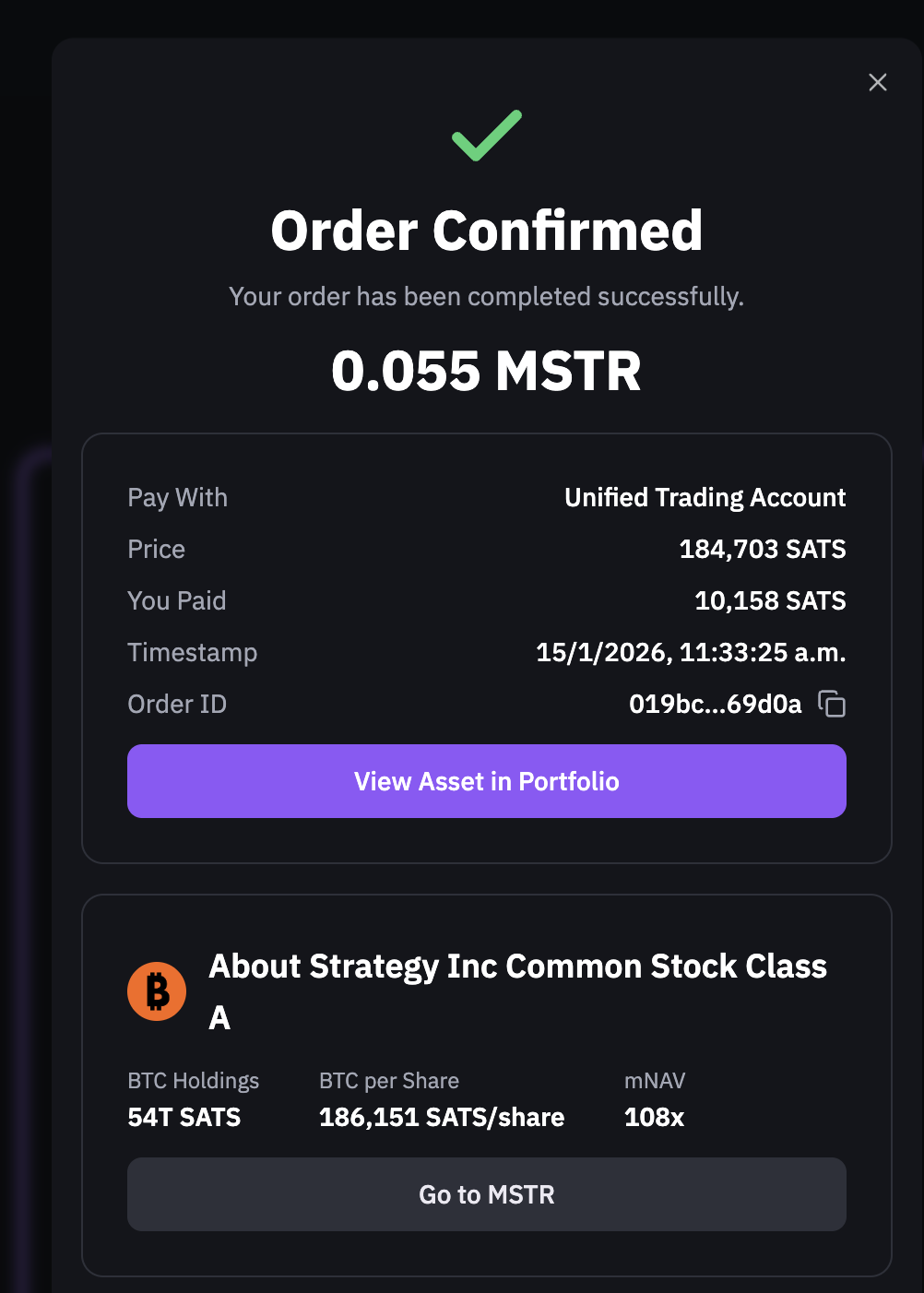
- Once confirmed, the swap executes instantly.
- You’ll see a confirmation screen showing the final execution details, including:
- The final amount received
- The exact BTC (or SATS) paid
- The final execution price
- Timestamp and reference ID
- A confirmation appears in the Notification Center
- A confirmation email is sent to your registered email address
- Your Tokenized Asset is immediately available in your Unified Trading Account (UTA)
How to sell a tokenized asset
Selling a Tokenized Asset follows the same swap flow as buying, with the direction reversed. Instead of swapping BTC for a tokenized asset, you are swapping a tokenized asset back into BTC.What changes when selling
When switching from Buy to Sell in the One-Click Trade interface:- You Pay shows the tokenized asset you currently hold
- You Receive shows the estimated amount of BTC you’ll get
- You can enter the amount to sell or click MAX to sell your full position
- You review an estimate
- You confirm a time-sensitive quote
- The swap executes instantly after confirmation
Execution and confirmation (sell)
Once you confirm the quote:- The swap executes instantly
- You’ll see a confirmation screen with the final execution details
- The final BTC amount is credited to your Unified Trading Account (UTA)
- A confirmation appears in the Notification Center
- A confirmation email is sent to your registered email address
Are there any trading fees?
One-Click Trade does not charge explicit trading fees.The price shown in the confirmation quote reflects the execution price of the swap, with no additional charges applied after confirmation.
Key takeaway
- Buying and selling use the same One-Click Trade swap flow
- The only difference is the direction of the swap
- Quotes, timing, execution, and confirmations behave identically
- No fees apply to buy or sell swap