

Where to check the status
There are three ways to check the status of your withdrawal:1. Recent withdrawals (Withdraw Crypto page)
Go to the Withdraw section from the top-right corner of the platform. At the bottom of the screen, you’ll see the Recent Withdrawals section with all your recent withdrawal activity.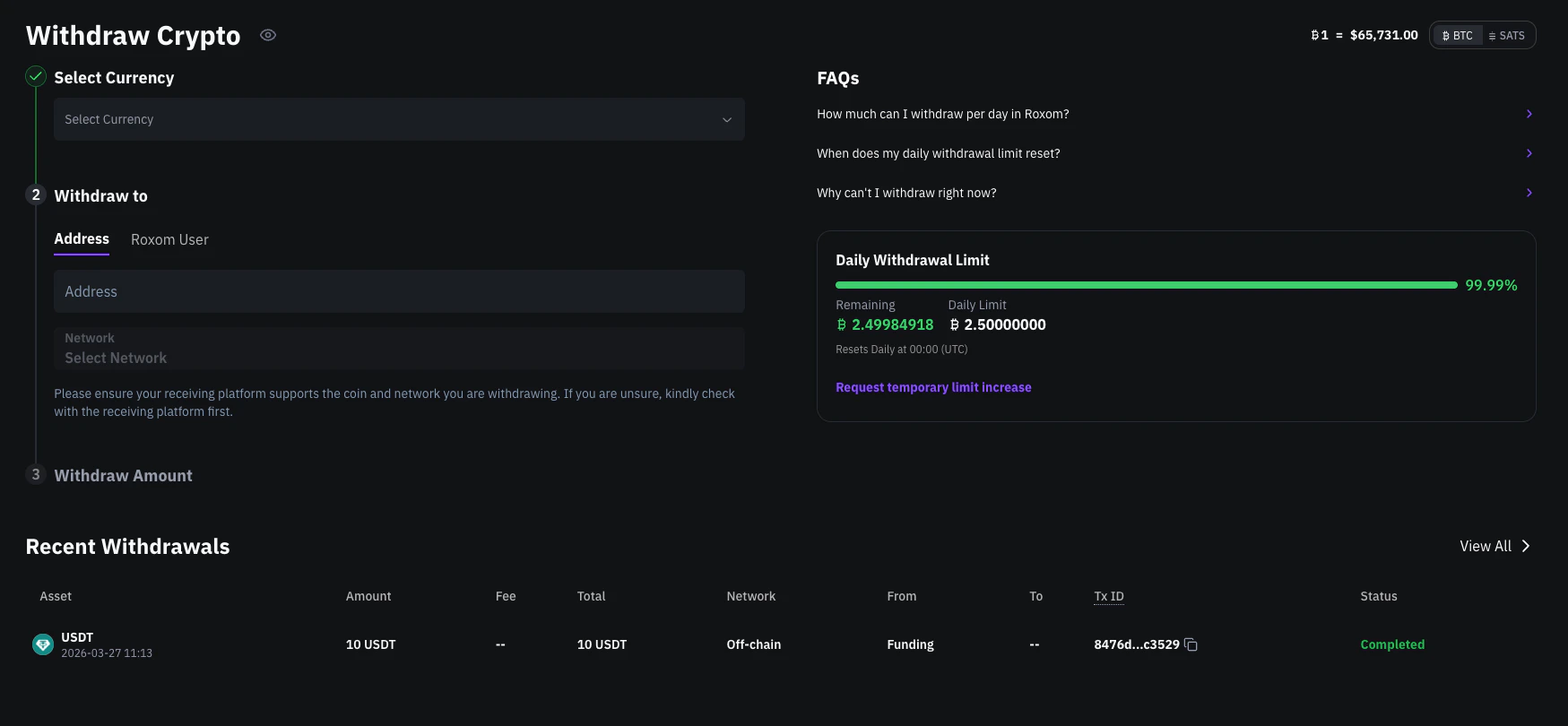
Recent Withdrawals section on the Withdraw Crypto page
- Asset (BTC, USDC, or USDT)
- Amount, fee, and total
- Network
- From / To
- Transaction ID (TxID), if available
- Status of the transaction
2. Recent movements (Funding Account)
Go to your Funding Account and switch to the Recent Movements tab under Your Portfolio. This view shows all movements in your Funding Account, not just withdrawals, but also deposits and transfers.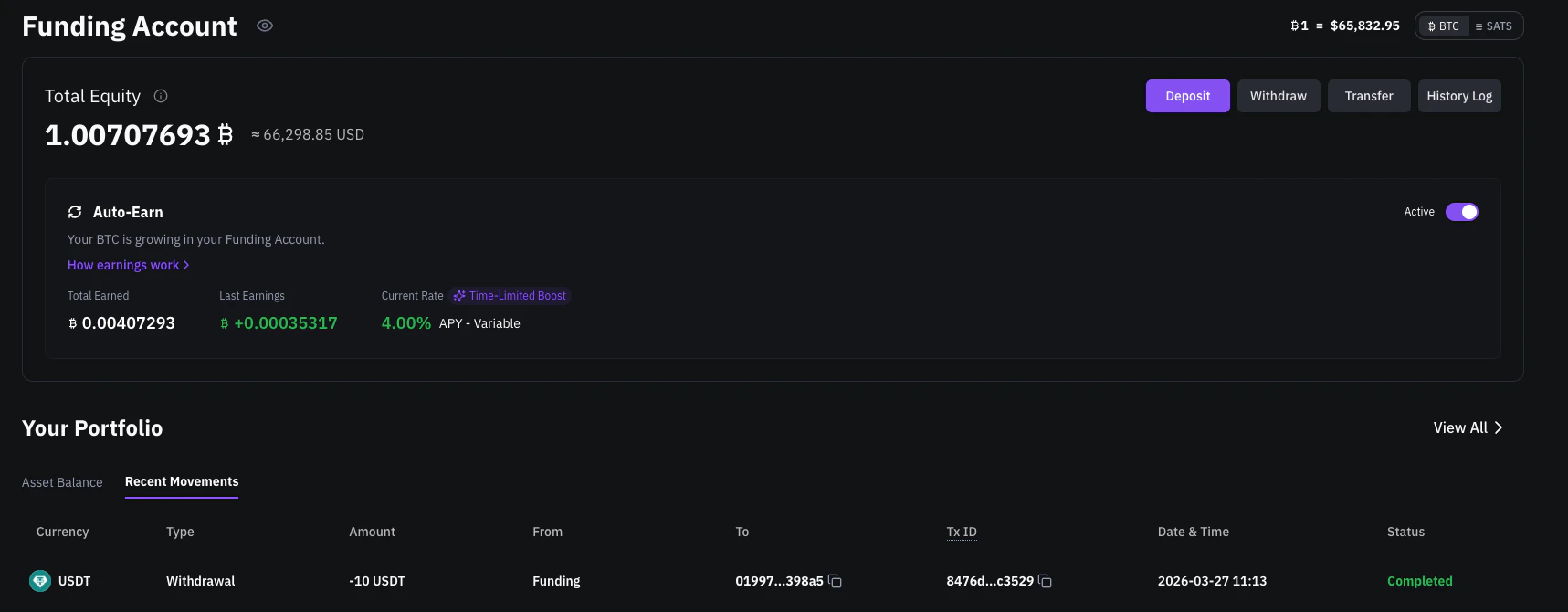
Recent Movements tab in the Funding Account
3. History Log
For a complete record of all account activity, go to your Funding Account and click the History Log button. This gives you a full transaction log across all types of movements.What each status means
How to check your transaction on the blockchain
If the status is Completed, you’ll see a clickable TxID next to the withdrawal.- BTC withdrawals
- USDC / USDT withdrawals
Clicking the TxID opens a Bitcoin blockchain explorer (like mempool.space) where you can view confirmations, timestamps, and the recipient address.
Related articles
How to deposit crypto into your Roxom account
Open article
How to withdraw crypto from your Roxom account
Open article