

Requirements before deleting your account
Before you can proceed with account deletion, you must meet the following conditions:- No open positions: close all active trades
- No open orders: cancel all pending orders
- Zero account balance: withdraw all remaining funds
How to delete your account
- From the header, open your profile menu and go to Security.
- Scroll down to the Account Management section and click Delete Account
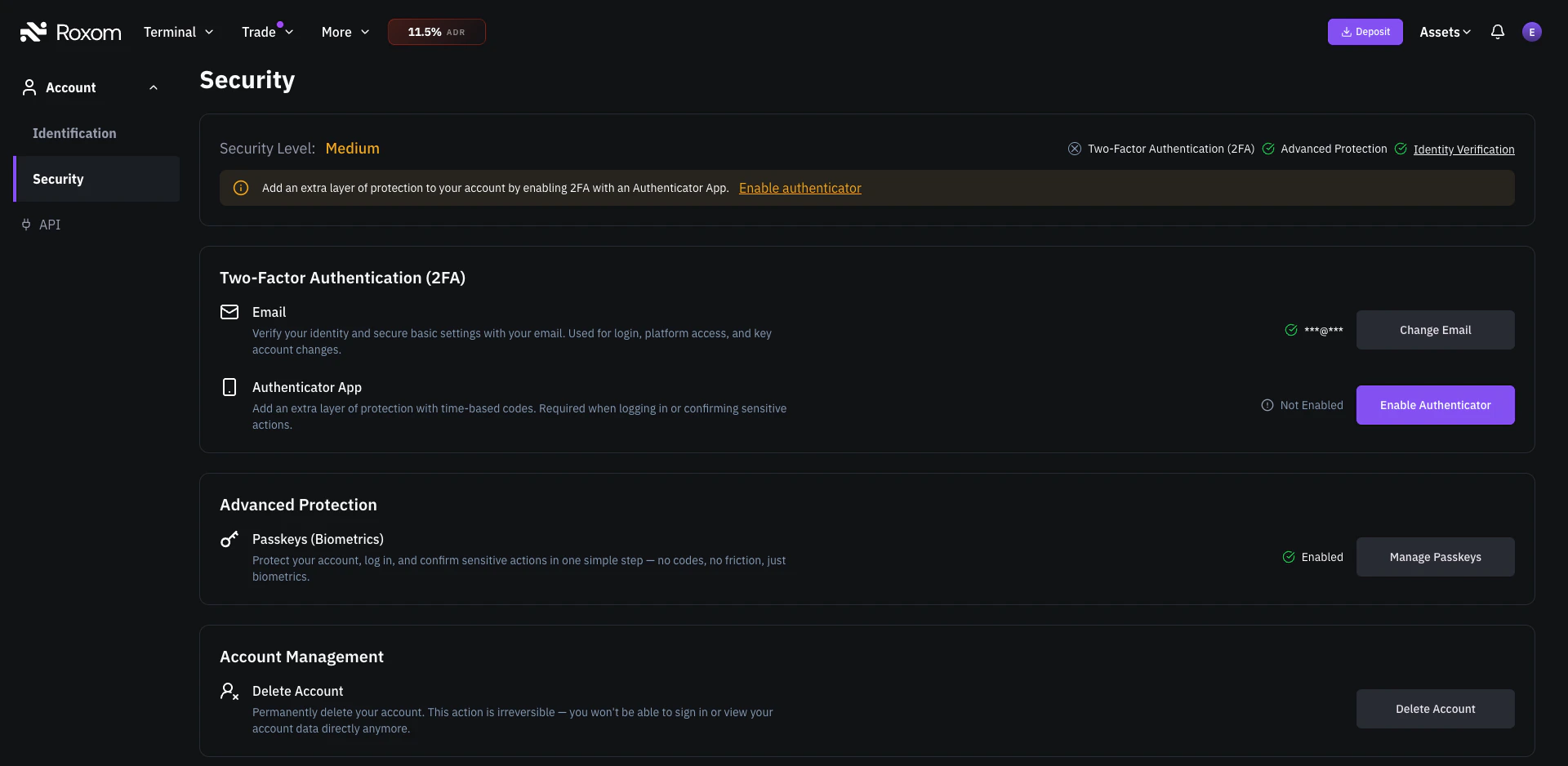
The Delete Account option is located under Account Management in the Security settings.
- Review the information on the confirmation screen
- Click Continue to start the deletion process
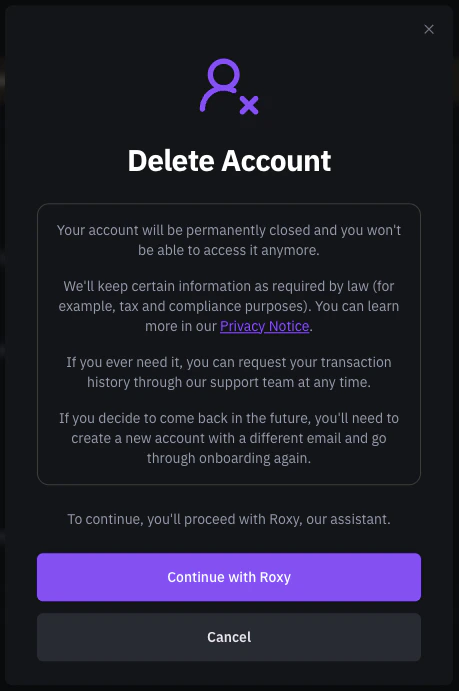
Confirmation screen before proceeding with account deletion.
- You will be guided through the final steps of the deletion process:
- You may be asked to share feedback about why you are leaving
- You can choose to be transferred to a support agent if you need further assistance
- Once confirmed, the deletion request will be processed
What happens after your account is deleted?
- Your account is permanently closed: you will no longer be able to sign in or access it
- Certain information will be retained as required by law (for example, tax and compliance purposes). You can learn more in our Privacy Notice
- You can request your transaction history through our support team at any time
Can I come back to Roxom after deleting my account?
Yes, but you will need to:- Register with a different email address: the original email can never be used again on Roxom
- Complete the KYC (identity verification) process again from scratch
- Go through the full onboarding process as a new user
Important reminders
- Account deletion is permanent and irreversible: make sure this is what you want before proceeding
- Never share your login codes or security credentials with anyone
- Roxom will never ask for your Passkey, Authenticator App code, or email OTP
- The only official channels to manage your account are:
- help@roxom.com, our official support email
- The in-platform support assistant
Related articles
Account restrictions: what you need to know
Open article
Impersonation & phishing
How to verify Roxom communications and avoid phishing.