

Before you start
To make a withdrawal, your account must meet these requirements:- You’ve completed your Account Verification.
- You’ve set up a strong security method:
- Passkey (recommended), or
- Authenticator App (OTP)
How to withdraw crypto
You can always access the Withdraw option from the top-right corner of the platform, regardless of which page you are currently on. Once in the withdrawal screen, follow these steps:1
Select coin
Choose the currency you want to withdraw: BTC, USDC, or USDT.
2
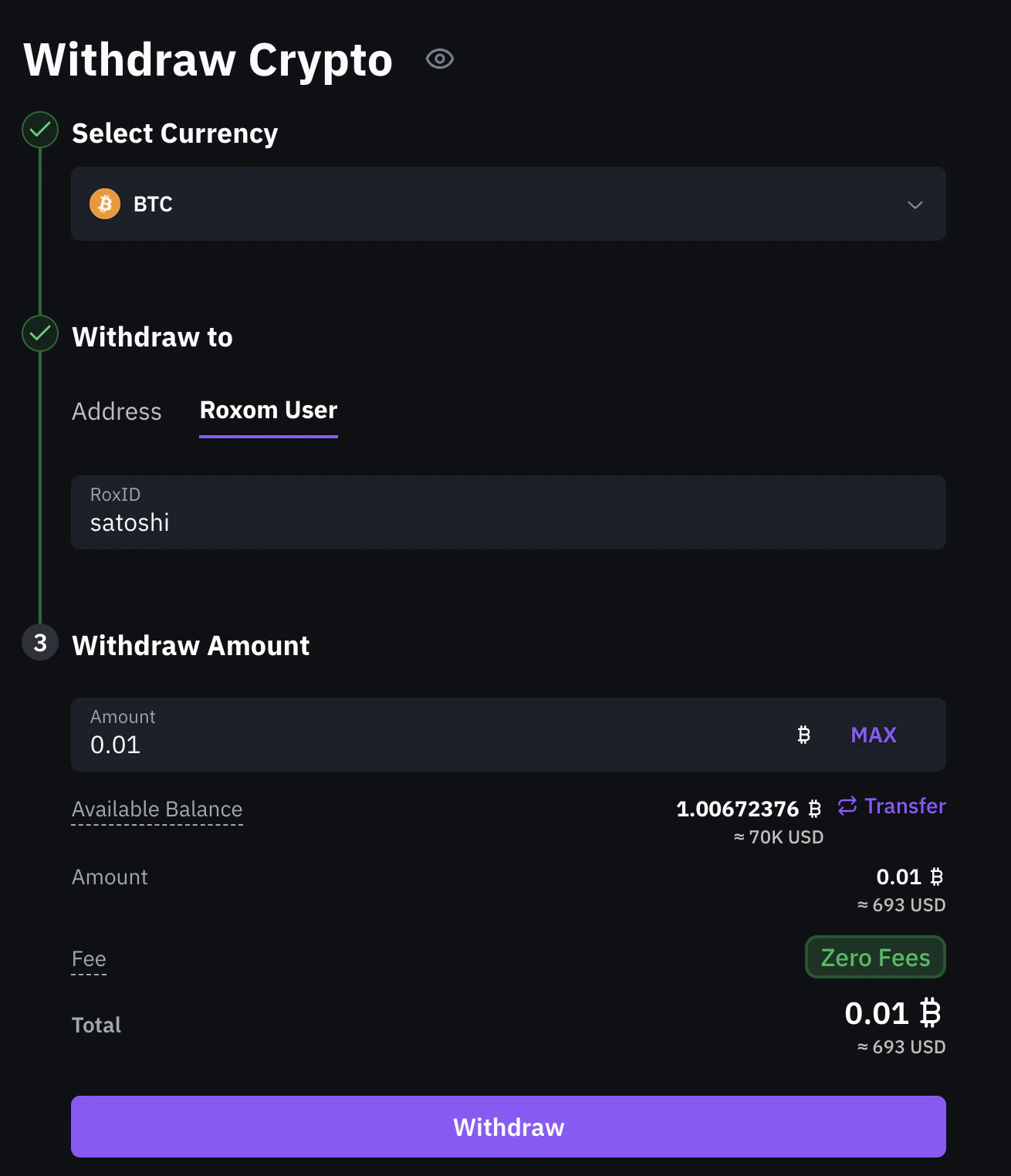
Choose destination
You can withdraw to two types of destinations:
- Address (external wallet)
- Roxom User (internal transfer)
Paste the recipient’s wallet address to send funds to an external wallet.Then select the network: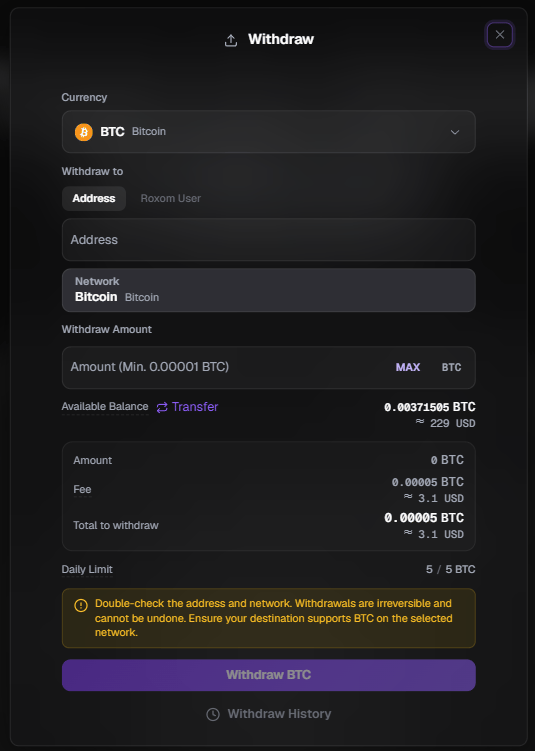
- BTC
- USDC / USDT
The address must start with
bc1, 1, or 3. If the address is invalid or incomplete, an error will appear.- BTC
- USDC / USDT
The network is automatically set to Bitcoin (BTC): the only supported option for BTC withdrawals.
Please ensure your receiving platform supports the coin and network you are withdrawing. If you are unsure, check with the receiving platform first.
3
Enter withdrawal amount
Enter how much you want to withdraw. You’ll see your Available Balance at the top of the section, this shows how much you currently have in your Funding Account.The total (incl. fee) shows the full amount that will be deducted from your balance.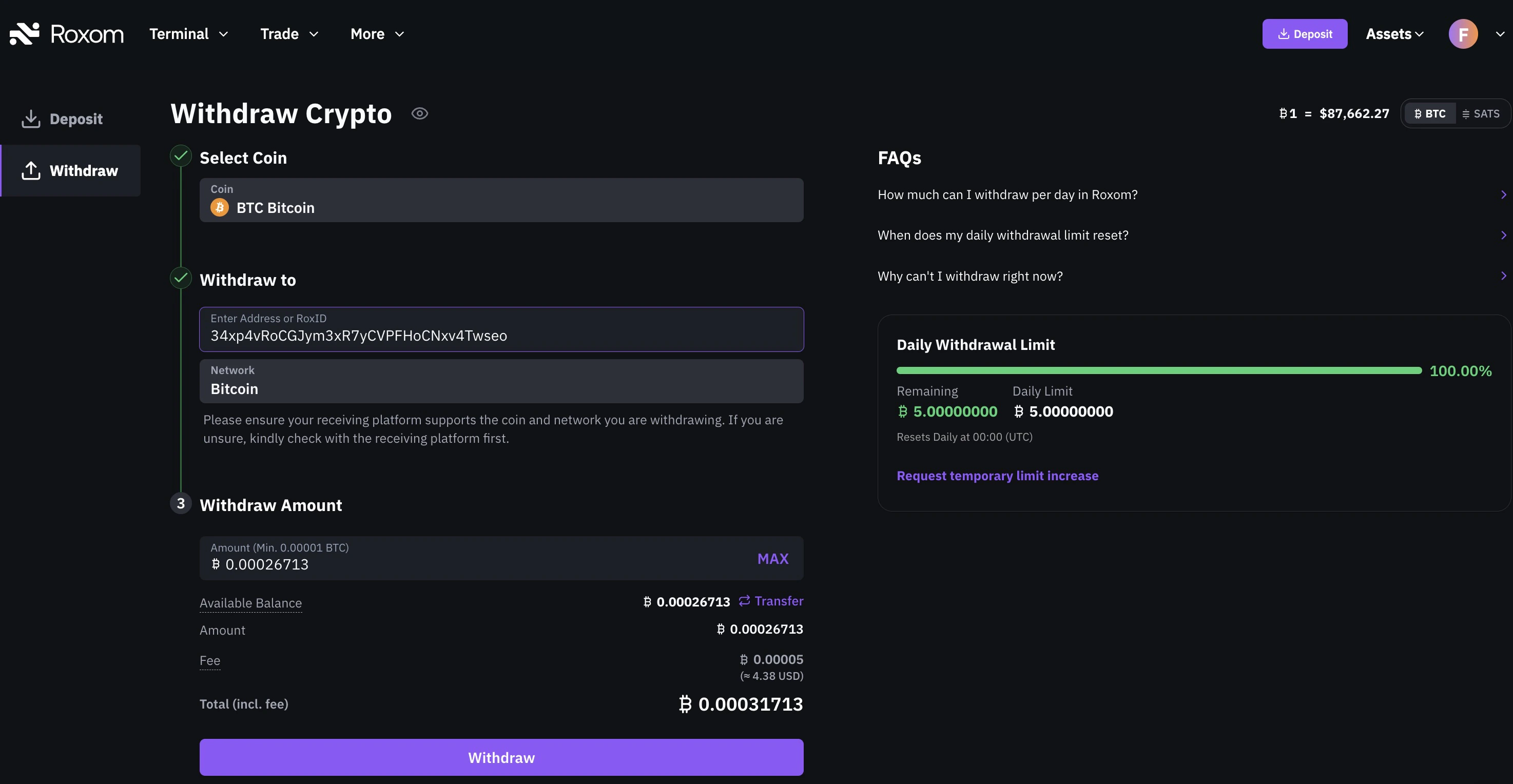
You can only withdraw from your Funding Account. If your funds are in your Unified Trading Account, you’ll need to transfer them first using the Transfer button.
- BTC
- USDC
- USDT
Withdrawal fees are always charged in the same currency you are withdrawing.
4
Confirm withdrawal
Click Withdraw to review the summary: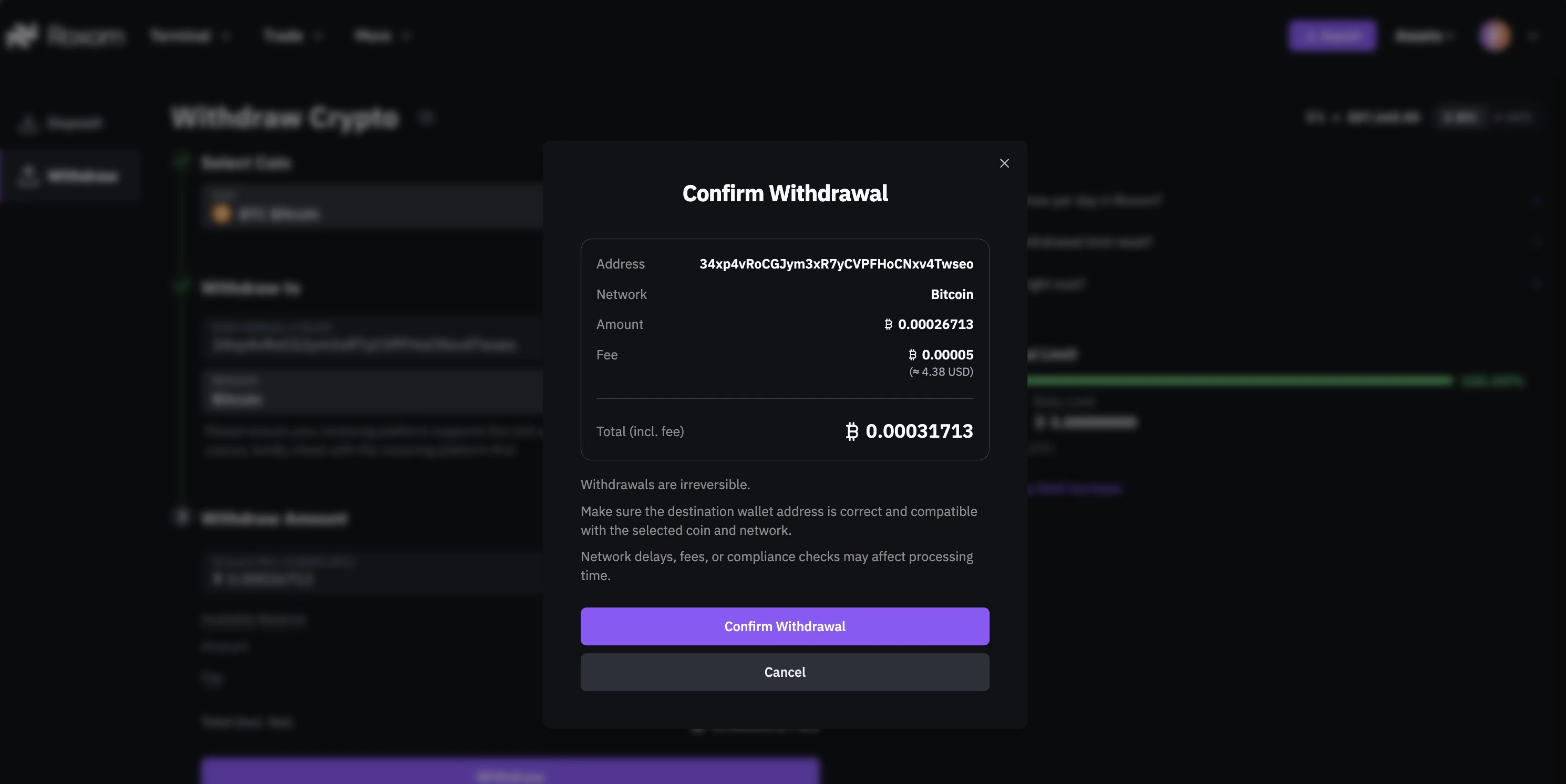
- Destination address
- Network
- Amount
- Fee
- Total
Security verification
To complete the withdrawal, you’ll need to go through a security check. The steps depend on the method you have set up:Passkey verification
Passkey verification
You’ll be prompted to verify your identity using your device’s authentication method (e.g., fingerprint, face recognition, or device PIN). No additional step is required.
Authenticator App verification
Authenticator App verification
This method requires two steps:
- Enter the 6-digit code from your authenticator app (e.g., Google Authenticator or Authy).
- Enter the verification code sent to your email.
What’s next?
Once your security check is completed, your withdrawal will be processed. You’ll receive an email notification once it’s on the blockchain.Need help?
Still have questions? You can speak to Roxy, our AI support assistant, available 24/7 in the chat bubble at the bottom right of your screen. You can also contact our support team directly at help@roxom.com.Related articles
How do I check the status of my withdrawal?
Open article
How to deposit crypto into your Roxom account
Open article