

All amounts on the Portfolio page can be shown in BTC, SATS, or USD. Use the unit toggle next to your balance to switch. Learn more in Display preferences.
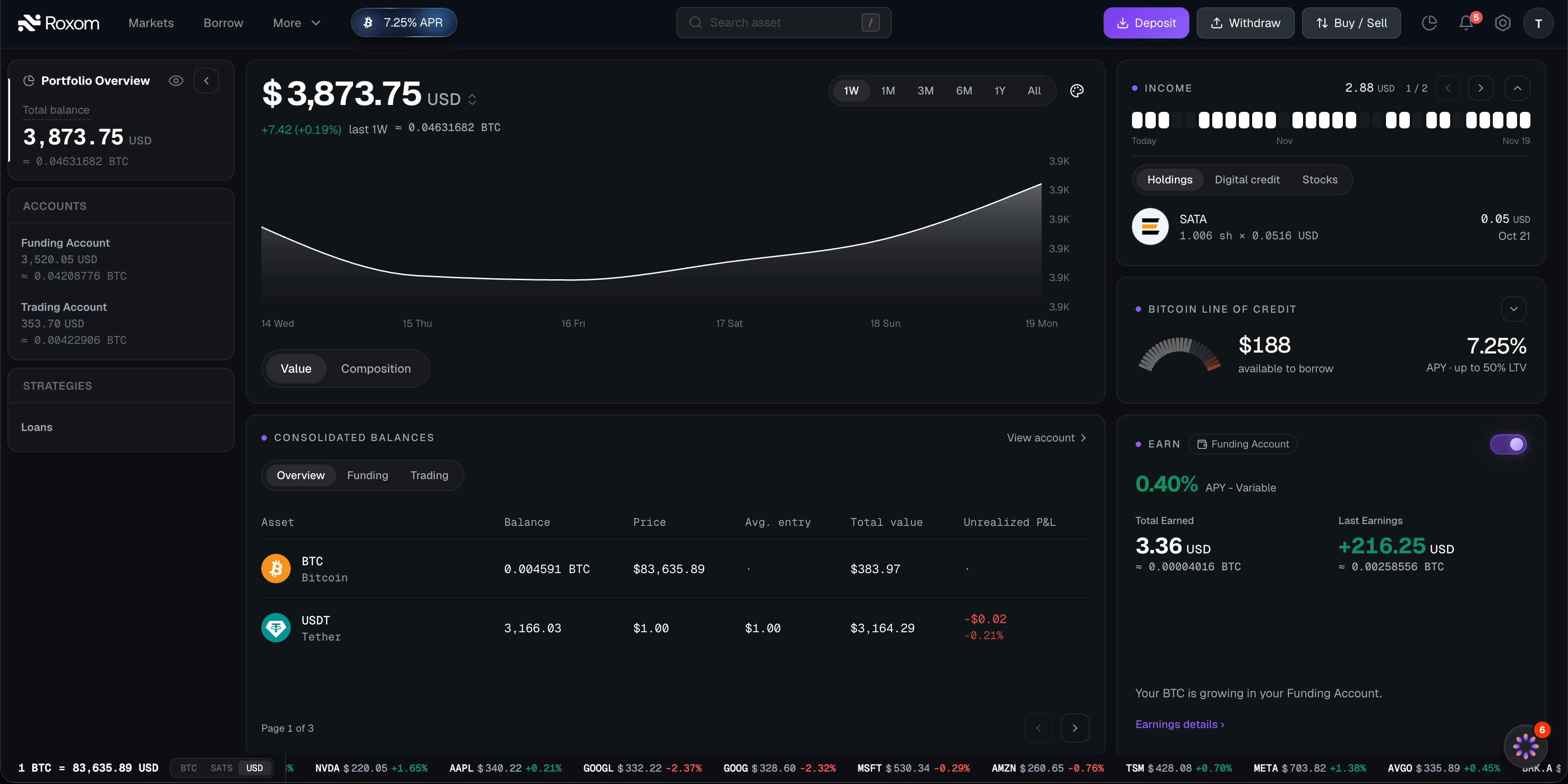
Portfolio Overview (left sidebar)
The Portfolio Overview sidebar summarizes your balances at a glance.- Click the eye icon to hide or show your balances.
- Click the arrow to collapse or expand the sidebar.
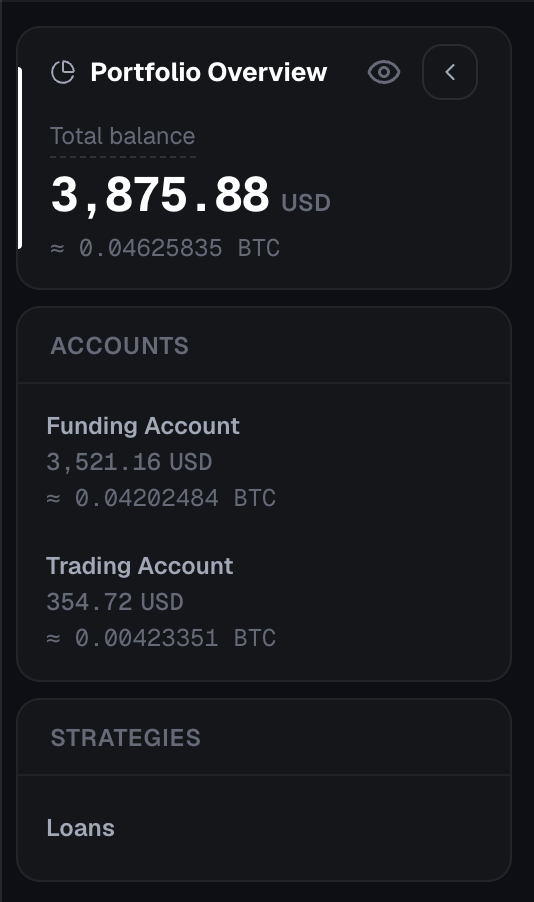
Balance chart
The main card shows your headline balance in USD with the BTC equivalent, and a chart of your portfolio over time. Click the unit to switch between BTC, SATS, and USD.Timeframes
Choose the period shown on the chart: 1W, 1M, 3M, 6M, 1Y, or All.Views
The chart covers your whole portfolio. There is no per-account history yet.
Chart color
Click the gear icon and open Chart color to pick one of 8 preset colors or choose Custom. Your choice is saved in your browser, so it may reset if you switch browsers or clear your browser data.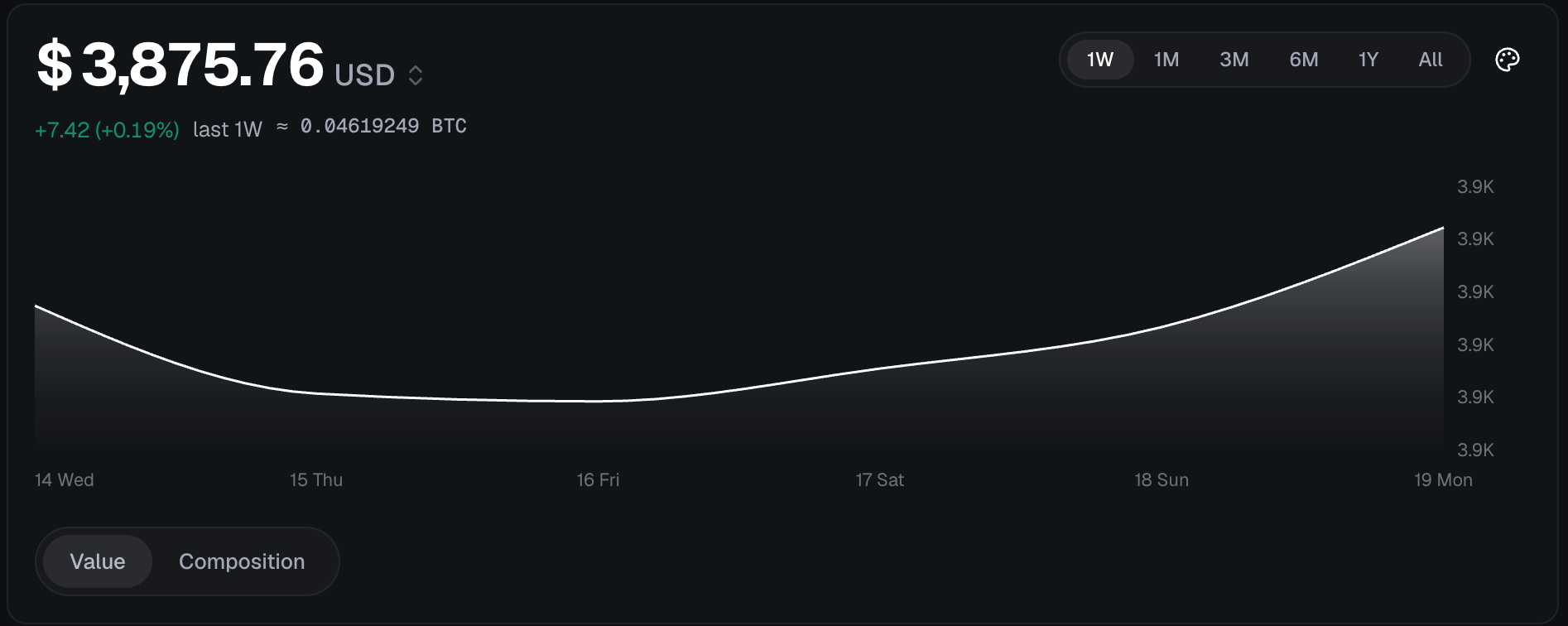
What you might see instead of the chart
Income
The Income card shows upcoming dividend and yield income from the assets you hold.- 30-day payout strip: a timeline from Today to +30 days showing when payouts are due.
- Payout list: each row shows the asset, shares × rate per share, the amount, and the payment date.
- Some amounts are marked “Estimated from the last declared payment”. These are estimates, and the final amount can differ.
- Yield: your annual income as a share of your whole portfolio.
Discover income assets
Use the tabs to browse the highest-yield assets:
Each asset has a Buy or View button. Learn how dividends are handled in How corporate actions are handled.
If you have no income yet
You’ll see “No income yet. Assets that pay you to hold them, paid in bitcoin.” Click Start earning to take a short quiz. It asks about your desired yield, whether you’re interested in digital credit, and whether you prefer stocks or ETFs, then suggests assets that match.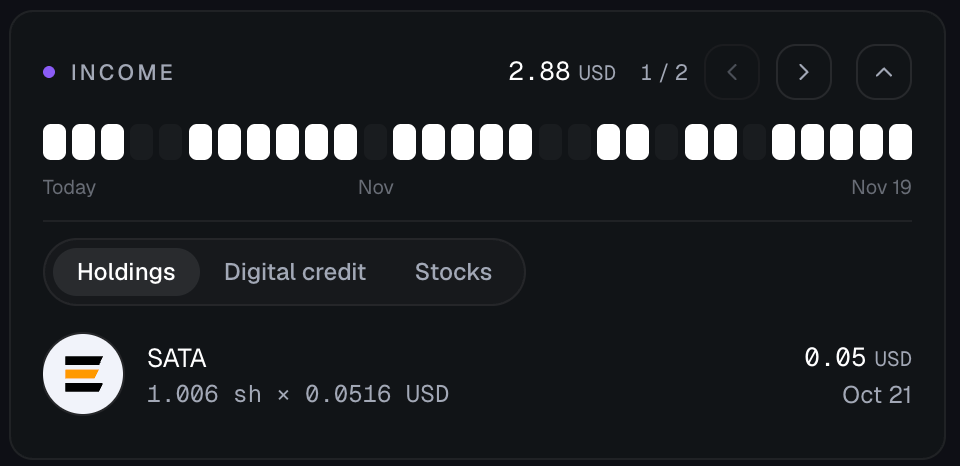
Bitcoin Line of Credit (BLOC)
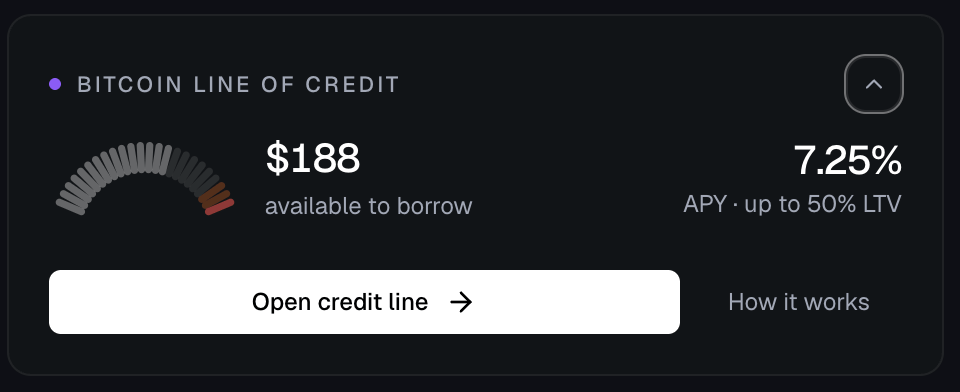
The BLOC card shows your Bitcoin Line of Credit: a loan backed by the BTC in your Funding Account.Summary
- Available to borrow: how much you can borrow, based on the BTC in your Funding Account.
- APY: the current borrowing rate.
- Max LTV: the maximum loan-to-value, for example “up to 50% LTV”.
With an open credit line
The card also shows remedy hints when your LTV needs attention, for example “Back to X%: add N BTC or repay Y”, or “Interest alone reaches a margin call in N days”. See LTV, margin calls, and liquidation.
Actions
An action can be disabled when:
- Borrowing is paused
- Your line is being liquidated
- Your line is in margin call
- There is no headroom left
- Identity verification (KYC) is required
Without a credit line
You’ll see one of these buttons, depending on your account:- Open credit line: start a new line. See How to open a credit line.
- Deposit BTC: add BTC to use as collateral.
- Verify identity: complete KYC before you can borrow.
Earn
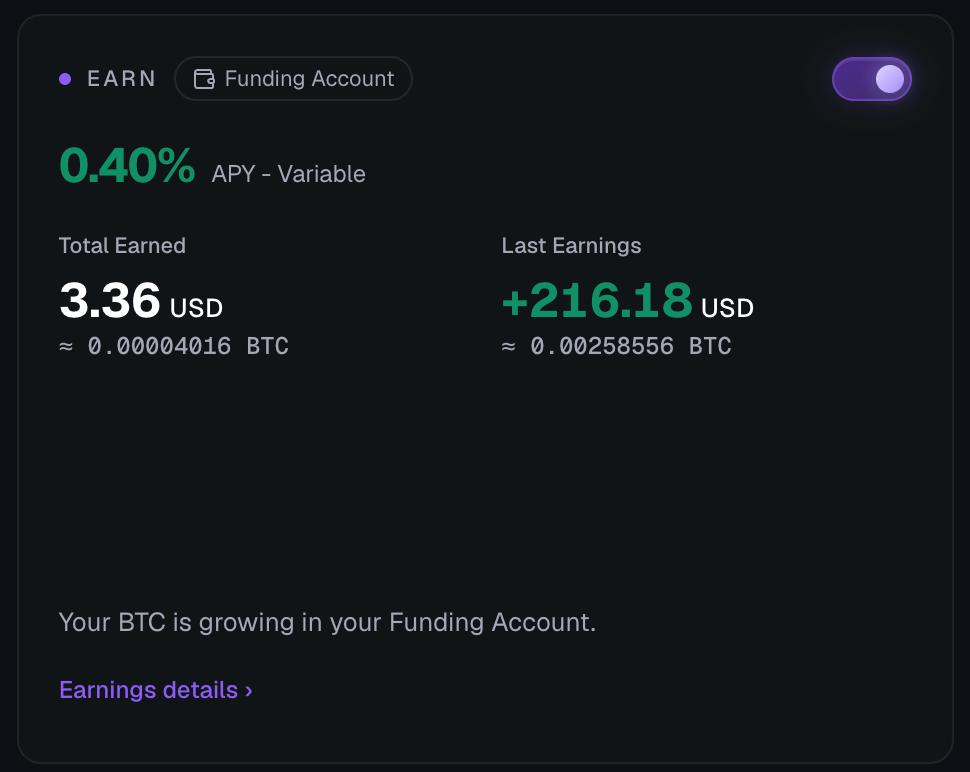
The Earn card lets you manage Earn on your Funding Account. Earn is available for BTC, USDC, and USDT, and each asset is enabled independently.- Use the toggle to turn Earn on or off.
- APY - Variable: the current rate.
- Total Earned: everything you’ve earned so far, in USD with the BTC equivalent.
- Last Earnings: your most recent credit, in USD with the BTC equivalent.
How it works
- Earn applies to your full available balance of each enabled asset in your Funding Account, including future deposits of that asset.
- Earnings are paid in the same asset: BTC earns BTC, USDC earns USDC, and USDT earns USDT.
- Earnings accrue daily and are credited to your Funding Account after each 00:00 UTC cutoff.
- For USDC and USDT, your balance is placed in Aave v3 on the Ethereum network to generate the yield. See the Terms and Conditions - Earn Stablecoins.
- Your funds stay available at all times.
- Rates are variable and not guaranteed.
Your Earnings
Open Your Earnings to see the details of the current earning window:
For BTC, earnings are calculated on the lowest BTC balance held in your Funding Account during each daily window (00:00 UTC to 00:00 UTC). If you withdraw or transfer BTC during the window, that day’s earnings use the lower balance. For USDC and USDT, the rate applies to your subscribed balance for each daily window. See Rates, earnings calculation, and credits.
Consolidated balances
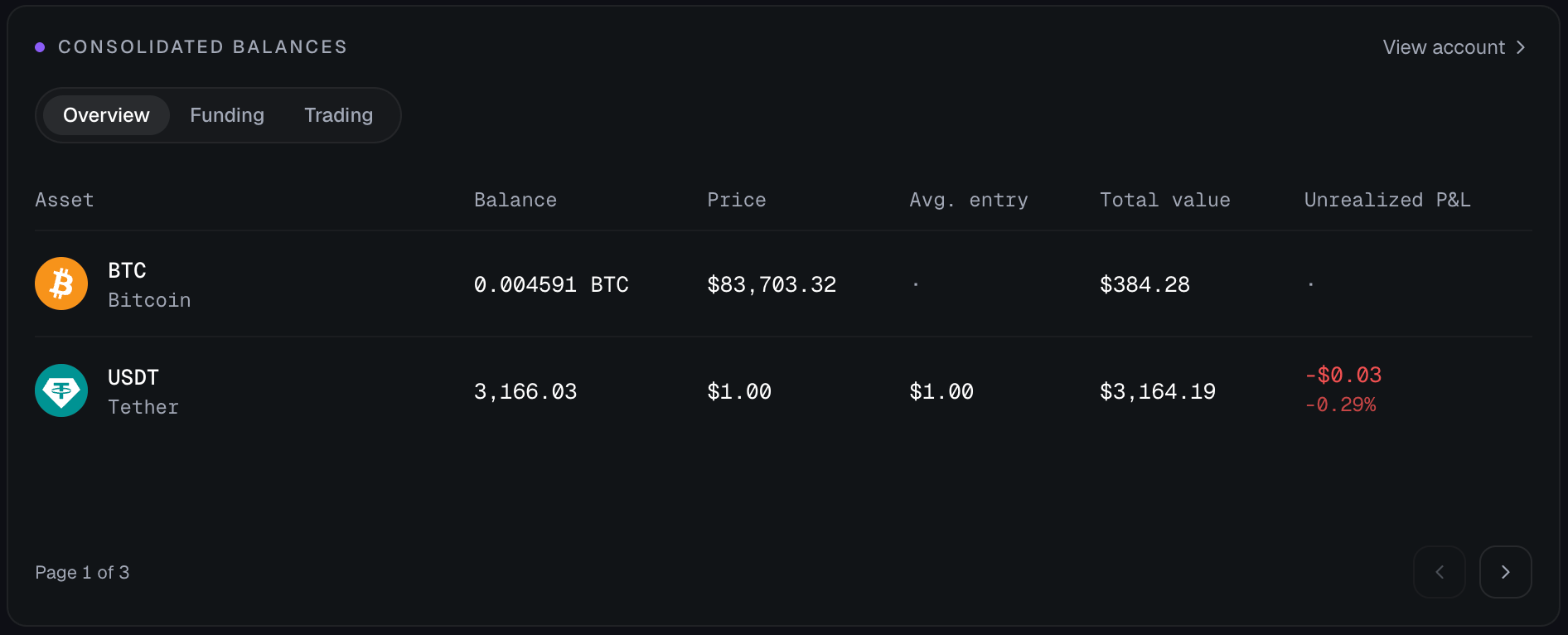
The Consolidated balances table lists every asset across both accounts. Use the tabs to filter:- Overview: both accounts together
- Funding: Funding Account only
- Trading: Trading Account only
Avg. entry and Unrealized P&L only apply to trading positions. For other assets they show ”·”.
Activity
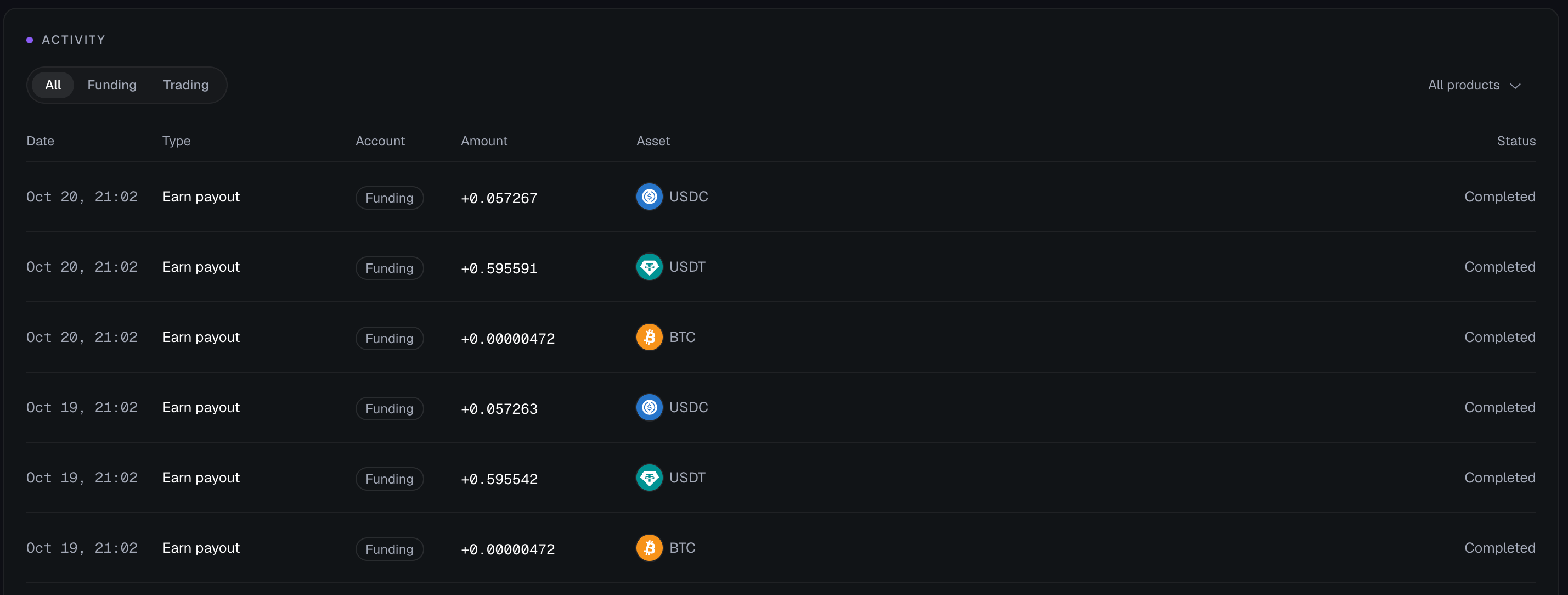
The Activity feed merges your Funding and Trading activity into one list, newest first. Click View all to open your full history.Tabs
- All: every movement
- Funding: Funding Account activity
- Trading: Trading Account activity (last 90 days)
Filter by product
Use the Filter by product dropdown to narrow the list: All products, Deposits & withdrawals, Transfers, Loans, Spot, Dividends. Only the categories that apply to the selected tab are shown.Columns
Frequently asked questions
Why is my total different from my Trading Account?
Why is my total different from my Trading Account?
Your Total balance adds up both accounts: your Funding Account and your Trading Account. Your Trading Account balance only shows what is held in the UTA. See Understanding your Roxom accounts.
Why can't I see my chart?
Why can't I see my chart?
Either your portfolio history failed to load (try again in a moment), or your account is new. New accounts first need to verify their identity and make a deposit before there is history to show.
Why is the P&L tab missing?
Why is the P&L tab missing?
The P&L tab is hidden when P&L data is not available for your account. You can still use the Value and Composition views.
When do Earn credits arrive?
When do Earn credits arrive?
Earn credits arrive daily at 00:00 UTC. The Your Earnings modal shows a countdown to the next credit. See Rates, earnings calculation, and credits.
What is LTV?
What is LTV?
LTV (loan-to-value) is the size of your loan compared to the value of your BTC collateral. As the BTC price falls or interest accrues, your LTV rises. If it reaches the margin call or liquidation level, you need to add BTC or repay. See LTV, margin calls, and liquidation.
Need help?
Still have questions? You can speak to Roxy, our AI support assistant, available 24/7 in the chat bubble at the bottom right of your screen. You can also contact our support team directly at help@roxom.com.Related articles
Understanding your Roxom accounts
Open article
What is Earn?
Open article
What is BLOC?
Open article
How to deposit crypto
Open article