

Security
CF: Filings
SEC EDGAR filings for a company, with a live feed of new filings.
Filings lists a company’s SEC EDGAR filings (10-K, 10-Q, 8-K, S-1, 13F and more) newest first. Open one to read it.
CF follows its link group.
Aliases: FIL, SEC
How to use CF
| You type | Result |
|---|---|
NVDA CF ENTER | Nvidia’s filings. |
Options
From the window menu: Live EDGAR feed shows new filings from every company as they arrive, and FORM filters by form type. In the top bar’s audio menu you can have new filings read out loud.
Window menu
Open ▾ in the title bar (or right-click the window) for CF’s options:
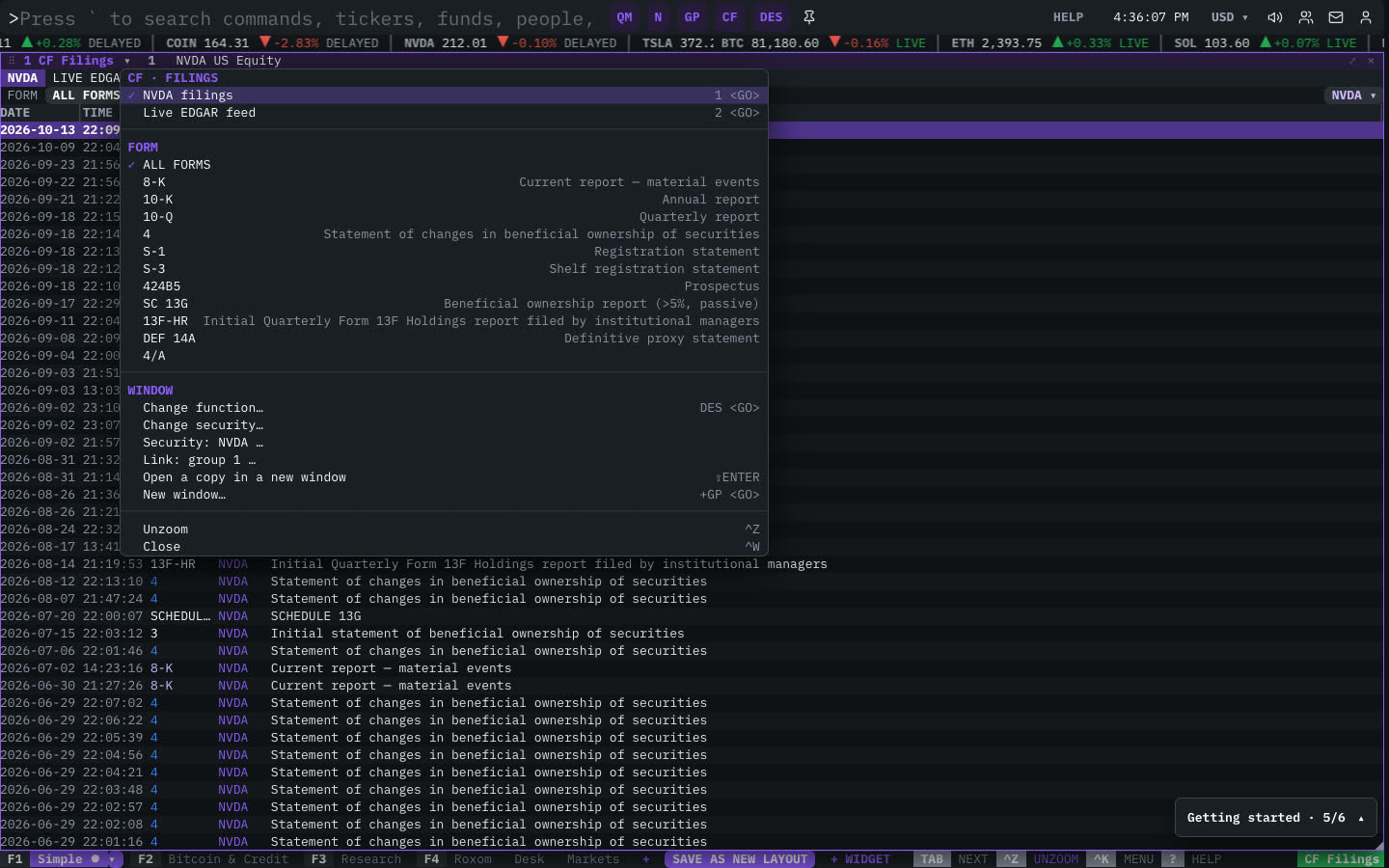
| Menu item | Shortcut |
|---|---|
| NVDA filings | 1 <GO> |
| Live EDGAR feed | 2 <GO> |
| Form | |
| ALL FORMS | |
| 8-K | Current report — material events |
| 10-K | Annual report |
| 10-Q | Quarterly report |
| 4 | Statement of changes in beneficial ownership of securities |
| S-1 | Registration statement |
| S-3 | Shelf registration statement |
| 424B5 | Prospectus |
| SC 13G | Beneficial ownership report (>5%, passive) |
| 13F-HR | Initial Quarterly Form 13F Holdings report filed by institutional managers |
| DEF 14A | Definitive proxy statement |
| 4/A |
The menu also has the standard window actions: change function, change security, link, open a copy, zoom and close.
Plan limits
| Guest | Free | Pro | |
|---|---|---|---|
| Filings shown | 10 | 40 | All |
See Plans and access.
Related functions
FAQ
What does CF do?
SEC EDGAR.
How do I open CF?
Type CF on the command line and press ENTER. To open it in a new window, type +CF or press ⇧ENTER. Add a ticker first to load a specific security, for example NVDA CF.
Last modified on