

Markets
SECF: Securities Finder
Search every instrument Roxom Pro knows, filter by asset class, venue and country, and load it.
The Securities Finder searches every instrument in Roxom Pro: stocks, ETFs, bonds, crypto, indexes, FX, commodities and people. Filter the results, then click one to load it.
Aliases: SEARCH, TK
How to use SECF
| You type | Result |
|---|---|
SECF ENTER | Opens the finder with the most active instruments. |
SECF strategy ENTER | Searches for “strategy”. |
Filters
- Asset class tabs: All, Equity, Bonds, Crypto, Index, Forex, Cmdty and People (pick with
1–8 <GO>). - All Venues ▾ and All Countries ▾ narrow the results to one venue or country.
- Hide no trades removes instruments that have not traded.
- The number (for example 100) is how many results to show.
Results
Each row shows TICKER, VENUE, NAME, LAST, CHG and the TIME of the last trade. Click a row twice, or press ENTER, to load it in linked windows.
Window menu
Open ▾ in the title bar (or right-click the window) for SECF’s options:
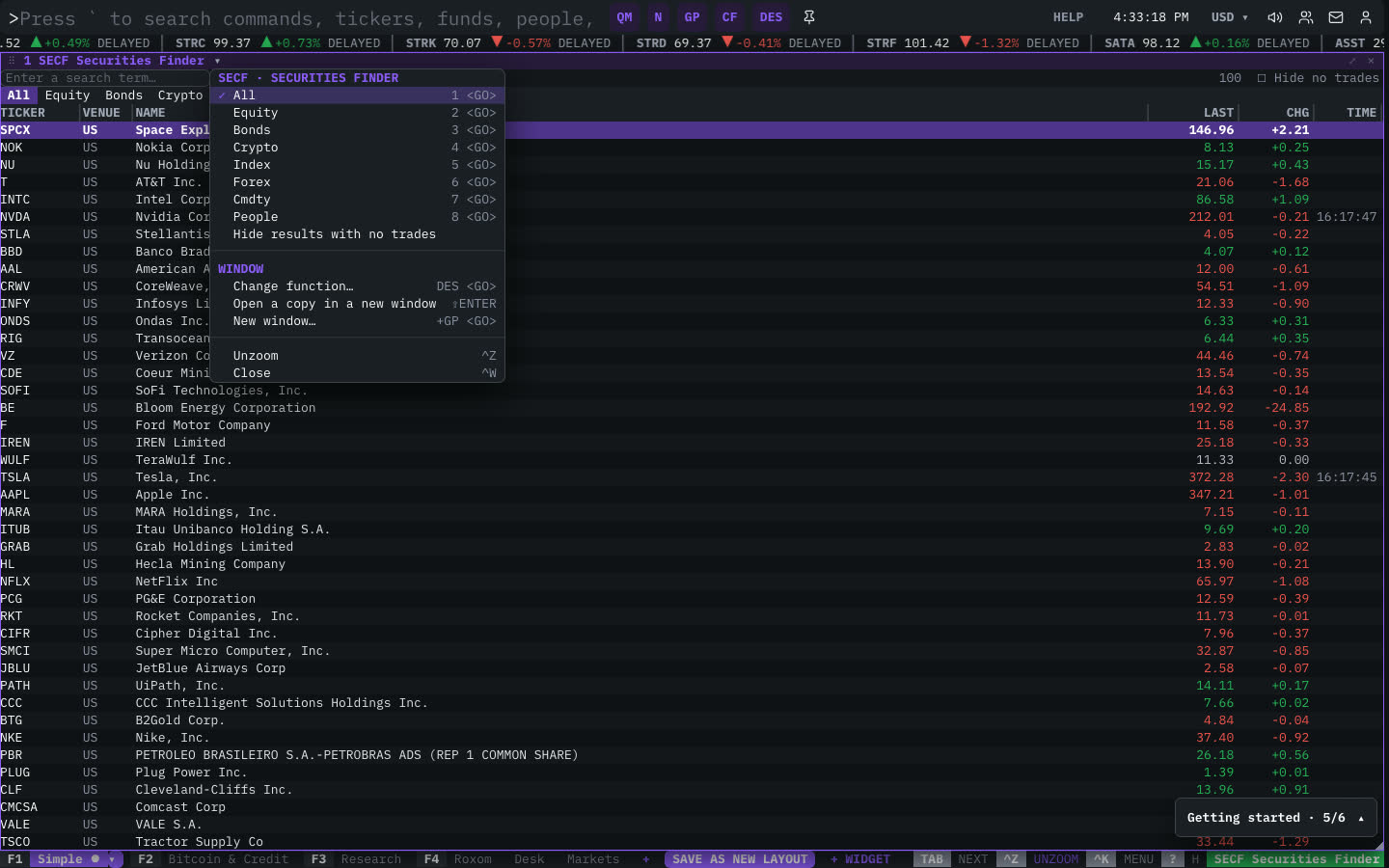
| Menu item | Shortcut |
|---|---|
| All | 1 <GO> |
| Equity | 2 <GO> |
| Bonds | 3 <GO> |
| Crypto | 4 <GO> |
| Index | 5 <GO> |
| Forex | 6 <GO> |
| Cmdty | 7 <GO> |
| People | 8 <GO> |
| Hide results with no trades |
The menu also has the standard window actions: change function, change security, link, open a copy, zoom and close.
Plan limits
| Guest | Free | Pro | |
|---|---|---|---|
| Insider and executive search | — | — | ✓ |
See Plans and access.
Related functions
FAQ
What does SECF do?
Search every instrument, filter by class, venue, country.
How do I open SECF?
Type SECF on the command line and press ENTER. To open it in a new window, type +SECF or press ⇧ENTER.
Last modified on