

Trading & account
How to buy and sell in Roxom Pro
Place one-click market orders on your Roxom account from the TKT ticket, the chart or any ticker.
Roxom Pro trades on your Roxom account with the TKT ticket. It places one-click market orders on the assets in Roxom’s One-Click Trade catalogue (tokenized stocks and ETFs, and crypto) and settles them in your Roxom account, the same as One-Click Trade in the Roxom app.
Before you start
- You need a Roxom account with completed identity verification (KYC).
- You need funds in your account to pay with (for example BTC or USDT). See Deposit and withdraw.
- Stock and ETF orders can only fill while their market is open. If a market is paused, the ticket says so.
How to buy
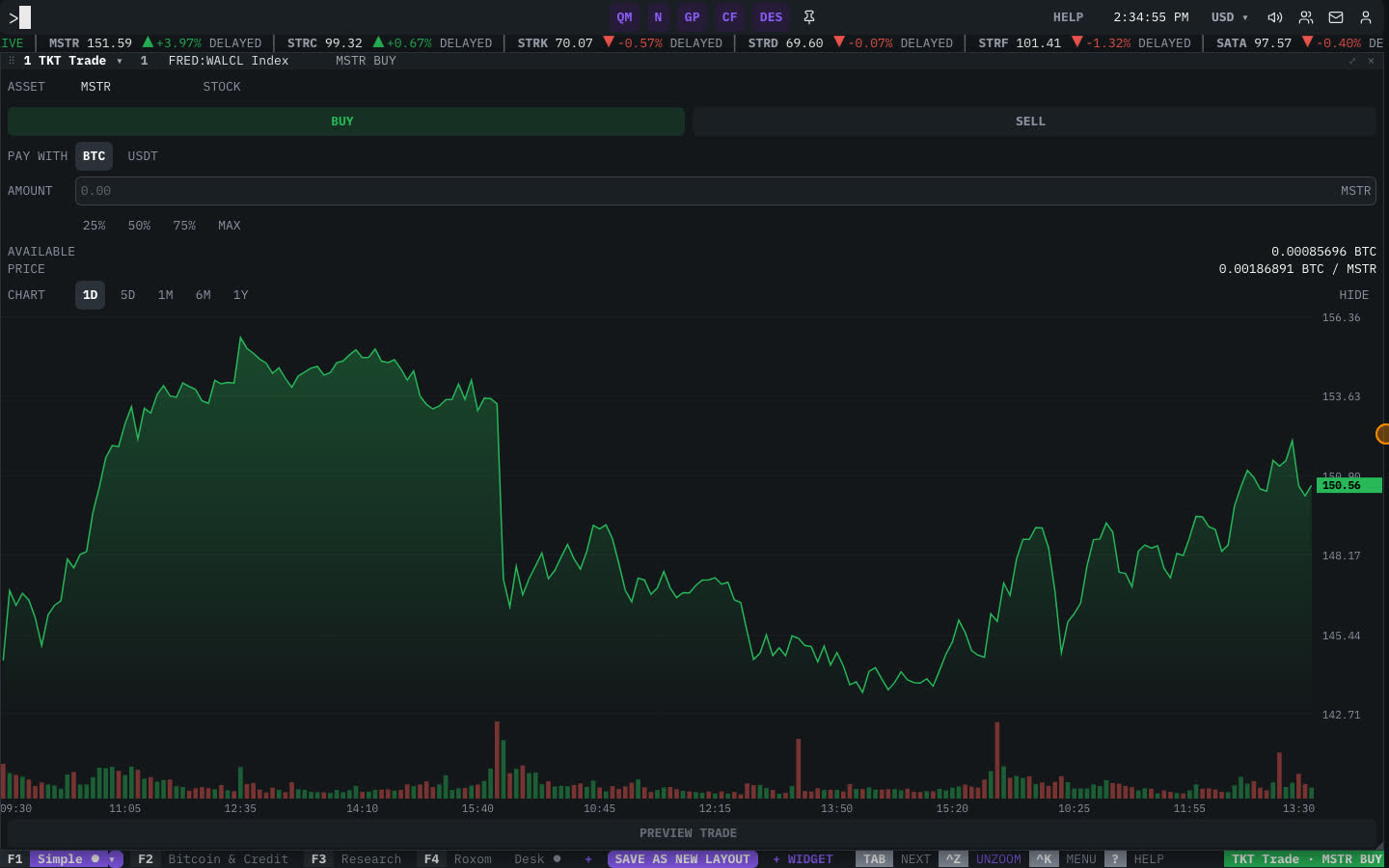
- Open the ticket
Type
BUYand the ticker (for exampleBUY MSTR) and press ENTER. You can also typeTKT, press F4 for the Roxom layout, right-click any ticker and choose Trade…, or use the trade bar on a chart. - Check the asset and side
ASSET shows what you are trading. Make sure BUY is selected.
- Choose what to pay with
Under PAY WITH, pick the currency to spend, for example BTC or USDT. AVAILABLE shows your balance in it.
- Enter the amount
Type the AMOUNT, or pick 25%, 50%, 75% or MAX of your available balance. The ticket shows an estimate of what you will get (≈) and the current PRICE.
- Review
Select REVIEW (or press ENTER). Check the order summary.
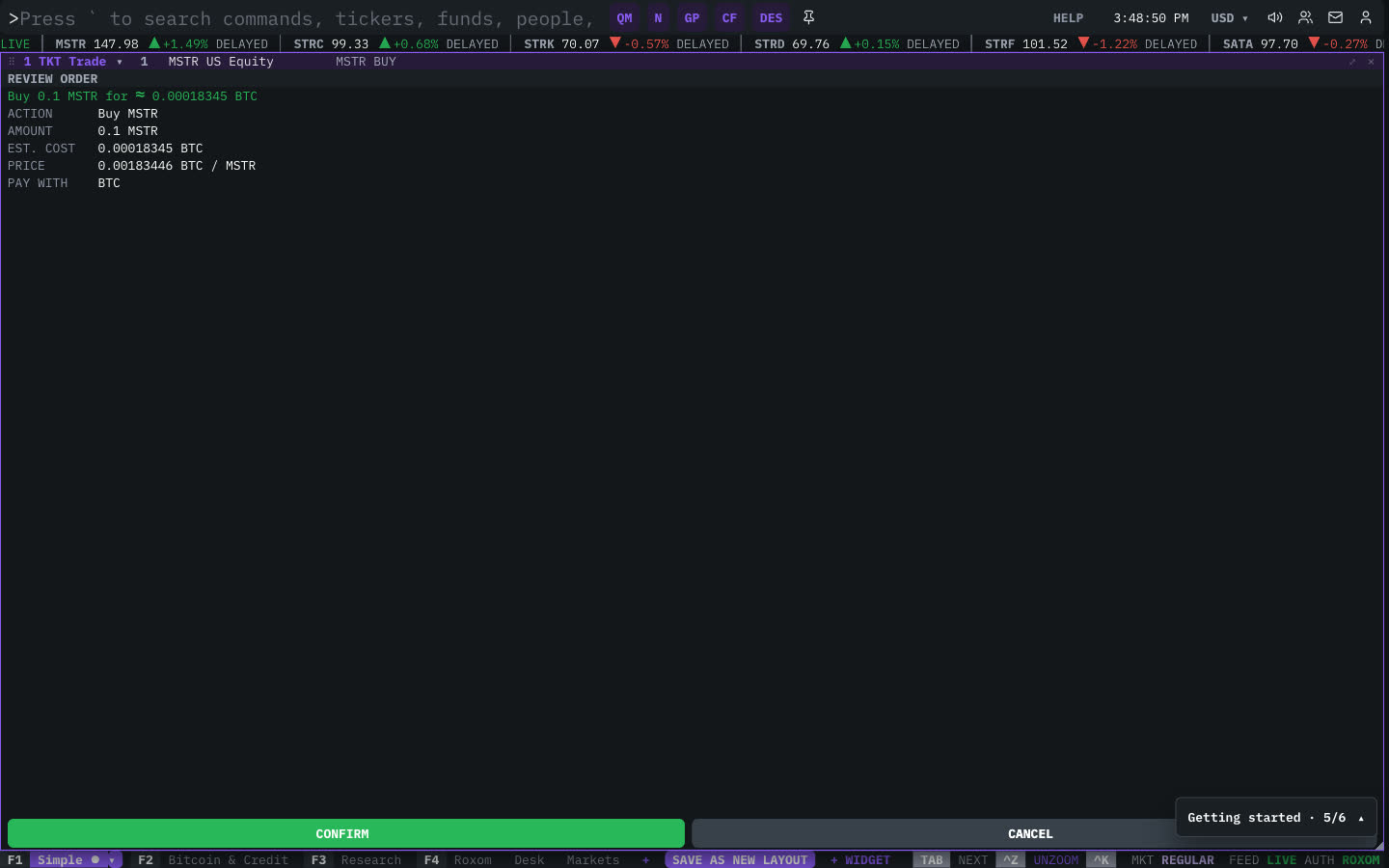
The order review before confirming. - Confirm
Select CONFIRM (or press ENTER). To go back, select CANCEL or press ESC. When the order is filled, the ticket shows ✓ ORDER SUBMITTED with what you bought. Select NEW ORDER to place another.
How to sell
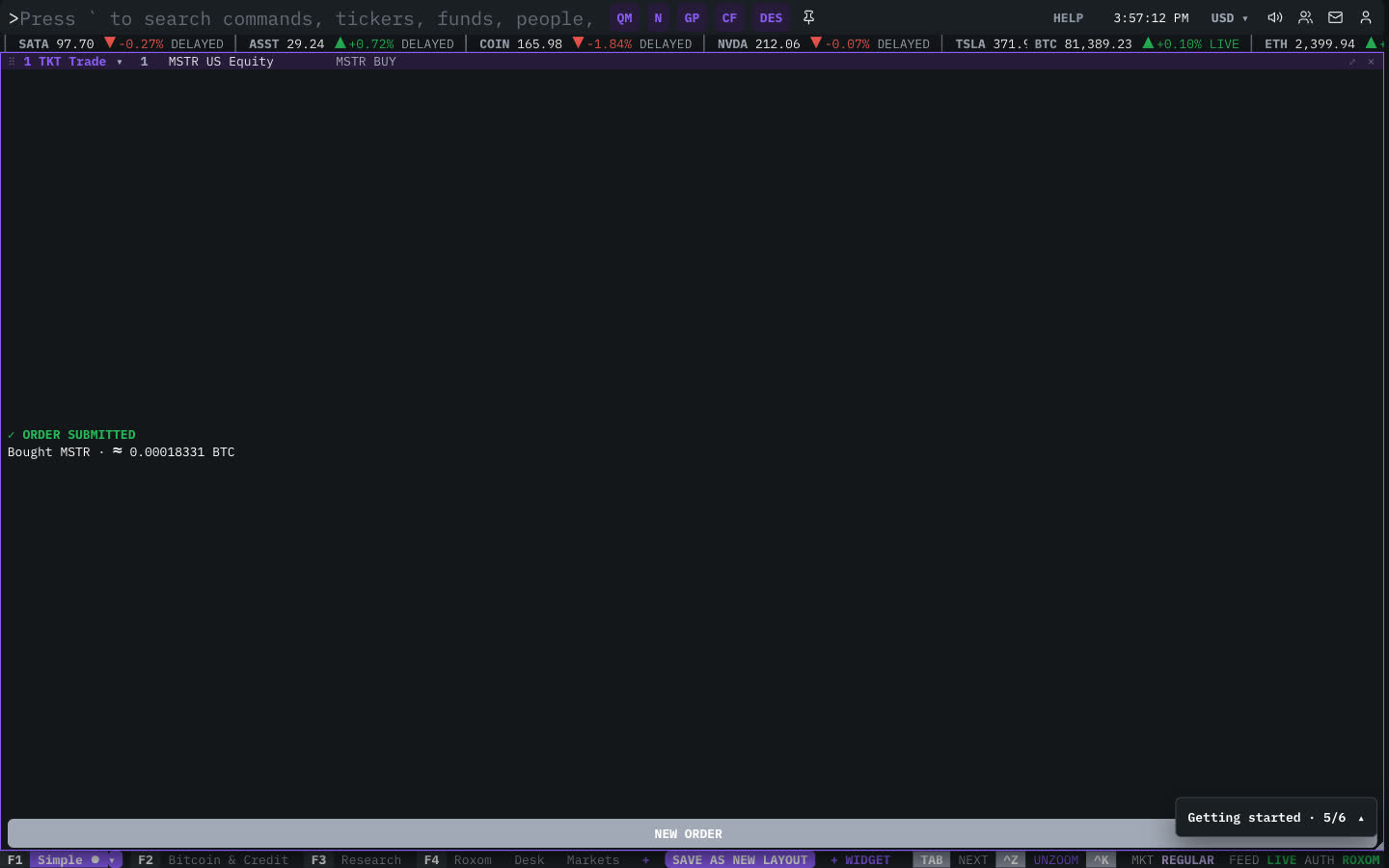
Follow the same steps with SELL selected (or type SELL MSTR). Under RECEIVE, pick the currency you want to receive. MAX sells your whole position.
Where to see your orders and positions
- PORT (Holdings) shows your positions with average cost and live unrealized P&L. See How to check your portfolio.
- ACCT shows your balances.
- Your trade history is also in the Roxom app, under One-Click Trade activity.
Ticket states
| You see | What it means |
|---|---|
| LOG IN TO BUY… / CREATE FREE ACCOUNT | You are not signed in. The ticket shows live prices, but you need to log in to trade. |
| Identity verification banner | Complete KYC before placing live orders. |
| ■ Trading paused for this market | Orders for this market are paused right now (for example outside its trading hours). |
| COMING SOON | This asset is not tradeable on Roxom yet. |
FAQ
What order types can I use?
The ticket places market orders only. Limit and stop orders are not available.
Is trading in Pro different from the Roxom app?
No. It is the same One-Click Trade on the same account, with the same assets, prices and rules.
Can I trade from the chart?
Yes. On assets you can trade on Roxom, the chart has a trade bar that opens the ticket for that ticker.
Last modified on