

Security
TLTS: Style Exposure
Style factor exposures (size, momentum, quality, value, volatility, growth, yield) versus a benchmark and peers.
Style Exposure measures a stock’s exposure to common style factors (size, momentum, quality, value, volatility, growth and yield) in standard deviations versus a benchmark, against the range of its peers, with history. A shaded band shows the peer range, a red tick the median and a square the stock itself.
TLTS follows its link group.
Aliases: FACT, STYLE
How to use TLTS
| You type | Result |
|---|---|
NVDA TLTS ENTER | Nvidia’s factor exposures. |
Window menu
Open ▾ in the title bar (or right-click the window) for TLTS’s options:
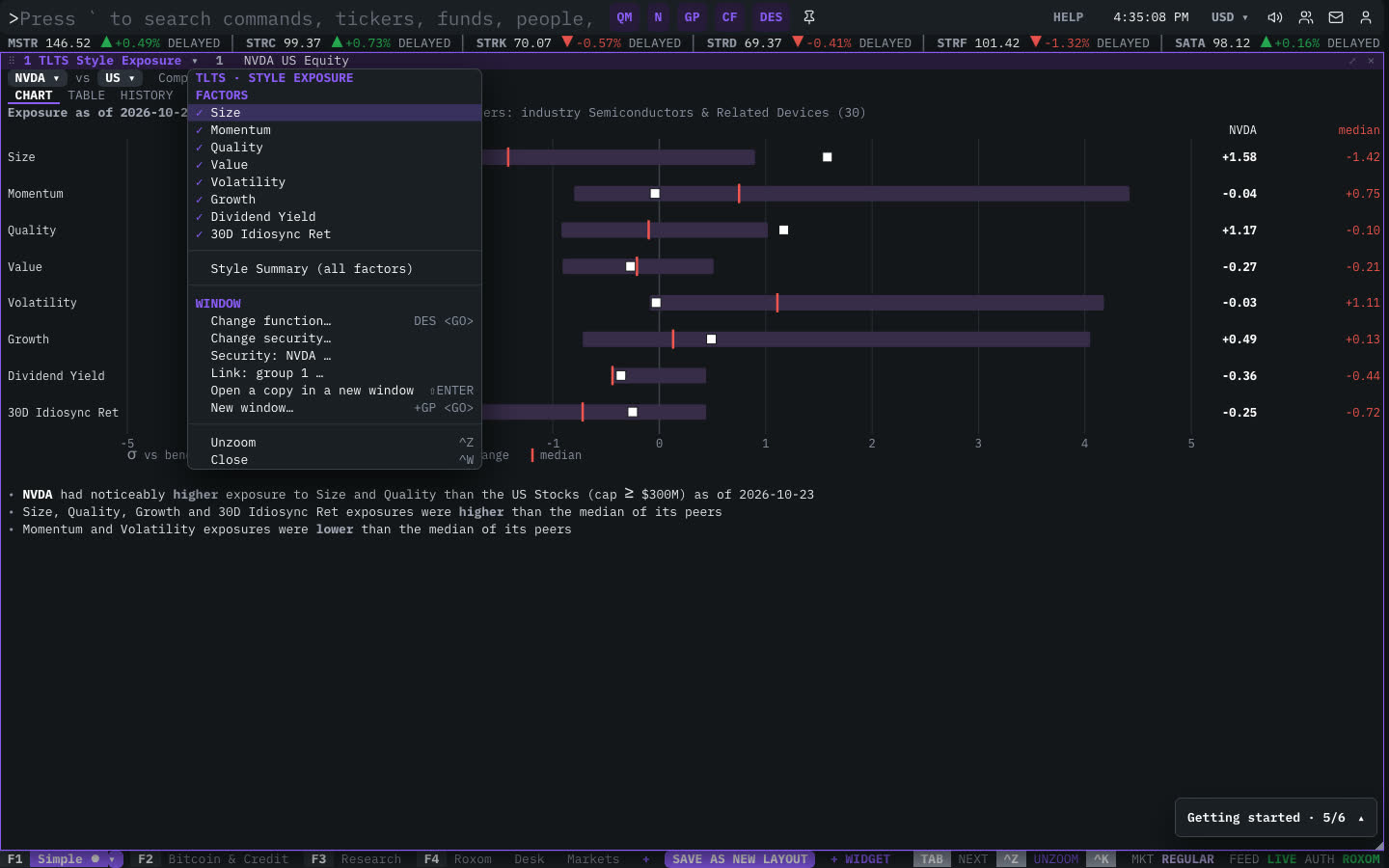
| Menu item | Shortcut |
|---|---|
| Factors | |
| Size | |
| Momentum | |
| Quality | |
| Value | |
| Volatility | |
| Growth | |
| Dividend Yield | |
| 30D Idiosync Ret | |
| Style Summary (all factors) |
The menu also has the standard window actions: change function, change security, link, open a copy, zoom and close.
Related functions
FAQ
What does TLTS do?
Size, momentum, quality, value, volatility, growth, yield factors vs a benchmark and peers.
How do I open TLTS?
Type TLTS on the command line and press ENTER. To open it in a new window, type +TLTS or press ⇧ENTER. Add a ticker first to load a specific security, for example NVDA TLTS.
Last modified on