

Getting started
Keyboard shortcuts
Every global keyboard shortcut in the Roxom Pro terminal.
Roxom Pro is built to be driven from the keyboard. Everything is also clickable with the mouse.
Global shortcuts
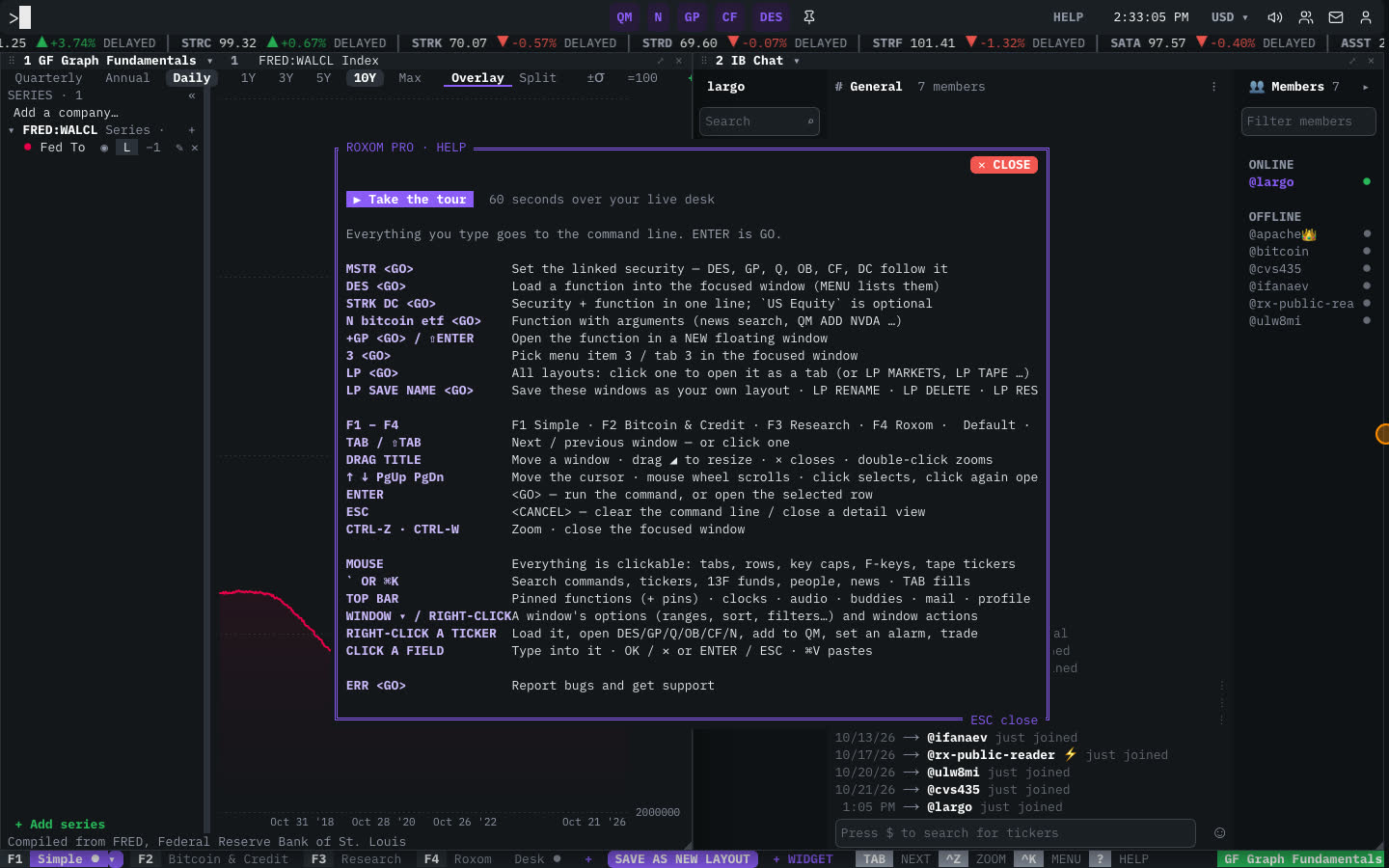
| Shortcut | Action |
|---|---|
| ` or ⌘/Ctrl + K | Open the search palette. |
| ENTER | <GO>: run the command, or open the selected row. |
| ⇧ + ENTER | Run the command in a new window. |
| ESC | <CANCEL>: clear the command line or close a detail view. |
| F1 – F4 | Open the Simple, Bitcoin & Credit, Research and Roxom layouts. ⌘/Ctrl + 1–4 also work. |
| TAB / ⇧ + TAB | Focus the next / previous window. |
| Ctrl + Z | Zoom the focused window to full screen, or unzoom it. |
| Ctrl + W | Close the focused window. |
Inside a window
| Shortcut | Action |
|---|---|
| ↑ ↓ PgUp PgDn Home End | Move the cursor through rows. The mouse wheel scrolls. |
| 1–9 then ENTER | Pick menu item or tab 1–9. |
| ← → | Change tab (in tabbed functions such as DES). |
| Click, click again | Select a row, then open it. |
Mouse
| Action | Result |
|---|---|
| Drag a window’s title bar | Move the window. |
| Drag the ◢ corner | Resize the window. |
| Double-click a title bar | Zoom the window. |
| ▾ on a title bar, or right-click a window | The window menu. |
| Right-click a ticker | The ticker menu: load, open functions, add to watchlist, set an alarm, trade. |
| Click a field | Type into it. OK / ✕ or ENTER / ESC confirm or cancel. ⌘ + V pastes. |
Last modified on