

Security
DES: Description
Company profile: business description, key numbers, bitcoin treasury, fundamentals, earnings and news in tabs.
Description is the starting point for any security. For a company it shows the name, sector and live quote, then tabs with the business description, key statistics, its bitcoin treasury (if it holds bitcoin), quarterly fundamentals, a price chart, EPS history and the latest news. For crypto, FX and indexes it shows reference details and ranges.
DES follows its link group.
Aliases: DESC
How to use DES
| You type | Result |
|---|---|
MSTR DES ENTER | The Strategy profile. |
NVDA DES ENTER | The Nvidia profile. |
DES ENTER | The profile of the linked security. |
Watch: Researching a company: DES, FA, GF, HDS, ATLAS and CF
What’s in it
- Header: logo, name, ticker, sector and industry, website, live price and change, plus Open chart and Focus shortcuts.
- About: the business description (Show more expands it).
- Key statistics: CEO, employees, shares outstanding, market cap, float, enterprise value, institutional ownership, P/Book, EV/Revenue, beta and next earnings date.
- Bitcoin treasury: BTC held, % of the 21M supply, value, cost basis, average cost, unrealized P/L, mNAV and BTC per share, with the purchase history.
- Quarterly fundamentals: revenue, gross profit, operating and net income and EPS, quarterly or annual.
- Chart, EPS and news blocks with links to GIP and FA.
Tabs and blocks
Use ← → to move between tabs, and 1–9 <GO> to pick an item. Select Customize blocks… in the window menu (or press E) to choose which blocks show and in what order.
Window menu
Open ▾ in the title bar (or right-click the window) for DES’s options:
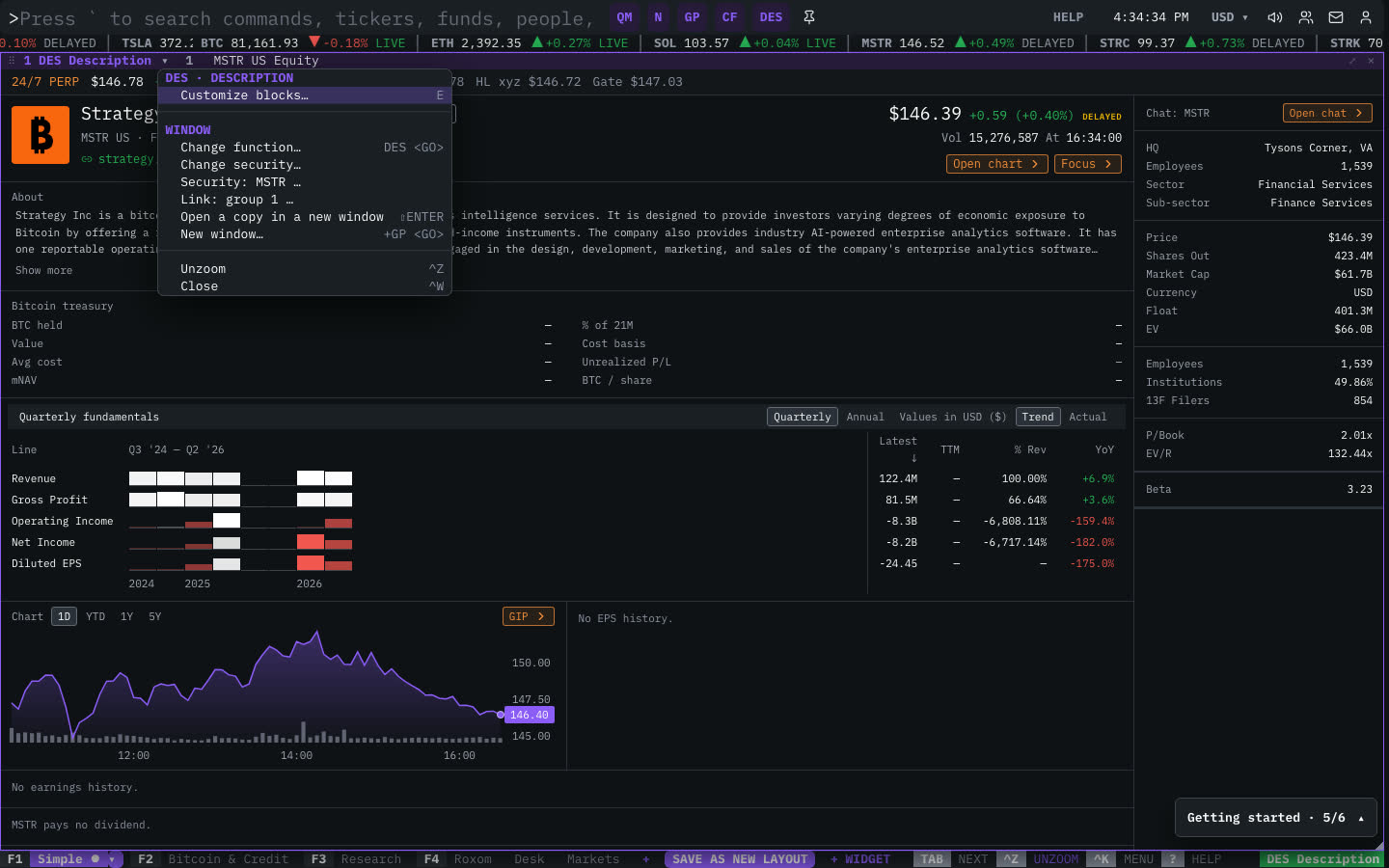
| Menu item | Shortcut |
|---|---|
| Customize blocks… | E |
The menu also has the standard window actions: change function, change security, link, open a copy, zoom and close.
Plan limits
| Guest | Free | Pro | |
|---|---|---|---|
| Holders shown | 5 | 25 | All |
| Insider transactions shown | 5 | 20 | All |
See Plans and access.
Related functions
FAQ
What does DES do?
Company profile.
How do I open DES?
Type DES on the command line and press ENTER. To open it in a new window, type +DES or press ⇧ENTER. Add a ticker first to load a specific security, for example MSTR DES.
Last modified on