

Getting started
What is Roxom Pro?
A market terminal in your browser: about 80 functions for stocks, bitcoin, crypto, macro and prediction markets, with trading on your Roxom account.
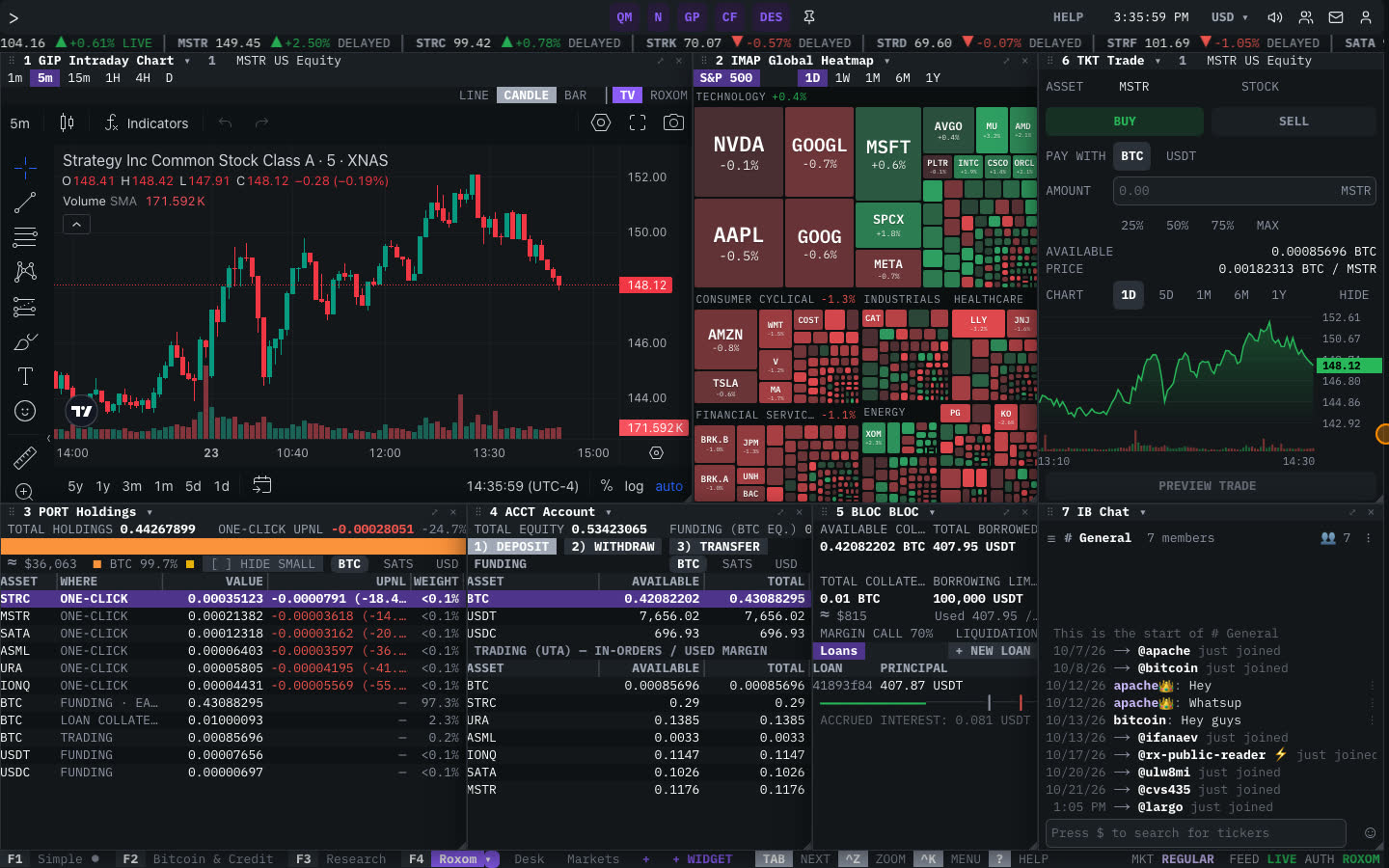
Roxom Pro is a professional market terminal that runs in your browser. Every tool is a function with a short code (a mnemonic) that you type on the command line: DES for a company profile, GP for a chart, BTCT for bitcoin treasuries, TKT for the trade ticket. Each function opens in a window, and windows are arranged into layouts you can save.
Pro uses the same login as your Roxom account. Research and trading share one screen: the trade ticket follows the ticker you are researching, and your balances, holdings, Earn and BLOC credit line are available as functions too.
What you can do with Roxom Pro
- Follow markets live: watchlists (
QM), world indexes (INDX), movers (MOST), heatmaps (IMAP), FX (FX) and commodities (CMDTY). - Research companies: profile (
DES), financial statements (FA), fundamentals over time (GF), institutional holders (HDS), SEC filings (CF), earnings call transcripts (TS) and supply-chain relationships (ATLAS). - Go deep on bitcoin: the bitcoin cockpit (
BTCX), treasuries (BTCT), spot ETF flows (BETF), on-chain metrics (BTCM), mempool (MEMP) and digital credit (DC). - Track crypto derivatives: perpetuals (
PERP), options (OMON), liquidations (LIQ) and cross-venue quotes (XBBO). - Follow macro and events: economic, earnings, dividend and IPO calendars (
ECO,ERN,DVD,IPO), FRED series (ECST) and the FOMC dot plot (DOTS). - Watch prediction markets: Kalshi and Polymarket odds (
PM) and the biggest movers (PMMV). - Chart and analyze: charts (
GP,GIP), comparisons (HMS), pair ratios (GR), price history (HP) and a TypeScript / Pine Script editor (EDIT). - Trade and manage your account: one-click trade (
TKT), holdings (PORT), balances and transfers (ACCT), deposits and withdrawals (CASH), Earn (EARN) and BLOC (BLOC). - Stay informed: news (
N), live TV (TV,LIVE), chat rooms (IB) and price alerts (ALRT).
How to open Roxom Pro
- Go to roxom.com/pro and select Open the terminal (or Start free trial if you are not signed in).
- Sign in with your Roxom account. You can also look around as a guest, but some data is limited and trading needs an account.
- The terminal opens with your last layout. The first time, a short guided tour helps you pick five names for your watchlist.
Two ways to use it: Classic and Desk
Pro has two front ends that share the same functions, layouts and account:
- Classic is the keyboard-first terminal, with the command line at the top.
- Desk is a newer look with floating glass windows.
Type DESK or CLASSIC on the command line, or use the profile menu, to switch. See Classic and Desk.
Is the data real-time?
Crypto, perpetual futures and prediction markets stream live. US equity quotes are delayed; windows mark them DELAYED, and live prices are marked LIVE.
Related articles
Last modified on