

Markets
DOM: Depth of Market
Depth-of-market ladder: bids, buys, price, sells, asks and Δ% on one vertical ladder.
Depth of Market shows a price ladder for the linked security. BIDS and ASKS come from the live order book; BUYS and SELLS add up the aggressive trades at each price since you opened the window (or last reset). Δ% shows the distance from the mid price.
DOM follows its link group.
Aliases: LADDER, MBP
How to use DOM
| You type | Result |
|---|---|
BTC-USD DOM ENTER | The bitcoin ladder. |
Options
From the window menu: Reset accumulation clears the BUYS/SELLS columns, Recenter on mid scrolls back to the current price, and price grouping sets the tick size of each row.
Window menu
Open ▾ in the title bar (or right-click the window) for DOM’s options:
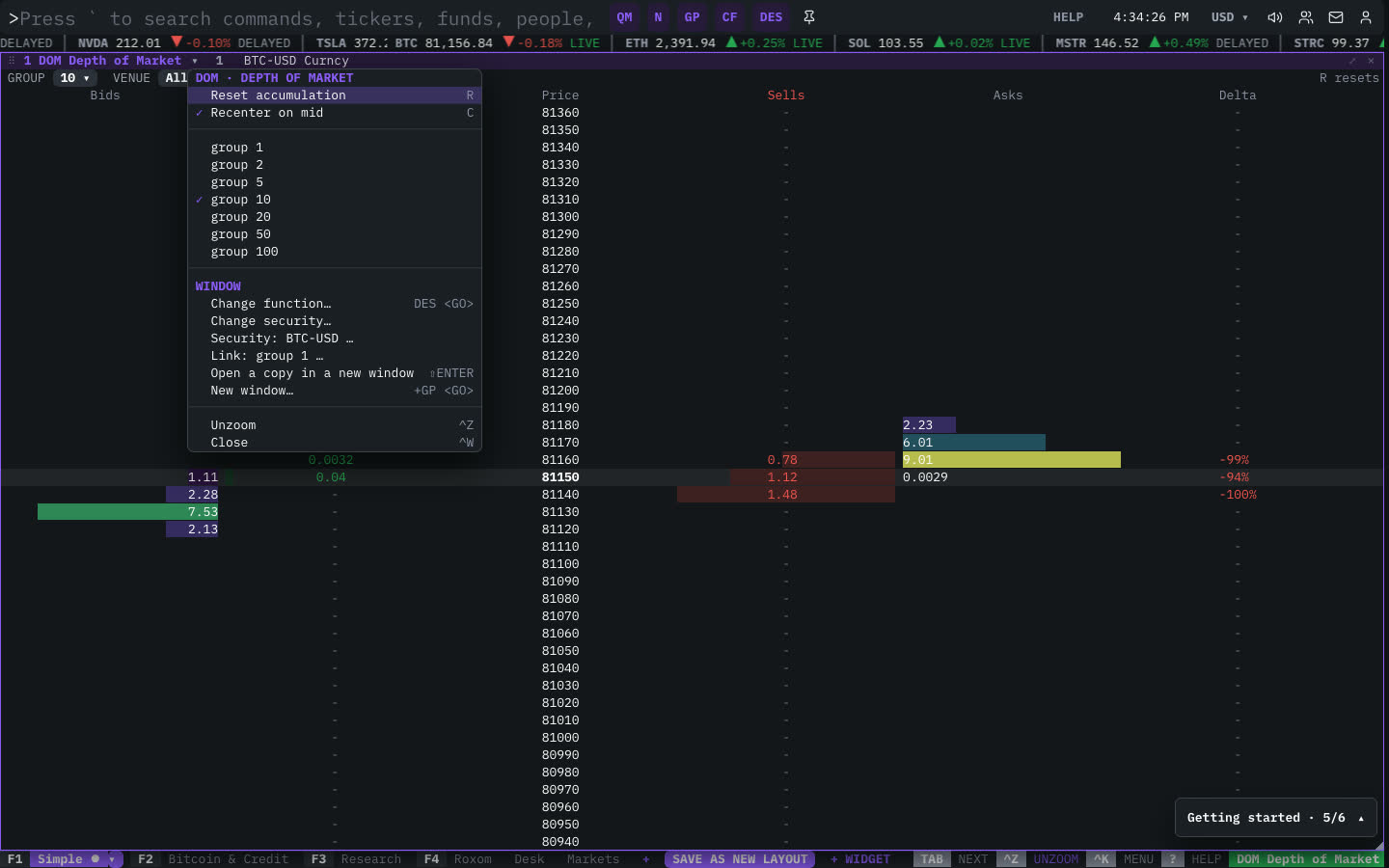
| Menu item | Shortcut |
|---|---|
| Reset accumulation | R |
| Recenter on mid | C |
| group 1 | |
| group 2 | |
| group 5 | |
| group 10 | |
| group 20 | |
| group 50 | |
| group 100 |
The menu also has the standard window actions: change function, change security, link, open a copy, zoom and close.
Plan limits
| Guest | Free | Pro | |
|---|---|---|---|
| Live depth sizes | — | — | ✓ |
See Plans and access.
Related functions
FAQ
What does DOM do?
Bids, buys, price, sells, asks, Δ% ladder.
How do I open DOM?
Type DOM on the command line and press ENTER. To open it in a new window, type +DOM or press ⇧ENTER. Add a ticker first to load a specific security, for example BTC-USD DOM.
Last modified on