

Security
FA: Financials
Financial statements: balance sheet, income statement and cash flow, quarterly or yearly.
Financials shows a company’s statements with line items down and periods across, oldest to newest. Switch between Balance Sheet, Income and Cash Flow, quarterly or yearly, and choose the units.
FA follows its link group.
Aliases: FUND
How to use FA
| You type | Result |
|---|---|
NVDA FA ENTER | Nvidia’s financial statements. |
1 ENTER | Quarterly. |
2 ENTER | Yearly. |
Controls
- Statement: Balance Sheet, Income, Cash Flow.
- Period: Quarterly (
1 <GO>) or Yearly (2 <GO>). - Currency and units: in thousands, millions or billions.
- Margins and growth rows (gross, operating and net margin, revenue growth) are shown under the income statement.
- Copy table (C) and Export CSV are in the window menu (Pro).
Window menu
Open ▾ in the title bar (or right-click the window) for FA’s options:
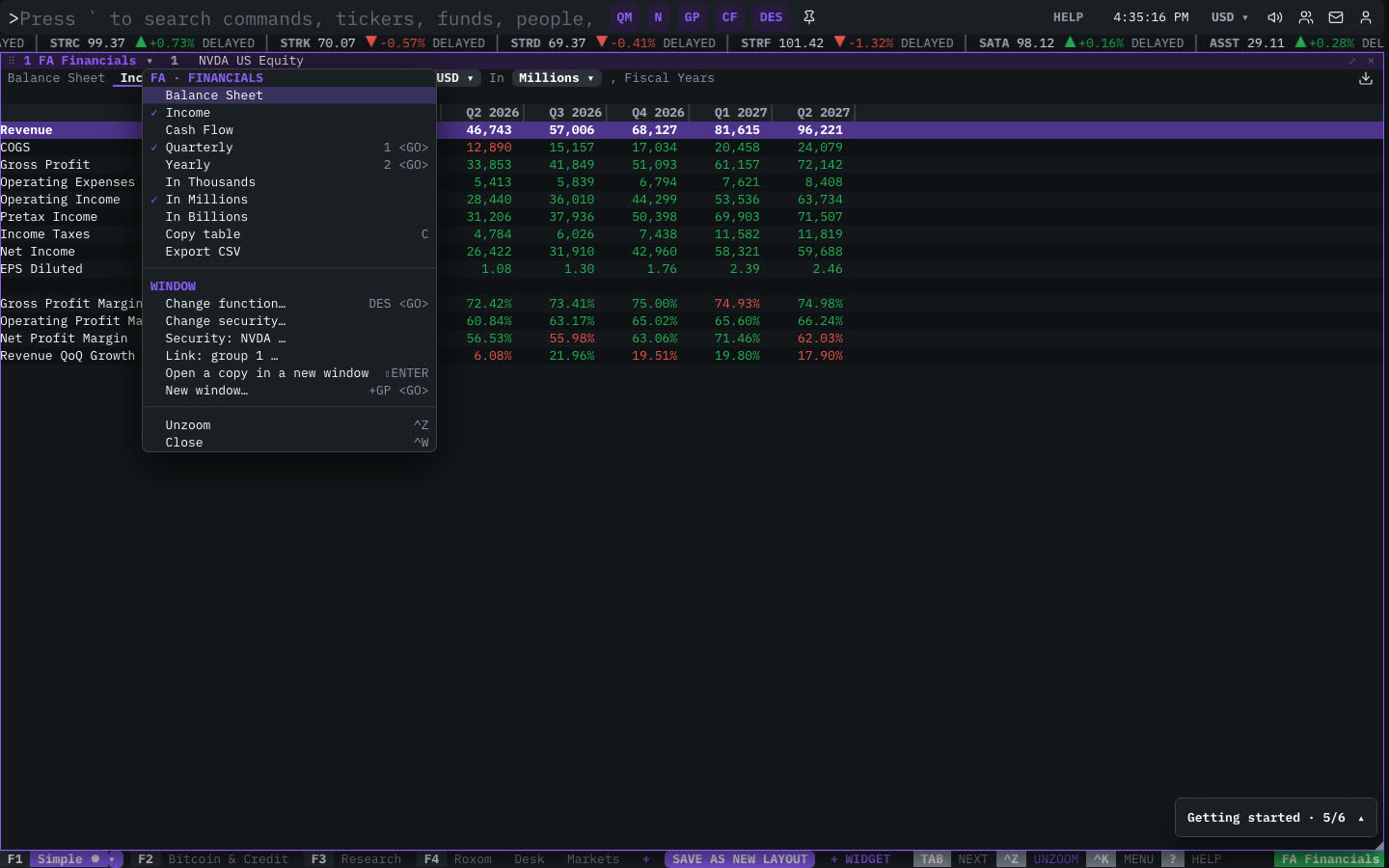
| Menu item | Shortcut |
|---|---|
| Balance Sheet | |
| Income | |
| Cash Flow | |
| Quarterly | 1 <GO> |
| Yearly | 2 <GO> |
| In Thousands | |
| In Millions | |
| In Billions | |
| Copy table | C |
| Export CSV |
The menu also has the standard window actions: change function, change security, link, open a copy, zoom and close.
Plan limits
| Guest | Free | Pro | |
|---|---|---|---|
| Periods shown | 4 | 12 | All |
| Table copy and CSV export | — | — | ✓ |
See Plans and access.
Related functions
FAQ
What does FA do?
Balance sheet, income, cash flow statements.
How do I open FA?
Type FA on the command line and press ENTER. To open it in a new window, type +FA or press ⇧ENTER. Add a ticker first to load a specific security, for example NVDA FA.
Last modified on