

Markets
TREND: Trending on Roxom
The tickers Roxom users search most, over the last hour, day, week or month.
Trending on Roxom shows the most-searched tickers across all Roxom Pro users, over 1H, 24H, a week or a month. Use Refresh in the window menu to update it.
Aliases: TRND, HOT
How to use TREND
| You type | Result |
|---|---|
TREND ENTER | Opens trending tickers. |
Window menu
Open ▾ in the title bar (or right-click the window) for TREND’s options:
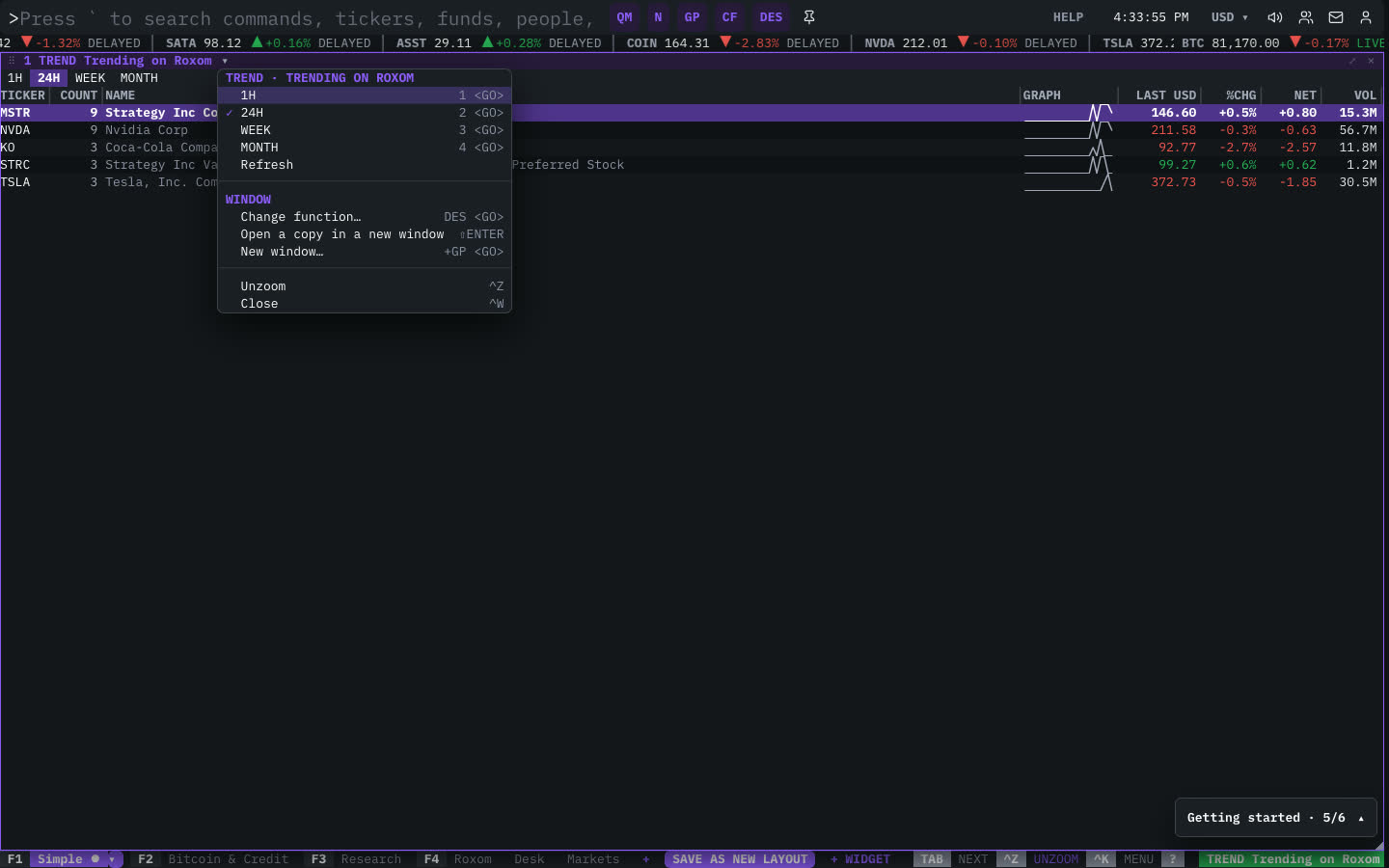
| Menu item | Shortcut |
|---|---|
| 1H | 1 <GO> |
| 24H | 2 <GO> |
| WEEK | 3 <GO> |
| MONTH | 4 <GO> |
| Refresh |
The menu also has the standard window actions: change function, change security, link, open a copy, zoom and close.
Plan limits
| Guest | Free | Pro | |
|---|---|---|---|
| Trending tickers shown | 5 | 20 | All |
See Plans and access.
Related functions
MOST: Most ActiveActive · gainers · losers · valueQM: Quote MonitorLive quotes · watchlistsN: NewsWires & headlines
FAQ
What does TREND do?
Most-searched tickers, 1H, 24H, week, month.
How do I open TREND?
Type TREND on the command line and press ENTER. To open it in a new window, type +TREND or press ⇧ENTER.
Last modified on