

Security
HMS: Historical Multiple Security
Compare several securities on one chart.
Historical Multiple Security compares the performance of several securities on one chart, or as a grid of small charts with a synchronized crosshair.
HMS follows its link group.
Aliases: COMP, COMPARE
How to use HMS
| You type | Result |
|---|---|
NVDA HMS ENTER | Starts a comparison with Nvidia. |
Options
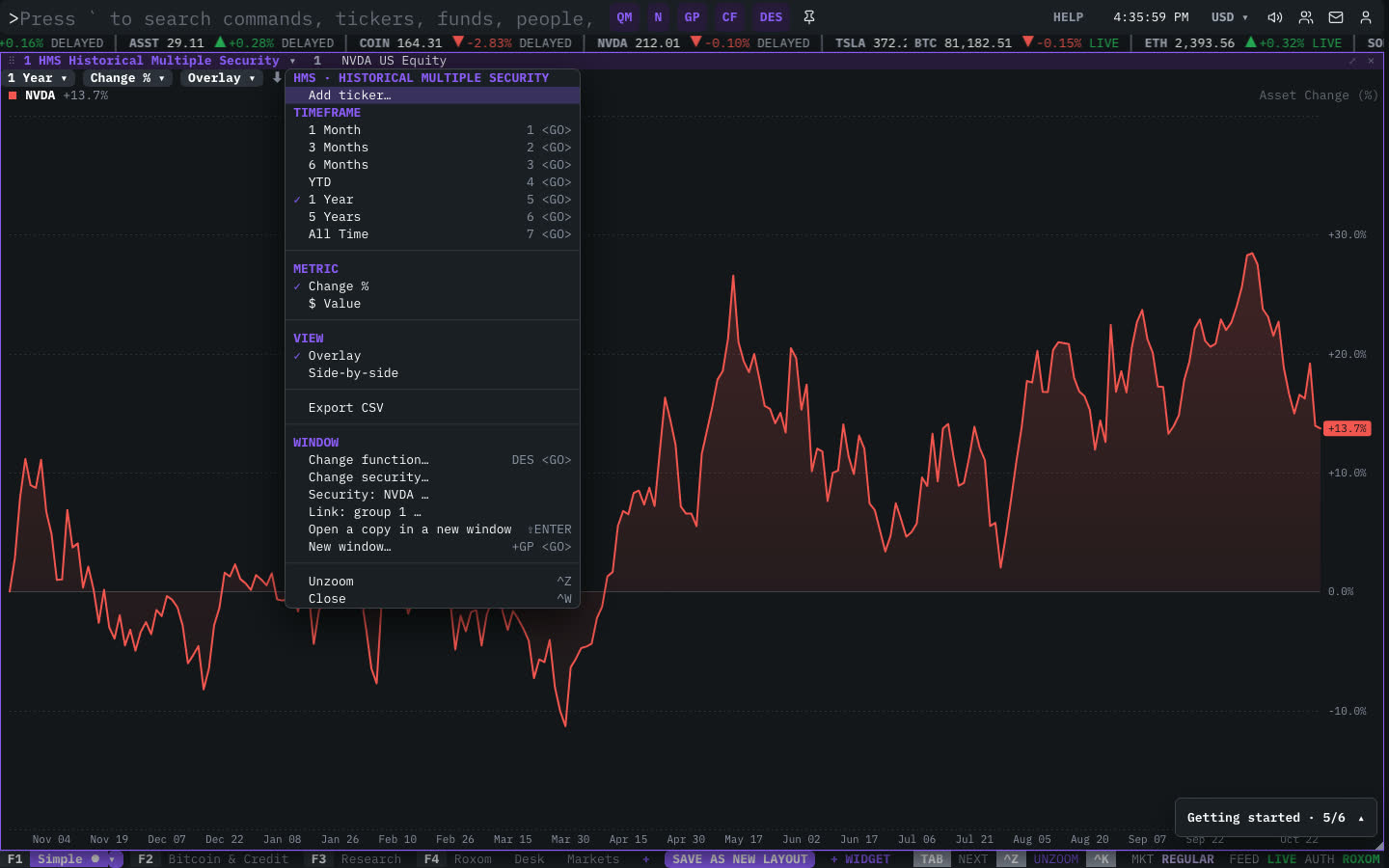
From the window menu: Add ticker, TIMEFRAME, METRIC (price, % change and more), VIEW (one chart or a grid) and Export CSV.
Window menu
Open ▾ in the title bar (or right-click the window) for HMS’s options:
| Menu item | Shortcut |
|---|---|
| Add ticker… | |
| Timeframe | |
| 1 Month | 1 <GO> |
| 3 Months | 2 <GO> |
| 6 Months | 3 <GO> |
| YTD | 4 <GO> |
| 1 Year | 5 <GO> |
| 5 Years | 6 <GO> |
| All Time | 7 <GO> |
| Metric | |
| Change % | |
| $ Value | |
| View | |
| Overlay | |
| Side-by-side | |
| Export CSV |
The menu also has the standard window actions: change function, change security, link, open a copy, zoom and close.
Plan limits
| Guest | Free | Pro | |
|---|---|---|---|
| Securities shown | 2 | 4 | All |
See Plans and access.
Related functions
FAQ
What does HMS do?
Compare securities on one chart.
How do I open HMS?
Type HMS on the command line and press ENTER. To open it in a new window, type +HMS or press ⇧ENTER. Add a ticker first to load a specific security, for example NVDA HMS.
How many securities can I compare?
Guests 2, free accounts 4 and Pro as many as you like.
Last modified on