

Getting started
What do guest, free and Pro accounts include?
How access to Roxom Pro works: guest, free account, the 14-day trial, the Pro subscription, and free Pro for Roxom clients.
Anyone can open the Roxom Pro terminal. How much of each function you see depends on your access level.
| Access level | Who it is for | What you get |
|---|---|---|
| Guest | You are not signed in | Every function opens, with a preview of the data (for example the first 10 movers or 5 holders). No alerts, journal or trading. |
| Free account | Signed in with a Roxom account, no subscription | Research functions in full detail with higher limits, up to 7 price alerts, 20 journal notes, chat posting and trading on your Roxom account. |
| Pro | Subscribers, trial users and qualifying Roxom clients | Everything: all rows and history, bid/ask and order-book depth, exports, Greeks, GEX, regression and every layout. |
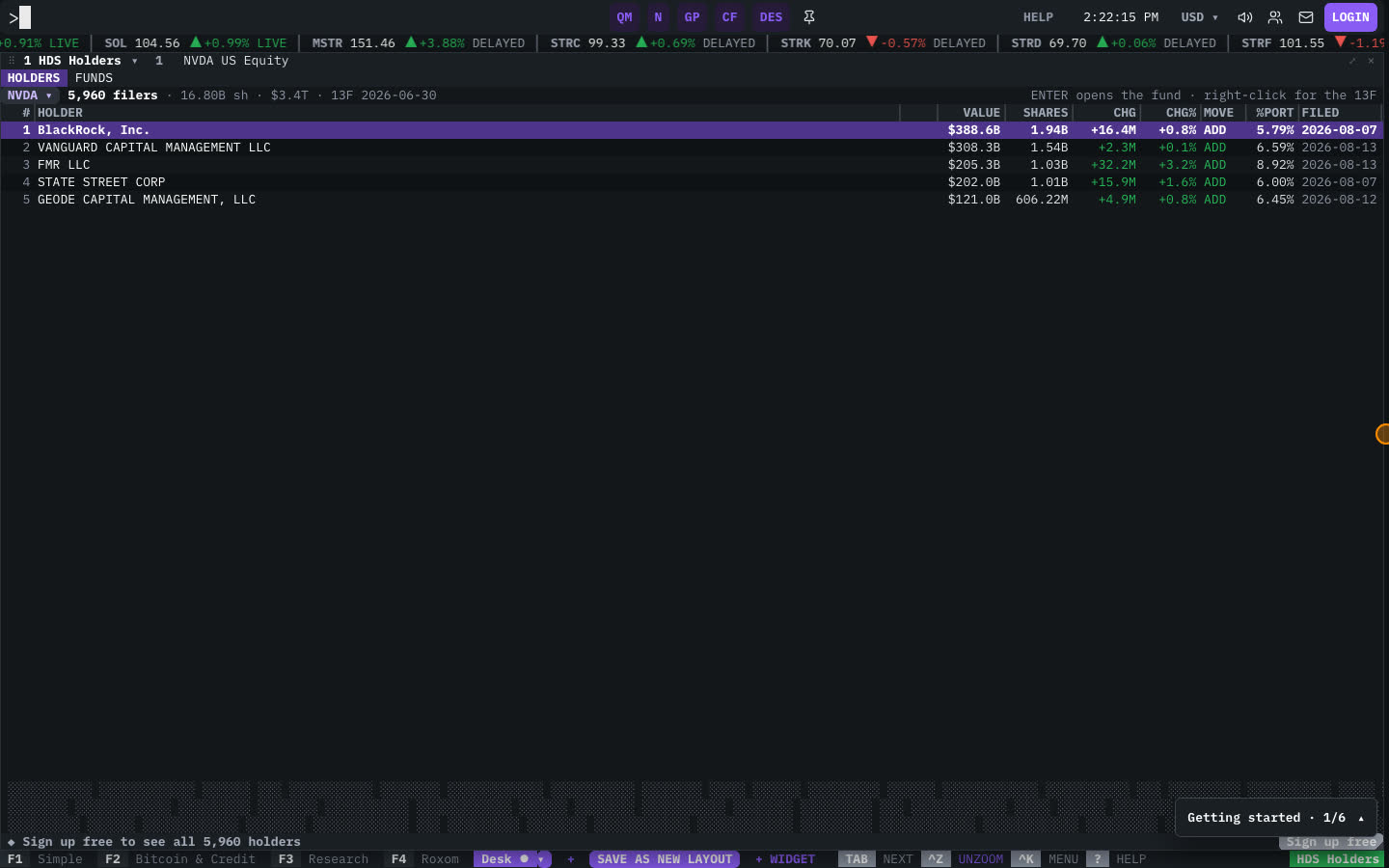
When a window holds data back, it shows a lock line such as “Sign up free to see all 40 holders” or “Start your 14-day trial to see the full order book”.
How to get Pro
There are three ways to get Pro access:
- Free trial: 14 days free. A card is required to start, and each account gets one trial.
- Subscription: $30 a month, or $25 a month billed yearly. One subscription covers the terminal and Roxom Charts.
- Free for Roxom clients: Pro is included while you hold $20,000 or more at Roxom.
Limits by access level
Some of the most visible limits:
| Feature | Guest | Free | Pro |
|---|---|---|---|
Quote Monitor lists (QM) | 1 | 5 | Unlimited |
Price alarms (ALRT) | — | 7 | Unlimited |
Journal notes (JRNL) | — | 20 | Unlimited |
Most active rows (MOST) | 10 | 25 | All |
13F holders (HDS) | 5 | 25 | All |
SEC filings (CF) | 10 | 40 | All |
Financial statement periods (FA) | 4 | 12 | All |
Daily price history (HP) | 30 days | 365 days | All |
Securities on one comparison chart (HMS) | 2 | 4 | All |
Equity screener results (EQS) | 10 | 100 | All |
Bitcoin treasuries (BTCT) | 10 | 30 | All |
| Bid/ask, order-book depth, CSV export | — | — | ✓ |
How to manage or cancel your subscription
- Open the profile menu (the person icon, top right of the terminal).
- Select Billing.
- Open your account dashboard to see invoices, change your plan or cancel.
You can cancel at any time. You keep Pro until the end of the billing period you paid for.
FAQ
Do I need a Roxom account to use Pro?
No, you can open the terminal as a guest. A free Roxom account unlocks more data, alerts and trading. Trading also requires identity verification (KYC).
Why do I see blurred or locked rows?
Your access level shows a preview of that data. The lock line in the window says what unlocks it: signing up free or starting the trial.
Does Pro include Roxom Charts?
Yes. One Pro subscription covers the terminal and Roxom Charts.
Last modified on