

News, media & tools
SRCH: Fixed Income
Browse and search bonds by issuer.
Fixed Income is a bond browser. Search by issuer, filter the list, and open a bond to see its details: coupon, maturity, price, yield and terms.
Aliases: FI, BONDS
How to use SRCH
| You type | Result |
|---|---|
SRCH ENTER | Opens the bond browser. |
BONDS ENTER | Same (alias). |
Options
From the window menu: Search issuer and Open bond detail.
Window menu
Open ▾ in the title bar (or right-click the window) for SRCH’s options:
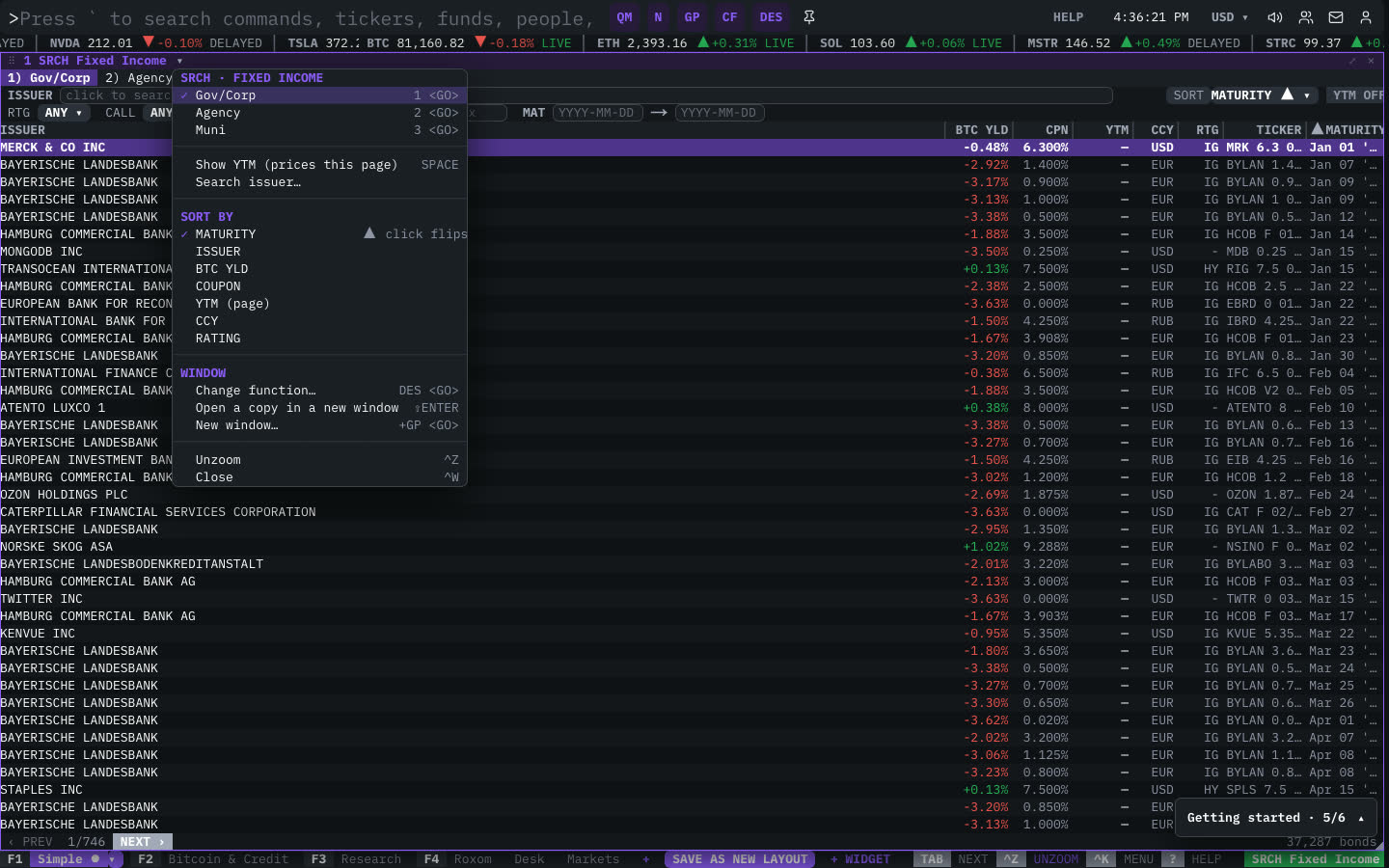
| Menu item | Shortcut |
|---|---|
| Gov/Corp | 1 <GO> |
| Agency | 2 <GO> |
| Muni | 3 <GO> |
| Show YTM (prices this page) | SPACE |
| Search issuer… | |
| Sort By | |
| MATURITY | ▲ click flips |
| ISSUER | |
| BTC YLD | |
| COUPON | |
| YTM (page) | |
| CCY | |
| RATING |
The menu also has the standard window actions: change function, change security, link, open a copy, zoom and close.
Plan limits
| Guest | Free | Pro | |
|---|---|---|---|
| Bonds shown | 15 | 50 | All |
See Plans and access.
Related functions
FIW: Bond WorksheetIndustry bonds · yield vs maturity · issuer curvesDC: Digital CreditTreasury-backed instrumentsDVDY: Dividend YieldYield · growth · 12M dividend chart · payout history
FAQ
What does SRCH do?
Bond browser.
How do I open SRCH?
Type SRCH on the command line and press ENTER. To open it in a new window, type +SRCH or press ⇧ENTER.
Last modified on