

Security
GP: Chart
Price chart with ranges, styles, indicators, drawings and trading from the chart.
Chart is Roxom Pro’s main price chart. Choose a range and a style, switch between the TradingView and Roxom chart engines, draw, add notes to your journal, and trade from the chart.
GP follows its link group.
Aliases: G, CHART
How to use GP
| You type | Result |
|---|---|
MSTR GP ENTER | Charts MSTR. |
BTC-USD GP ENTER | Charts bitcoin. |
G ENTER | Same as GP (alias). |
Watch: Charting: ranges, styles, comparison and chart notes
Header
- Range: 1D, 5D, 1M, 6M, YTD, 1Y, 5Y, ALL.
- Last, change, Hi, Lo and Vol for the range.
- Style: LINE, CANDLE, BAR (more in the window menu).
- Engine: TV (TradingView) or ROXOM.
Chart notes
Text, note and callout drawings you place on a chart are saved to your Chart Journal (JRNL), so you can find them by day and jump back.
Trade from the chart
On securities you can trade on Roxom, the chart has a trade bar that opens the ticket for that ticker. See How to buy and sell in Roxom Pro.
Window menu
Open ▾ in the title bar (or right-click the window) for GP’s options:
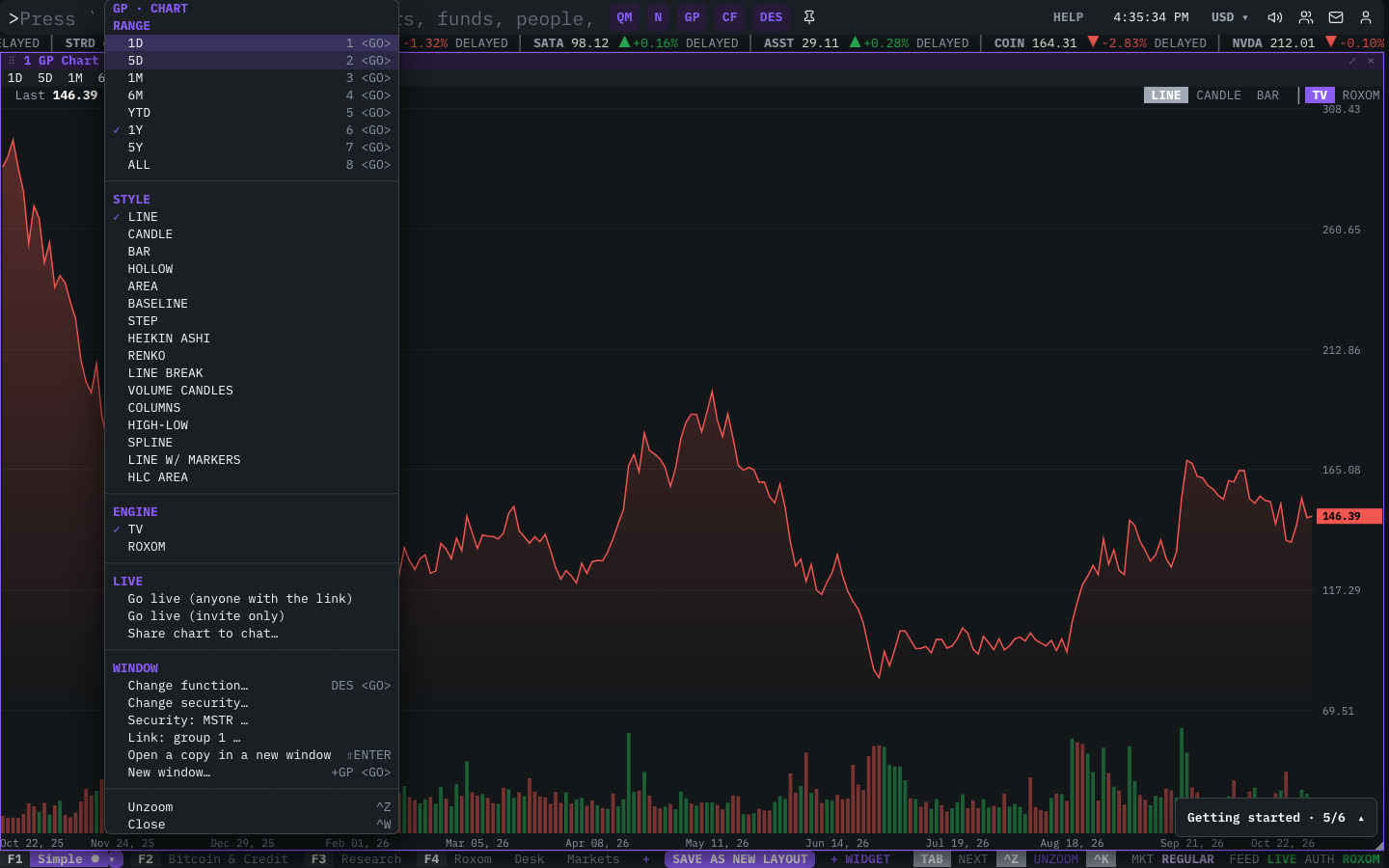
| Menu item | Shortcut |
|---|---|
| Range | |
| 1D | 1 <GO> |
| 5D | 2 <GO> |
| 1M | 3 <GO> |
| 6M | 4 <GO> |
| YTD | 5 <GO> |
| 1Y | 6 <GO> |
| 5Y | 7 <GO> |
| ALL | 8 <GO> |
| Style | |
| LINE | |
| CANDLE | |
| BAR | |
| HOLLOW | |
| AREA | |
| BASELINE | |
| STEP | |
| HEIKIN ASHI | |
| RENKO | |
| LINE BREAK | |
| VOLUME CANDLES | |
| COLUMNS | |
| HIGH-LOW | |
| SPLINE | |
| LINE W/ MARKERS | |
| HLC AREA | |
| Engine | |
| TV | |
| ROXOM | |
| Live | |
| ◆ Go live · Pro | |
| Share chart to chat… |
The menu also has the standard window actions: change function, change security, link, open a copy, zoom and close.
Plan limits
| Guest | Free | Pro | |
|---|---|---|---|
| Full intraday history | — | — | ✓ |
| Live chart sessions | — | — | ✓ |
See Plans and access.
Related functions
FAQ
What does GP do?
Price graph.
How do I open GP?
Type GP on the command line and press ENTER. To open it in a new window, type +GP or press ⇧ENTER. Add a ticker first to load a specific security, for example MSTR GP.
Last modified on