

Trading & account
How to deposit and withdraw in Roxom Pro
Find your deposit address and withdraw BTC, USDT or USDC from the CASH window.
The CASH window shows your deposit addresses and lets you withdraw to an external wallet, without leaving the terminal. It works the same as deposits and withdrawals in the Roxom app.
How to deposit
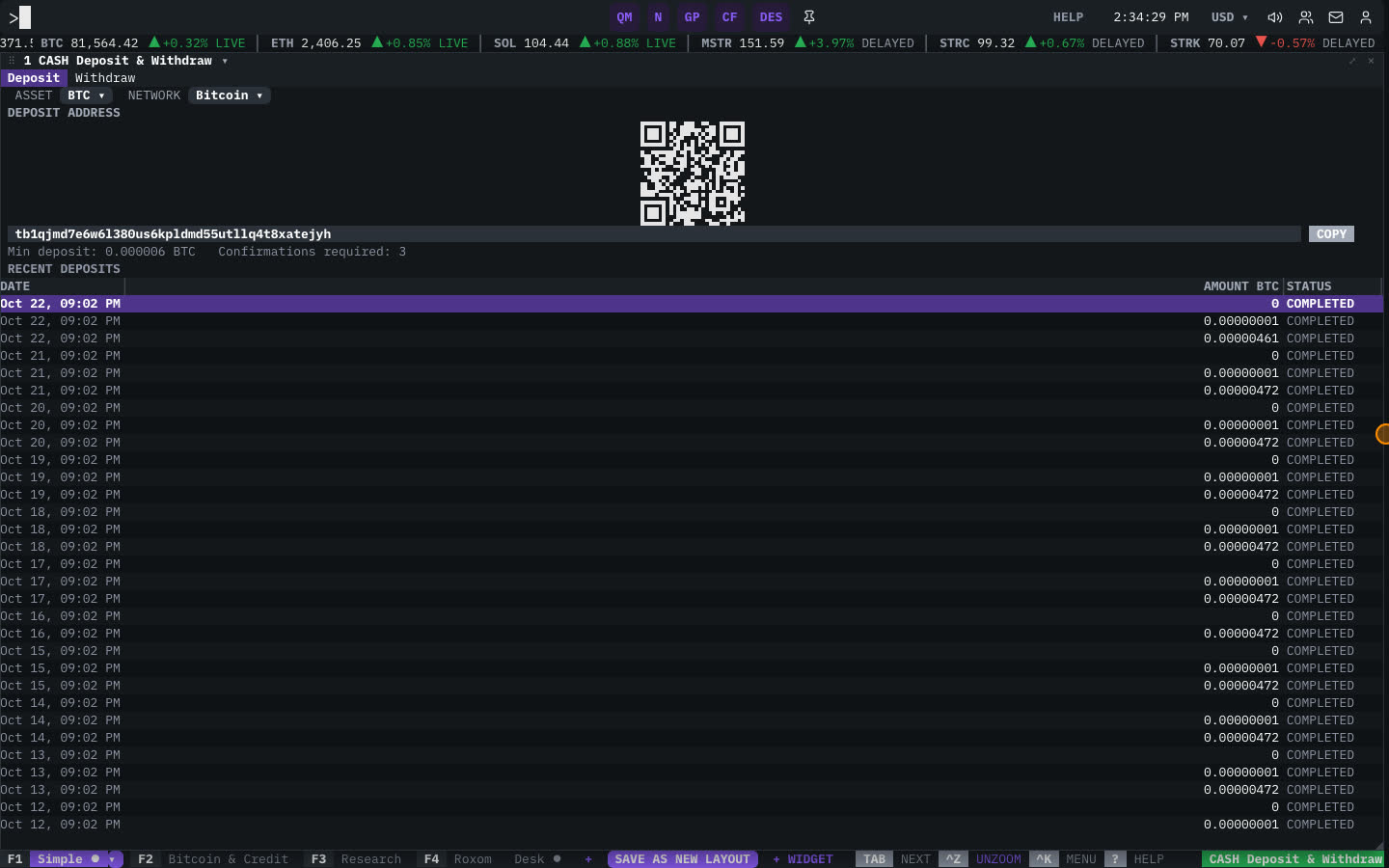
- Open CASH
Type
CASH(orDEP) and press ENTER. - Choose the asset and network
Pick the ASSET (BTC, USDT or USDC) and the NETWORK you will send from.
- Copy your deposit address
The window shows your DEPOSIT ADDRESS and a QR code. Click the address to copy it, and send funds to it from your wallet or exchange.
- Track the deposit
Incoming deposits appear under RECENT DEPOSITS with their status. Deposits arrive in your Funding account.
How to withdraw
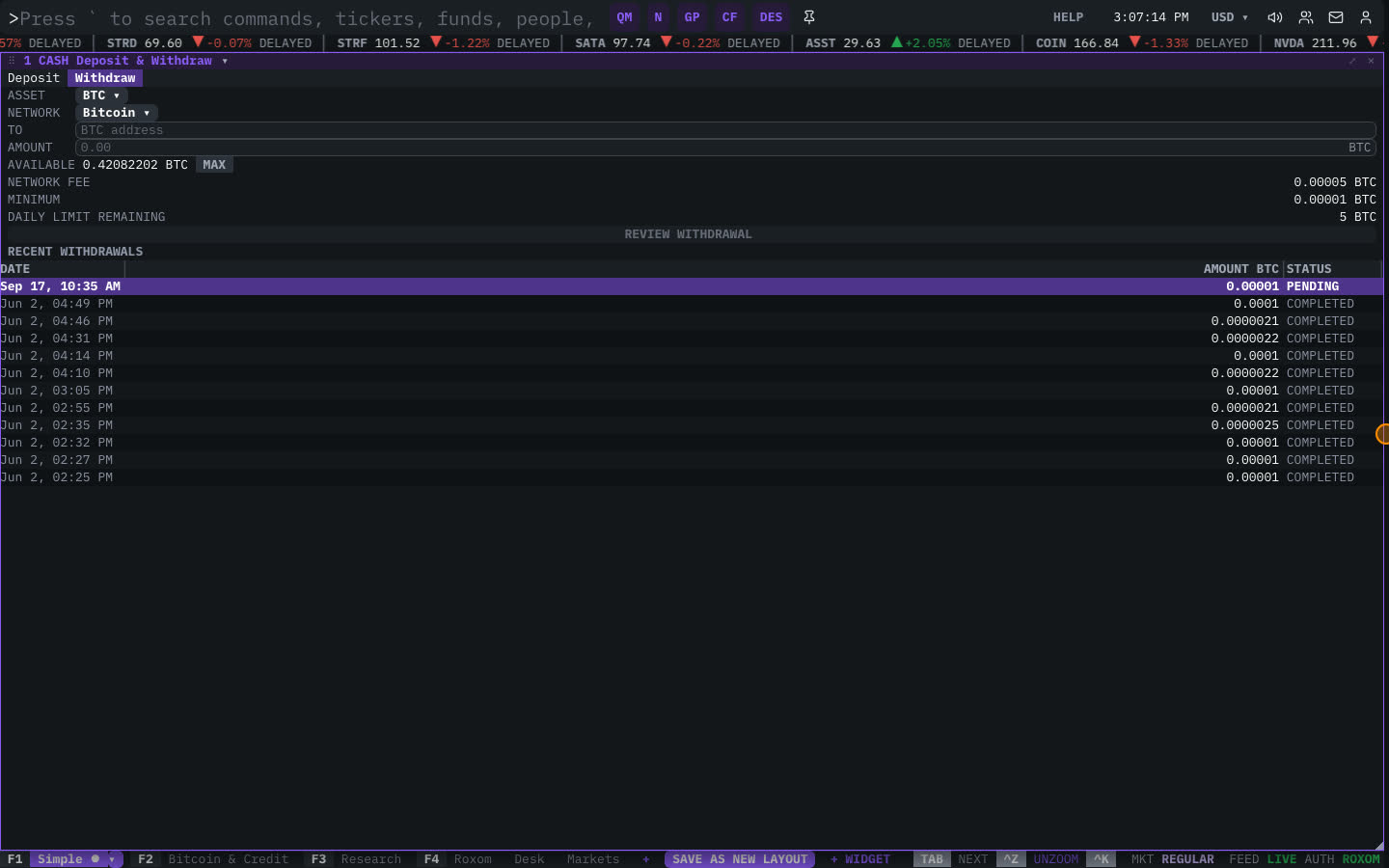
- Open the withdrawal
In the CASH window, select the Withdraw tab next to Deposit.
- Fill in the withdrawal
Pick the ASSET and NETWORK, paste the destination address in TO, and type the AMOUNT. The window shows your AVAILABLE balance, the MINIMUM, the NETWORK FEE and your DAILY LIMIT REMAINING.
- Review
Select REVIEW WITHDRAWAL and check every detail, especially the address and network.
- Confirm with two-factor authentication
Select CONFIRM WITHDRAWAL and complete the security check (2FA) that Roxom asks for.
- Track the withdrawal
The withdrawal appears under RECENT WITHDRAWALS with its status and transaction id.
Related articles
- How to deposit crypto into your Roxom account
- How to withdraw crypto from your Roxom account
- What is the withdrawal limit in Roxom?
- What security settings are required to withdraw?
- CASH: Deposit & Withdraw
Last modified on