

Markets
IMAP: Global Heatmap
A % change heatmap of the S&P 500, Dow, crypto and FX.
Global Heatmap draws the market as tiles sized by weight and colored by % change, grouped by sector. Switch between the S&P 500, the Dow, crypto and FX. A rail lists the top gainers and losers.
Aliases: HMAP, HEAT
How to use IMAP
| You type | Result |
|---|---|
IMAP ENTER | Opens the heatmap. |
HMAP ENTER | Same (alias). |
Window menu
Open ▾ in the title bar (or right-click the window) for IMAP’s options:
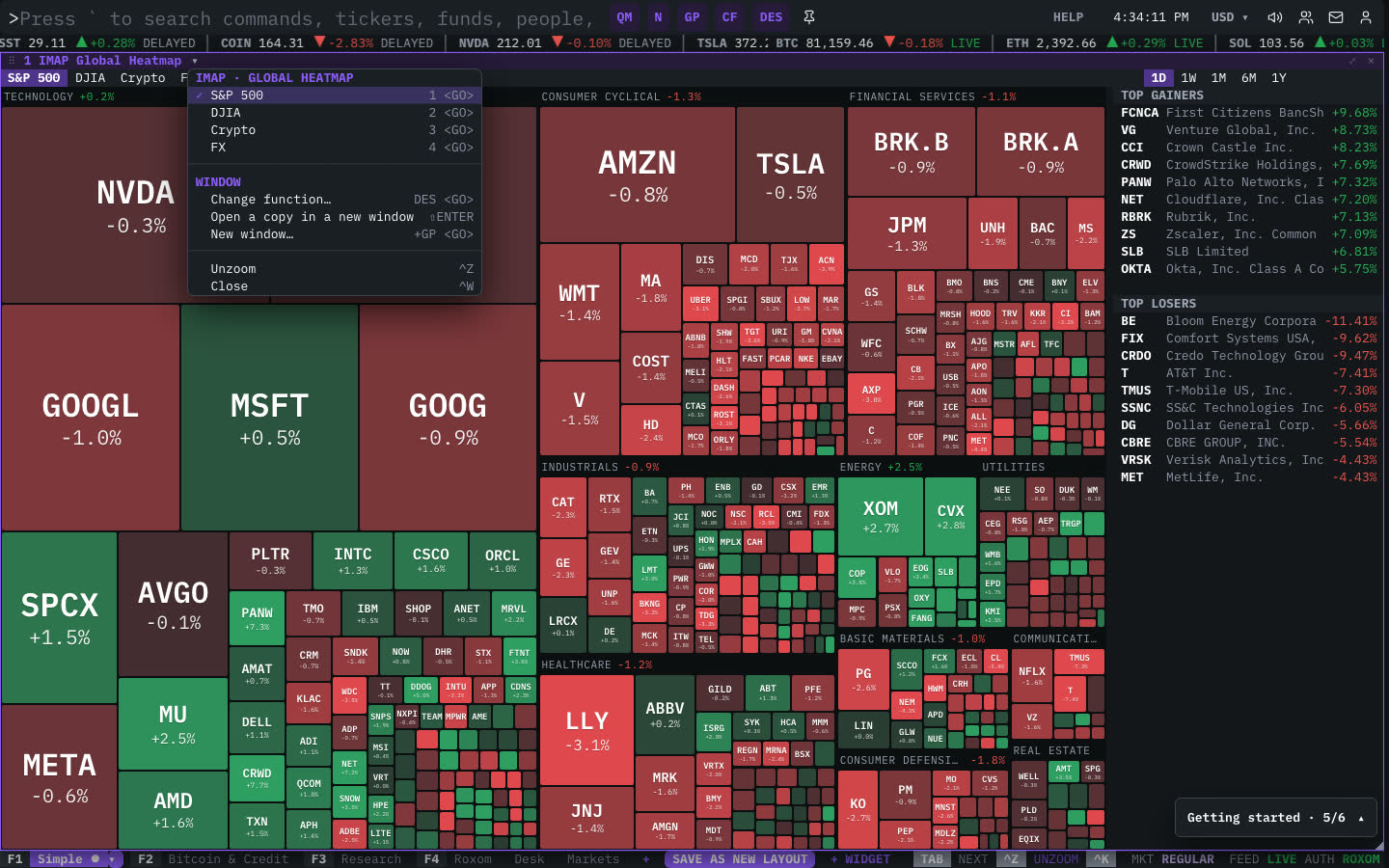
| Menu item | Shortcut |
|---|---|
| S&P 500 | 1 <GO> |
| DJIA | 2 <GO> |
| Crypto | 3 <GO> |
| FX | 4 <GO> |
The menu also has the standard window actions: change function, change security, link, open a copy, zoom and close.
Plan limits
| Guest | Free | Pro | |
|---|---|---|---|
| The crypto and FX boards | — | — | ✓ |
See Plans and access.
Related functions
MOST: Most ActiveActive · gainers · losers · valueINDX: World IndexesS&P · Dow · Nasdaq · VIX · Stoxx · DAX · CAC · Nikkei · HSICMKT: Crypto MarketsTop 250 · caps · dominance
FAQ
What does IMAP do?
% change map.
How do I open IMAP?
Type IMAP on the command line and press ENTER. To open it in a new window, type +IMAP or press ⇧ENTER.
Which boards are free?
Crypto and FX boards are Pro.
Last modified on