

News, media & tools
N: News
Wires and headlines from every source, filterable by topic, ticker and source, with search.
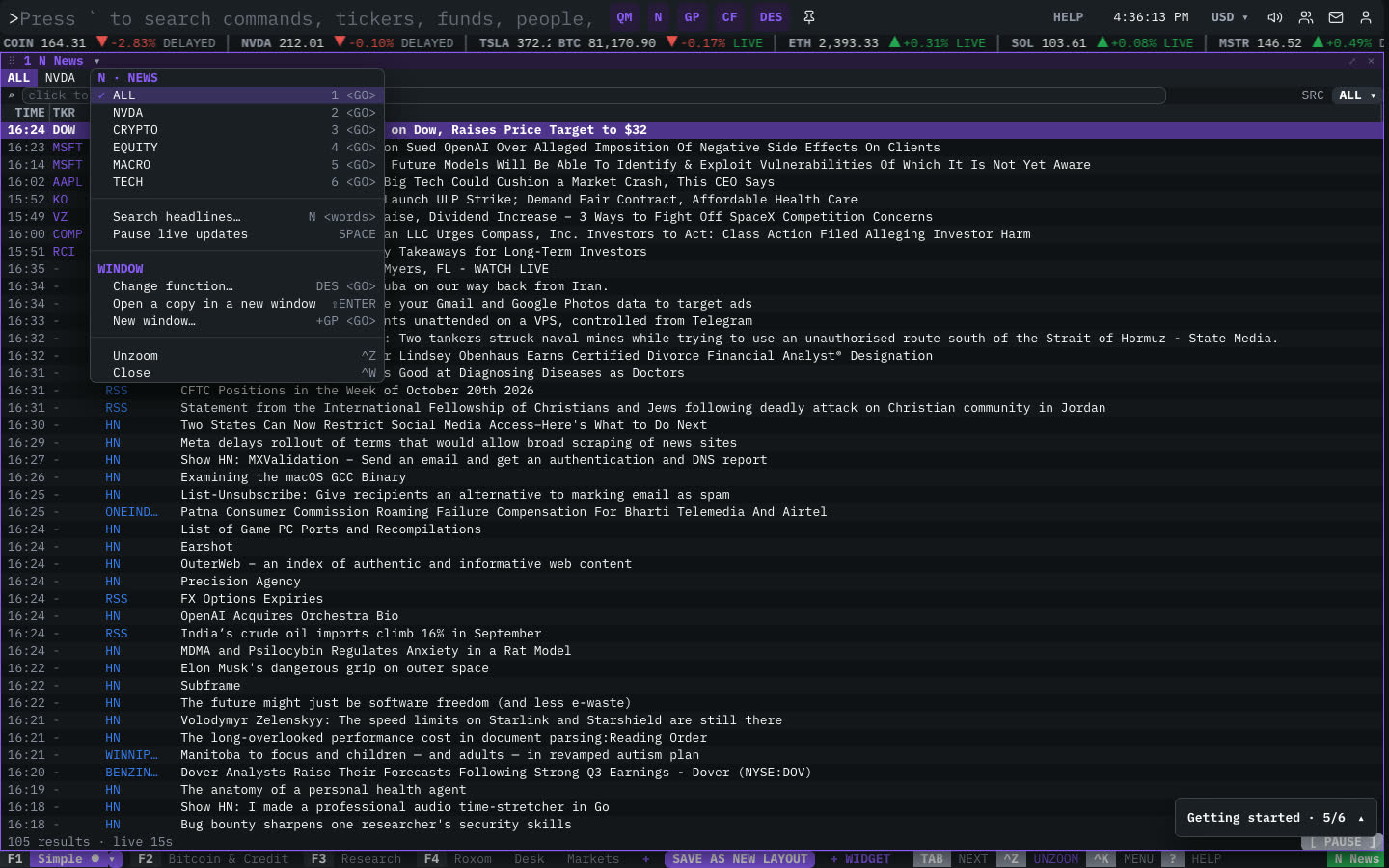
News streams headlines from wires, financial media, filings and the web as they arrive. Filter by topic or ticker, pick sources, and search. Click a headline to read it.
Aliases: TOP, CN, NEWS
How to use N
| You type | Result |
|---|---|
N ENTER | Opens the news feed. |
N bitcoin etf ENTER | Searches headlines for “bitcoin etf”. |
MSTR N ENTER | News about MSTR. |
Filters
- Topic tabs: ALL, the linked ticker, CRYPTO, EQUITY, MACRO and TECH.
- Search: click the search box (or use Search headlines in the window menu).
- SRC ▾ picks the sources.
- [ PAUSE ] freezes the live feed while you read.
Columns
TIME, TKR (the ticker the story is about; click it to load it), SRC (source) and HEADLINE.
Breaking news
Major headlines can also appear in a breaking-news bar at the top of the terminal and be read out loud: open the audio (speaker) menu in the top bar. You can change both in Settings.
Window menu
Open ▾ in the title bar (or right-click the window) for N’s options:
| Menu item | Shortcut |
|---|---|
| ALL | 1 <GO> |
| STRC | 2 <GO> |
| CRYPTO | 3 <GO> |
| EQUITY | 4 <GO> |
| MACRO | 5 <GO> |
| TECH | 6 <GO> |
| Search headlines… | N <words> |
| Pause live updates | SPACE |
The menu also has the standard window actions: change function, change security, link, open a copy, zoom and close.
Plan limits
| Guest | Free | Pro | |
|---|---|---|---|
| News windows shown | 2 | 3 | All |
See Plans and access.
Related functions
FAQ
What does N do?
Wires & headlines.
How do I open N?
Type N on the command line and press ENTER. To open it in a new window, type +N or press ⇧ENTER.
How many news windows can I open?
Guests 2, free accounts 3 and Pro as many as you like.
Last modified on