

Markets
ECST: Economic Series
Chart up to four FRED economic series on one plot, with YoY/MoM transforms and recession shading.
Economic Series charts data from FRED (Federal Reserve Bank of St. Louis): inflation, jobs, rates, money supply, housing and thousands more. Plot up to 4 series together, each on its own scale, and shade US recessions.
Aliases: FRED, ECOS
How to use ECST
| You type | Result |
|---|---|
ECST ENTER | Opens the economic series chart. |
FRED:CPIAUCSL ECST ENTER | Charts a specific FRED series. |
Options
From the window menu: Add series and Remove, and TRANSFORM to show the level, year-over-year %, period-over-period % or change. Recession periods are shaded in the background.
Window menu
Open ▾ in the title bar (or right-click the window) for ECST’s options:
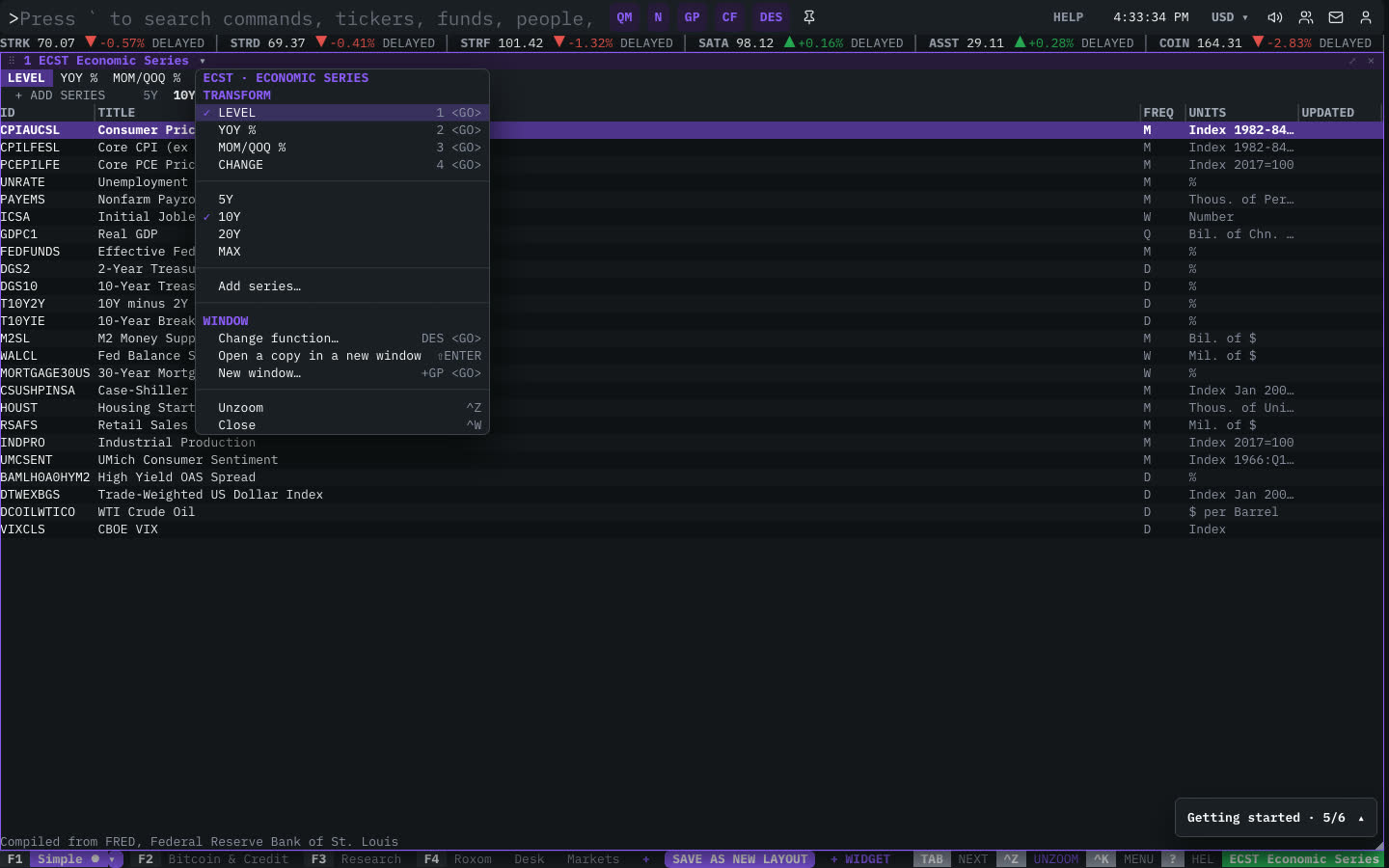
| Menu item | Shortcut |
|---|---|
| Transform | |
| LEVEL | 1 <GO> |
| YOY % | 2 <GO> |
| MOM/QOQ % | 3 <GO> |
| CHANGE | 4 <GO> |
| 5Y | |
| 10Y | |
| 20Y | |
| MAX | |
| Add series… |
The menu also has the standard window actions: change function, change security, link, open a copy, zoom and close.
Plan limits
| Guest | Free | Pro | |
|---|---|---|---|
| Observations shown | 60 | 240 | All |
See Plans and access.
Related functions
FAQ
What does ECST do?
FRED series, YoY/MoM transforms, recessions.
How do I open ECST?
Type ECST on the command line and press ENTER. To open it in a new window, type +ECST or press ⇧ENTER.
Last modified on