

Trading & account
How to use Earn in Roxom Pro
See your BTC Earn rate and interest, and activate or disable Earn from the EARN window.
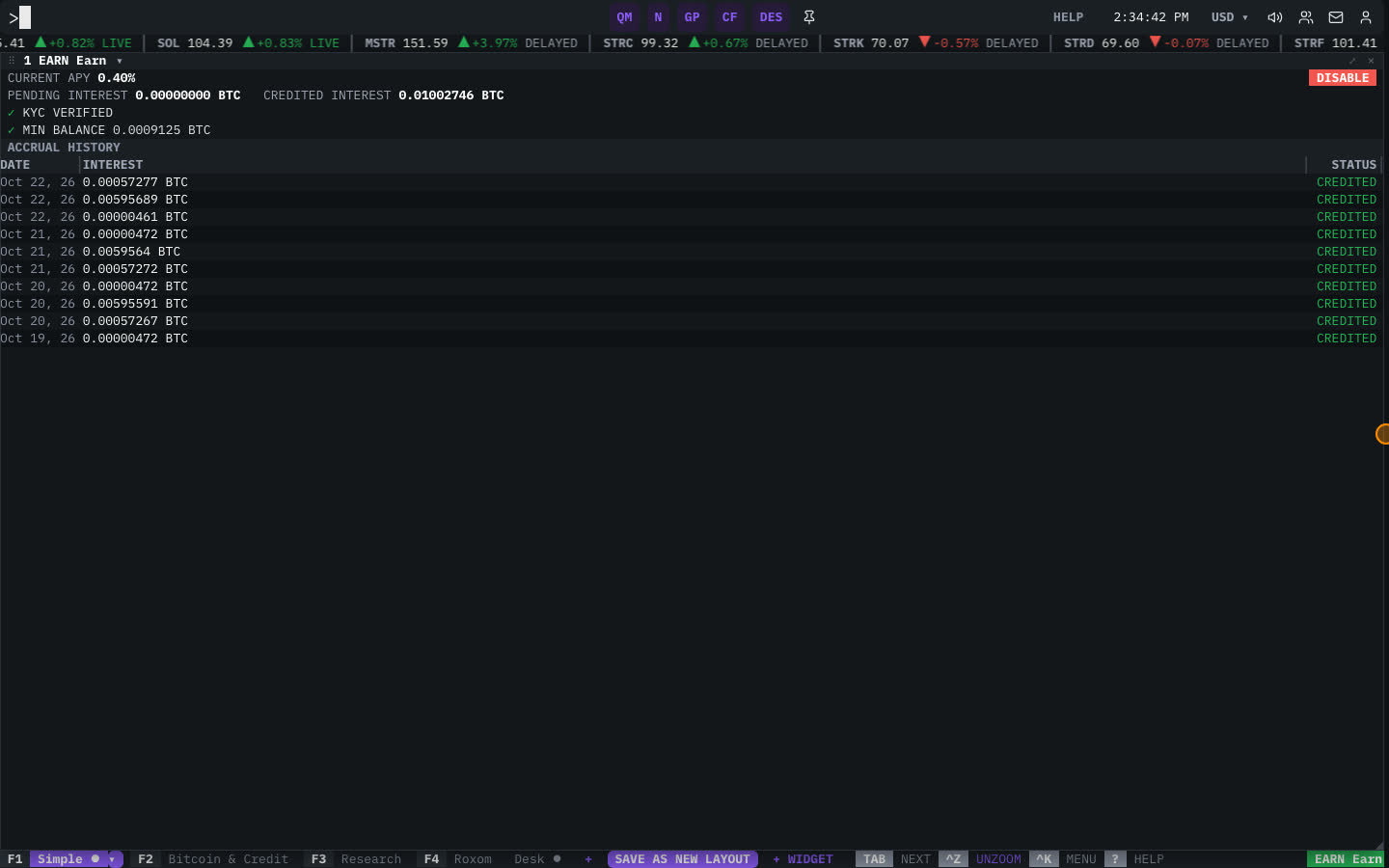
The EARN window shows BTC Earn on your Roxom account: the current APY, whether Earn is active, and the interest you have been credited.
How to activate Earn
- Open EARN
Type
EARNand press ENTER. - Check eligibility
The window shows your STATUS and whether your account meets the requirements, such as KYC VERIFIED.
- Activate
Select ACTIVATE, review the terms and confirm. Interest starts accruing on your eligible bitcoin.
To stop, select DISABLE and confirm.
Interest history
The bottom of the window lists your CREDITED INTEREST by DATE with the INTEREST amount. Until the first accrual it shows NO ACCRUALS YET.
Related articles
- What is BTC Earn?
- Eligibility, balances and daily accrual
- Rates, earnings calculation and credits
- EARN: Earn
Last modified on