

Markets
MOST: Most Active
The most active US stocks, top gainers, top losers and most traded by value, filtered by market cap.
Most Active ranks US stocks by activity. Switch between ACTIVE (shares traded), GAINERS, LOSERS and VALUE (dollars traded), and filter by market cap.
Aliases: MOV, ACT, GAIN, LOSE
How to use MOST
| You type | Result |
|---|---|
MOST ENTER | Opens the most active list. |
GAIN ENTER | Opens Most Active (alias). Then select GAINERS. |
Columns and filters
Each row shows TICKER, NAME, LAST USD, %CHG, NET, VOL, VALUE and M CAP. Use MIN CAP and MAX CAP to hide small or large companies (the default minimum is $500M). Click a row twice to load the ticker in linked windows.
Window menu
Open ▾ in the title bar (or right-click the window) for MOST’s options:
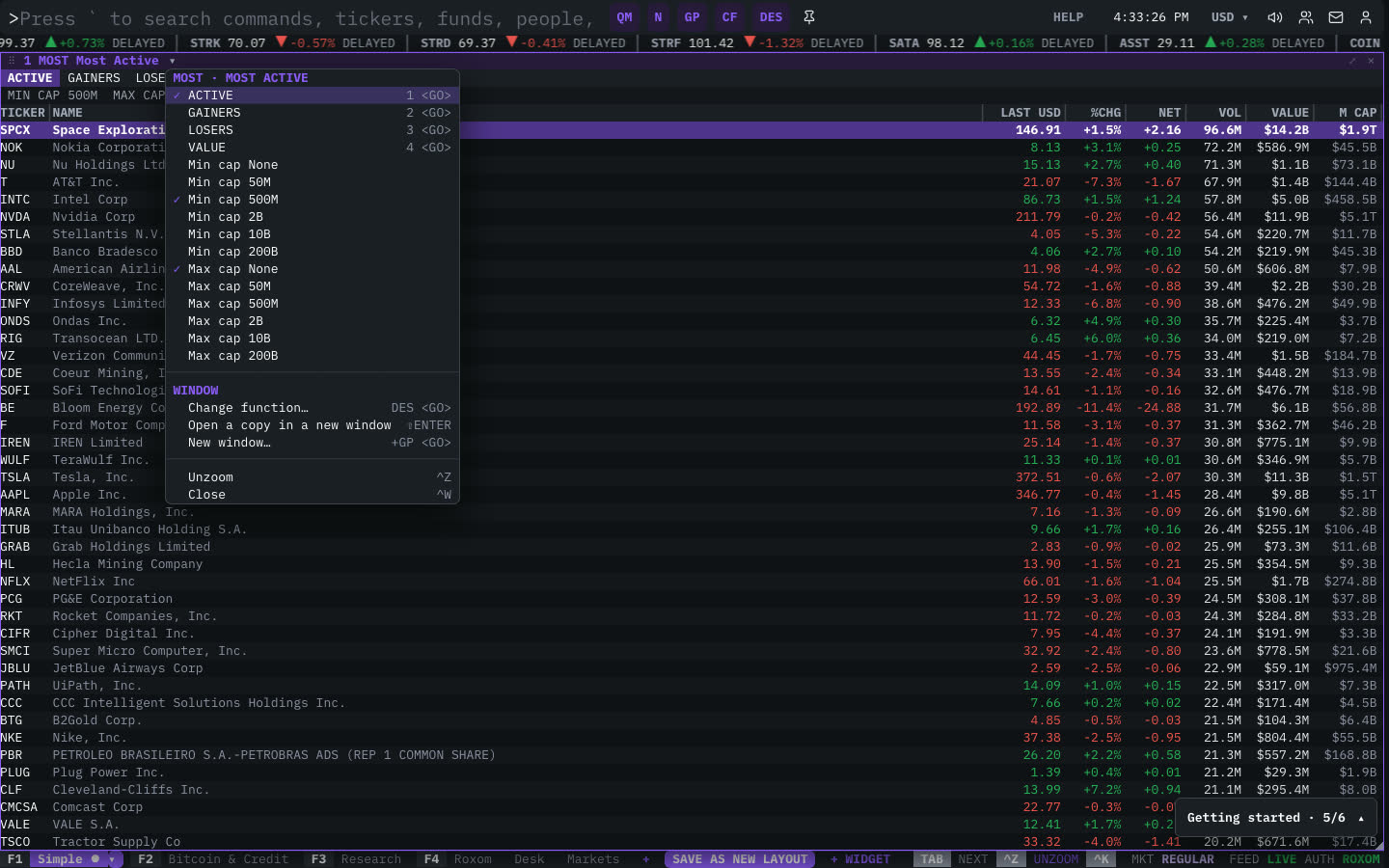
| Menu item | Shortcut |
|---|---|
| ACTIVE | 1 <GO> |
| GAINERS | 2 <GO> |
| LOSERS | 3 <GO> |
| VALUE | 4 <GO> |
| Min cap None | |
| Min cap 50M | |
| Min cap 500M | |
| Min cap 2B | |
| Min cap 10B | |
| Min cap 200B | |
| Max cap None | |
| Max cap 50M | |
| Max cap 500M | |
| Max cap 2B | |
| Max cap 10B | |
| Max cap 200B |
The menu also has the standard window actions: change function, change security, link, open a copy, zoom and close.
Plan limits
| Guest | Free | Pro | |
|---|---|---|---|
| Movers shown | 10 | 25 | All |
See Plans and access.
Related functions
FAQ
What does MOST do?
Active, gainers, losers, value.
How do I open MOST?
Type MOST on the command line and press ENTER. To open it in a new window, type +MOST or press ⇧ENTER.
Last modified on