

Trading & account
How to manage BLOC loans in Roxom Pro
See your bitcoin-backed loans, LTV and activity, and repay, borrow more, manage collateral or open a new loan from the BLOC window.
The BLOC window shows your bitcoin-backed credit line: every loan with its principal, collateral, loan-to-value (LTV) and status, and your recent loan activity.
Your loans
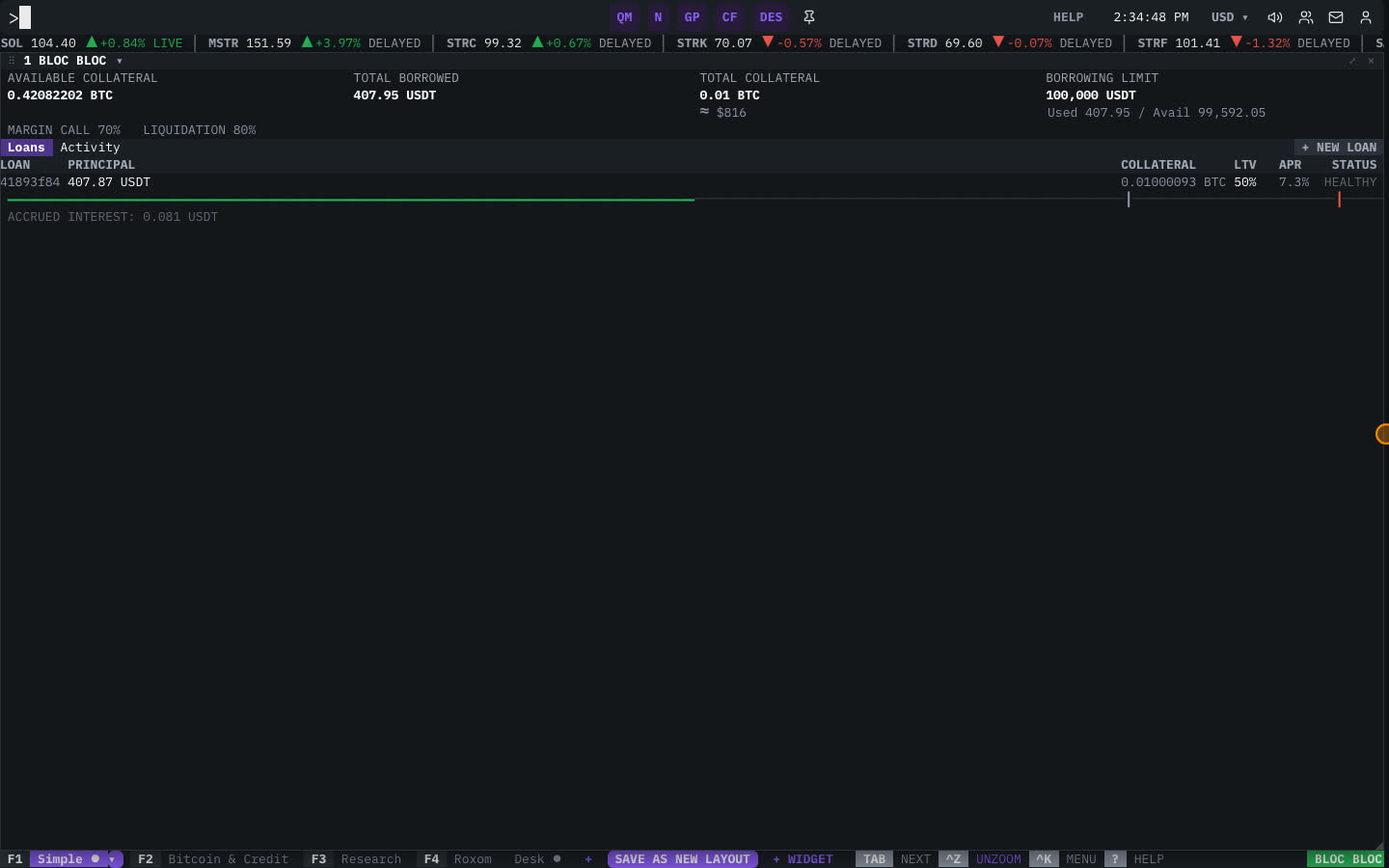
Type BLOC (or press F4 for the Roxom layout). For each loan you see LOAN, PRINCIPAL, COLLATERAL, its LTV and STATUS. If you have none, the window shows NO ACTIVE LOANS.
Manage a loan
Select a loan (click it, or move to it and press ENTER) to choose an action:
- Repay: pay back part or all of the loan. You see a repayment quote before you confirm.
- Borrow more: draw more against your collateral.
- Add collateral: post more bitcoin to lower your LTV.
- Release collateral: take bitcoin back if your LTV allows it.
Each action shows a review screen; nothing happens until you confirm. Press ESC to deselect the loan.
Open a new loan
- Start a new loan
With no loan selected, press ENTER (New loan).
- Enter the amount and collateral
Type the loan AMOUNT and the Collateral BTC. Wait for QUOTE READY.
- Review and create
Select REVIEW NEW LOAN, check the rate, LTV and terms, then select CREATE LOAN.
Related articles
Last modified on