

Markets
CHOKE: Chokepoint Monitor
Traffic through 28 shipping chokepoints this week versus normal, from IMF PortWatch.
Chokepoint Monitor tracks vessel traffic through 28 maritime straits and canals (Hormuz, Suez, Bab el-Mandeb, Panama, Malacca and more), comparing this week to normal, using IMF PortWatch data.
Aliases: PW, STRAITS, SHIP
How to use CHOKE
| You type | Result |
|---|---|
CHOKE ENTER | Opens the chokepoint monitor. |
Window menu
Open ▾ in the title bar (or right-click the window) for CHOKE’s options:
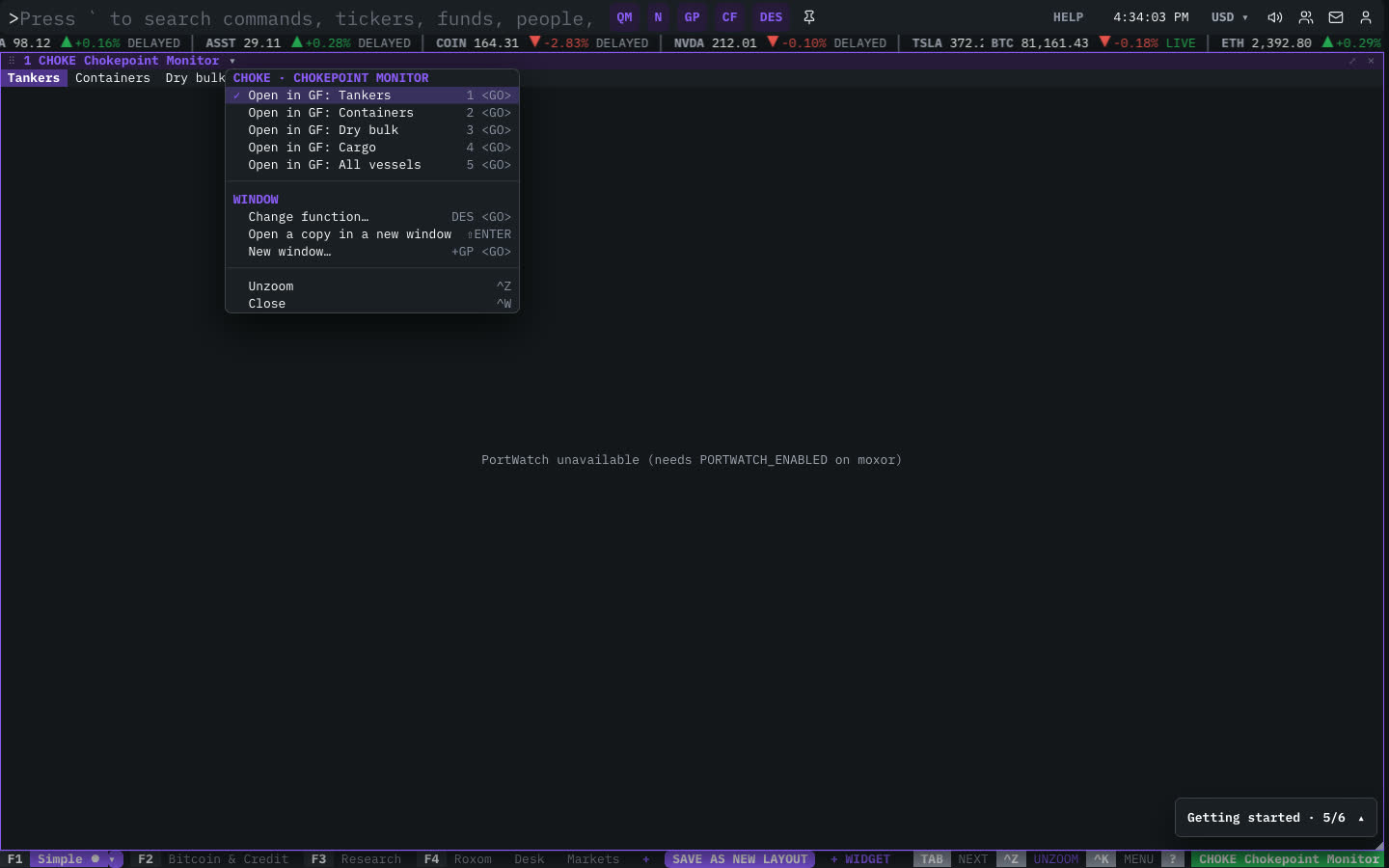
| Menu item | Shortcut |
|---|---|
| Open in GF: Tankers | 1 <GO> |
| Open in GF: Containers | 2 <GO> |
| Open in GF: Dry bulk | 3 <GO> |
| Open in GF: Cargo | 4 <GO> |
| Open in GF: All vessels | 5 <GO> |
The menu also has the standard window actions: change function, change security, link, open a copy, zoom and close.
Related functions
GEO: World SituationMilitary aircraft · chokepoint ships · quakes · hazardsCMDTY: CommoditiesMetals · energy spot · 24/7 perpsGF: Graph FundamentalsChart company fundamentals over time and compare across companies
FAQ
What does CHOKE do?
28 shipping straits, this week vs normal, IMF PortWatch.
How do I open CHOKE?
Type CHOKE on the command line and press ENTER. To open it in a new window, type +CHOKE or press ⇧ENTER.
Last modified on