

Getting started
How to use the command line
Load tickers and functions, pass arguments, open new windows and search everything from the Roxom Pro command line.
Everything you type in Roxom Pro goes to the command line at the top left. ENTER is <GO>: it runs what you typed.
What you can type
| You type | What happens |
|---|---|
MSTR ENTER | Loads MSTR into the focused window’s link group: the chart, profile, news and ticket all switch to it. |
DES ENTER | Changes the focused window to that function. |
MSTR DES ENTER | Ticker and function in one line. Bloomberg-style suffixes are optional: MSTR US Equity DES works too. |
N bitcoin etf ENTER | A function with arguments: here, a news search. Other examples: QM ADD NVDA, ALRT BTC-USD > 60000. |
+GP ENTER or ⇧ + ENTER | Opens the function in a new window instead of replacing the focused one. |
3 ENTER | Picks item or tab 3 in the focused window. |
#2 ENTER | Focuses window 2. |
BUY MSTR, SELL MSTR, TKT MSTR | Opens the trade ticket for MSTR, with the side preset. |
LP ENTER | Opens the layout gallery. LP MARKETS opens a layout by name. See Layouts. |
MENU | Shows every function in a table: code, name, description, group and aliases. |
HELP or ? | Shows commands and shortcuts. |
SET | Opens Settings. |
DESK / CLASSIC | Switches between the Desk and Classic front ends. |
ERR | Reports a bug or contacts support. |
Search with the palette
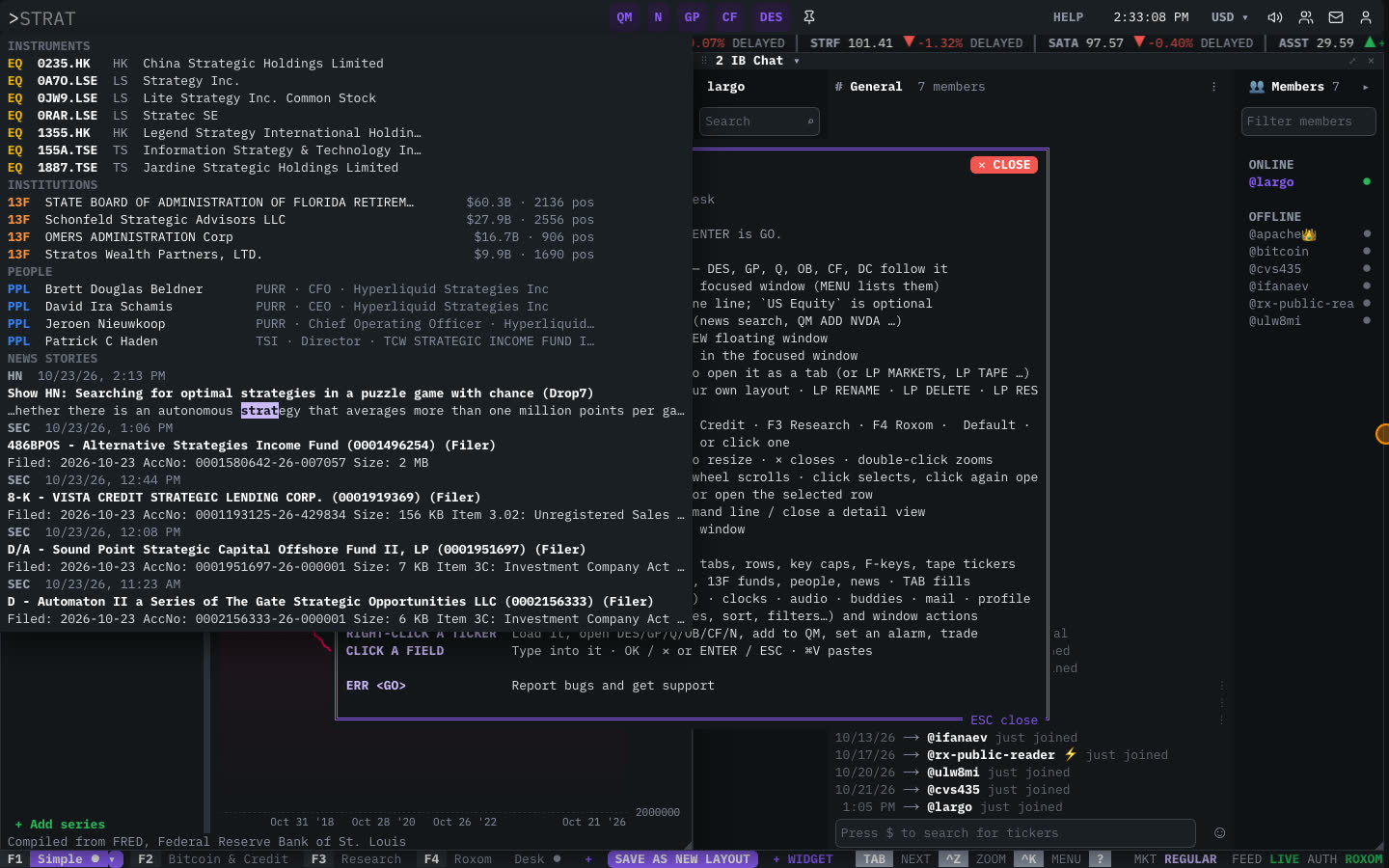
Press ` or ⌘/Ctrl + K to open the search palette. As you type, it suggests:
- Commands: function codes and names.
- Layouts: built-in and saved layouts.
- Instruments: stocks, ETFs, crypto, indexes, bonds and more.
- Institutions: 13F funds (opens their portfolio).
- People and News stories.
Use ↑ ↓ to move, TAB to fill the highlighted suggestion into the command line, and ENTER to run it. Right-click an instrument for its ticker menu.
Right-click any ticker
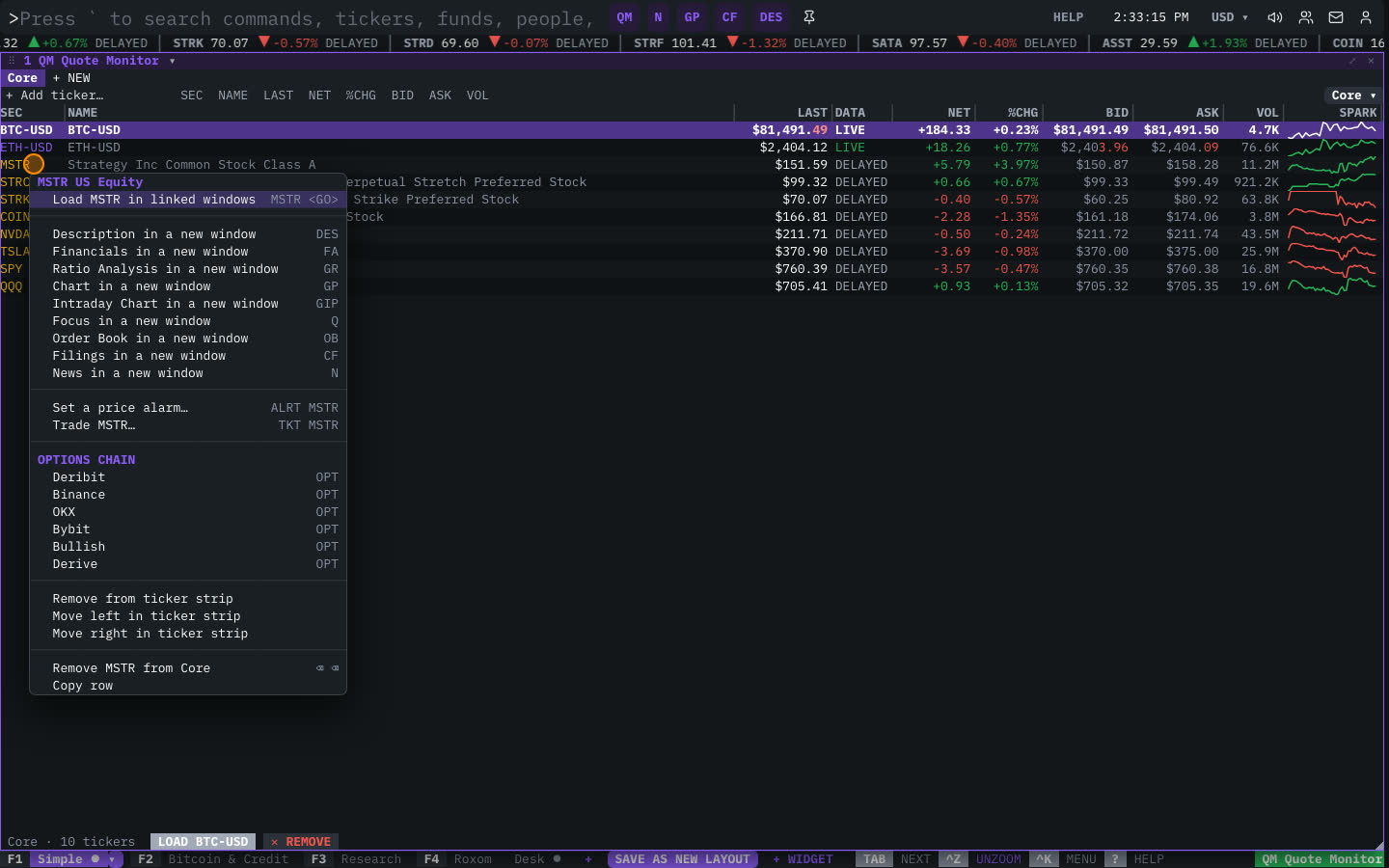
Right-click a ticker anywhere (a watchlist row, the ticker strip, a news headline) to:
- Load it in linked windows.
- Open its Description, Chart, Focus, Order Book, Filings or News in a new window.
- Add it to the Quote Monitor.
- Set a price alarm.
- Trade it.
- Open an options chain.
- Add it to, or move it in, the ticker strip.
Related articles
Last modified on