

Security
HDS: Holders
13F institutional holders of a security, and the full portfolio of any 13F filer.
Holders lists the institutions that report owning the linked security in their 13F filings, with shares, value, % of the portfolio and the latest change. Open any holder to see that fund’s whole portfolio.
HDS follows its link group.
Aliases: HOLD13F, 13F, OWN
How to use HDS
| You type | Result |
|---|---|
NVDA HDS ENTER | Nvidia’s institutional holders. |
Fund portfolios
Select a holder and press ENTER to see its full 13F portfolio (Pro). You can also find funds by name in the search palette under Institutions.
Window menu
Open ▾ in the title bar (or right-click the window) for HDS’s options:
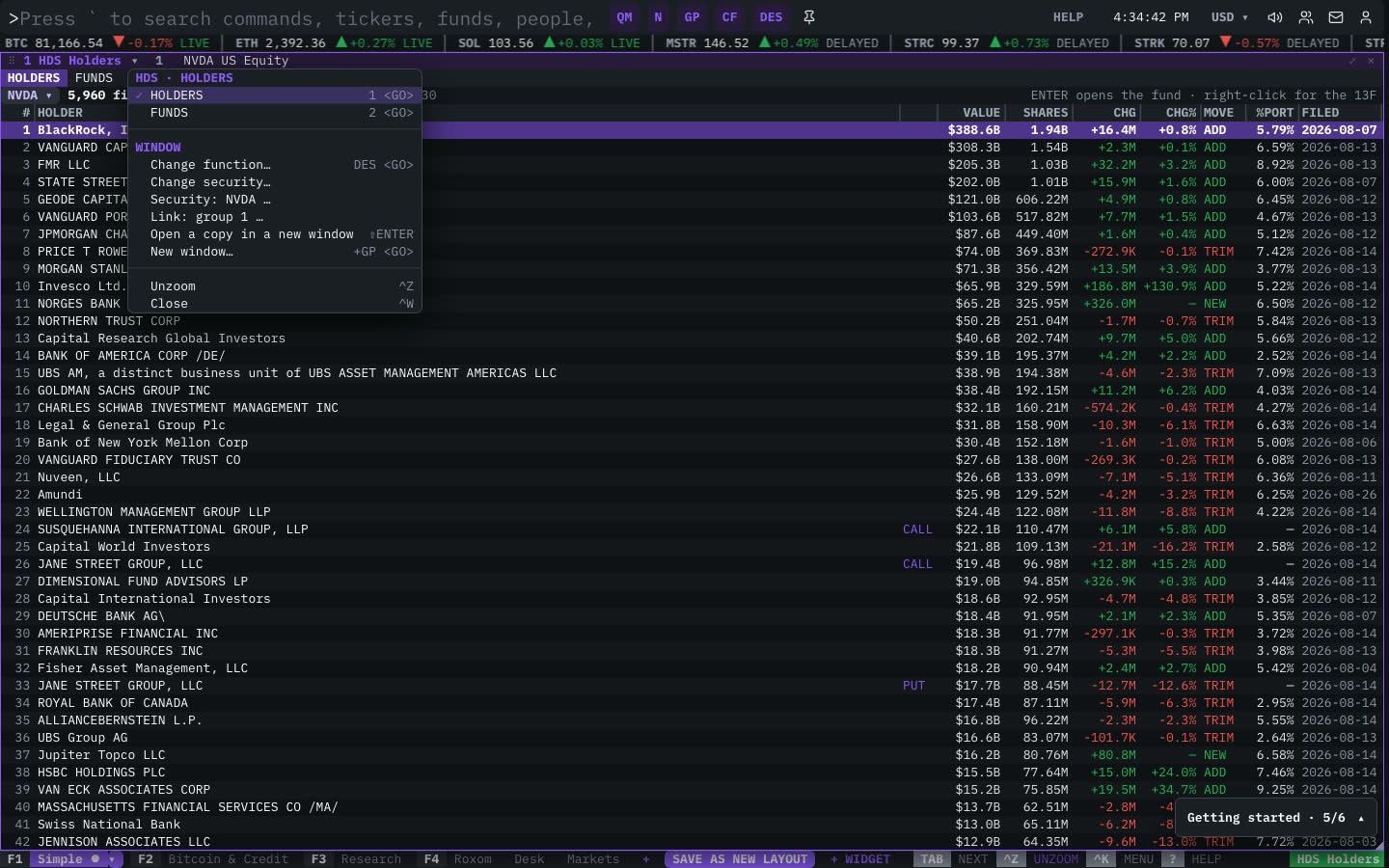
| Menu item | Shortcut |
|---|---|
| HOLDERS | 1 <GO> |
| FUNDS | 2 <GO> |
The menu also has the standard window actions: change function, change security, link, open a copy, zoom and close.
Plan limits
| Guest | Free | Pro | |
|---|---|---|---|
| Holders shown | 5 | 25 | All |
| Every fund’s full portfolio | — | — | ✓ |
See Plans and access.
Related functions
FAQ
What does HDS do?
13F institutional holders, every fund’s portfolio.
How do I open HDS?
Type HDS on the command line and press ENTER. To open it in a new window, type +HDS or press ⇧ENTER. Add a ticker first to load a specific security, for example NVDA HDS.
Last modified on