

Markets
OB: Order Book
Level 2 order book: bids and asks by price for the linked security.
Order Book shows Level 2 depth for the linked security: resting bids and asks at each price, with size and cumulative size.
OB follows its link group.
Aliases: MBO, DEPTH, L2
How to use OB
| You type | Result |
|---|---|
BTC-USD OB ENTER | The bitcoin order book. |
MSTR OB ENTER | The MSTR order book. |
Window menu
Open ▾ in the title bar (or right-click the window) for OB’s options:
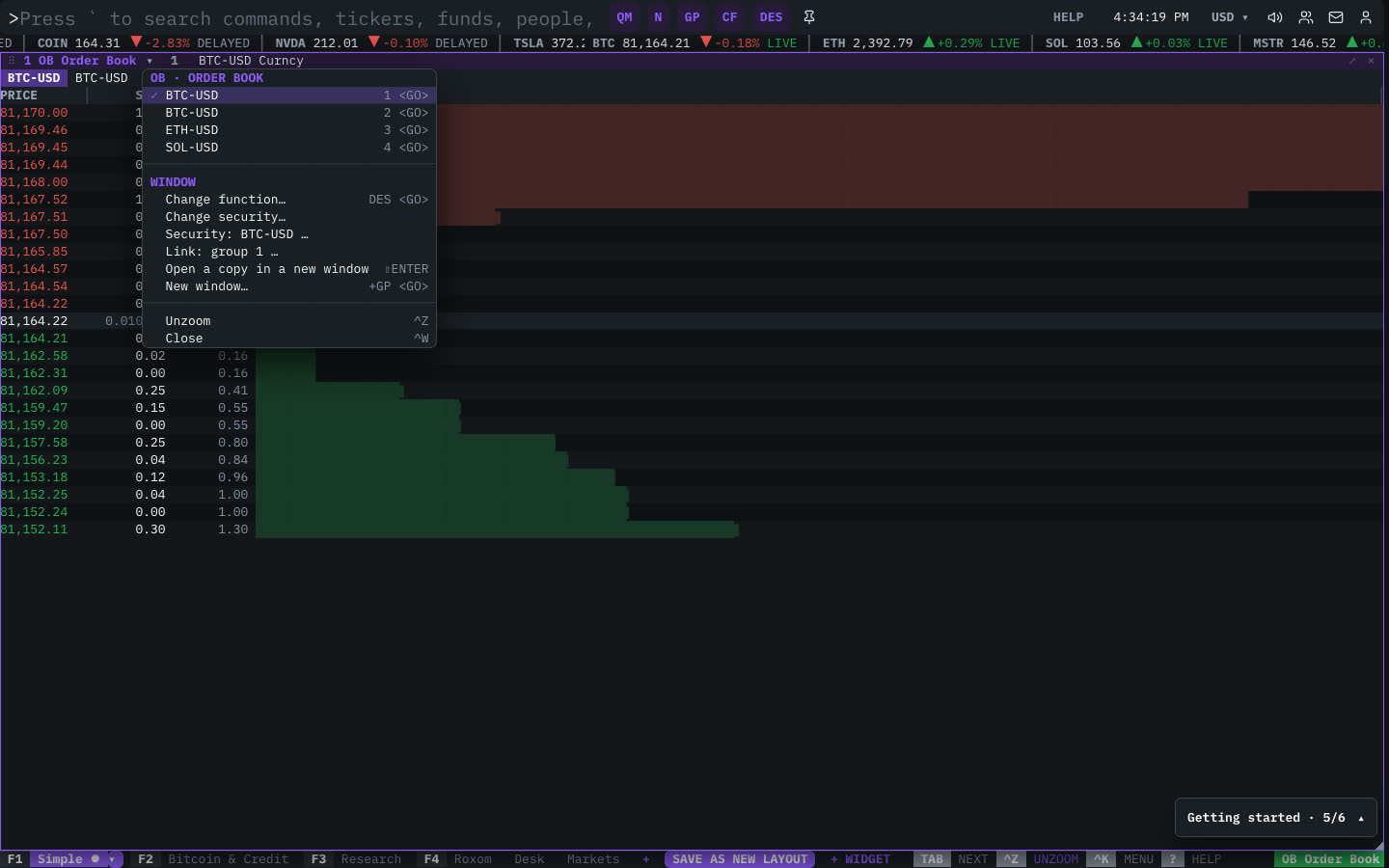
| Menu item | Shortcut |
|---|---|
| BTC-USD | 1 <GO> |
| BTC-USD | 2 <GO> |
| ETH-USD | 3 <GO> |
| SOL-USD | 4 <GO> |
The menu also has the standard window actions: change function, change security, link, open a copy, zoom and close.
Plan limits
| Guest | Free | Pro | |
|---|---|---|---|
| The live bid and ask | — | — | ✓ |
| The full order book | — | — | ✓ |
See Plans and access.
Related functions
DOM: Depth of MarketBids · buys · price · sells · asks · Δ% ladderTAS: Time & SalesEquity prints (15m delayed) · crypto perp tapeQ: FocusSingle-ticker tapeTKT: TradeOrder ticket
FAQ
What does OB do?
L2 depth.
How do I open OB?
Type OB on the command line and press ENTER. To open it in a new window, type +OB or press ⇧ENTER. Add a ticker first to load a specific security, for example BTC-USD OB.
Why is the book blurred?
The live bid/ask and the full book are Pro features.
Last modified on